

Arena.
Crisp · Blitz
Crisp
A sharp, bright snap with nothing wasted.
 MacPipTu próxima app para Mac está aquí.Descubre nuevas apps para Mac o lanza la tuya gratis.macpip.com →
Sonidos de clic y de teclas, ondas bajo el cursor, grabadora de pantalla, capturas y Clackyland, todo en tu barra de menús.
Clacky es una app para Mac. Recibe el enlace por email y ábrelo en tu Mac.
O cómpralo e instálalo luego · $4.99un pago de $4.99unos 4,44 € (Aproximado. Se cobra en USD; tu banco hace la conversión.)
Sonidos: macOS 13+ · Capturas: macOS 14+ · Grabadora: macOS 15+
Los sonidos de teclado solo escuchan cuándo se pulsa y se suelta una tecla. Clacky nunca registra, guarda ni envía qué teclas escribes, y respeta Secure Input.
Escribe lo que sea para empezar un test de 30 segundos
Lo que escribes nunca sale de esta página. Tu puntuación solo se envía si la publicas.
 Clacky
Tu Clacky de un vistazo. Un interruptor por tarjeta, arrastra para reordenar; más herramientas abajo.
Escribe en tu teclado para medir tu velocidad
Sonidos de teclado
Clacky también hace sonar tu teclado: 29 sonidos en 9 familias, del thock cremoso a la campanilla de una máquina de escribir. Escribe en tu teclado o toca las teclas.
Qué hace Clacky
Sonidos, una grabadora de pantalla, capturas y un pueblito. Todo en tu barra de menús.
Crisp Arena
37 sonidos de clic
Una onda en cada clic
Escribe o toca una tecla. Estás oyendo Mallow.
Sonidos de teclado
Nunca registra, guarda ni envía qué teclas escribes.
Los sonidos de teclado solo escuchan cuándo se pulsa y se suelta una tecla. Clacky nunca registra, guarda ni envía qué teclas escribes, y respeta Secure Input.
Privado por diseño
Un suave tic por cada paso del desplazamiento
Tics de desplazamiento
Clackyland, un pueblito para tu Blip
Capturas de pantalla, con flechas, desenfoque y marcos
Requiere macOS 14 o posterior
Grabadora de pantalla, con tus clics y tu voz
Requiere macOS 15 o posterior
37 click sounds in 8 families. Press play on any card to hear one, or tap a name to keep it.
Crisp · Blitz
A sharp, bright snap with nothing wasted.
Beige · Rollerball
Loud and hollow, like the mouse on a 90s desktop.
Hush · Tap
A muffled click for late nights.
Bubble · Pop
A round little bloop that rises as it pops.
Tok · Pebble
A hollow wooden block, struck once. Round and resonant.
Ballpoint · Airpop
A retractable pen: a plastic double click and a hint of spring.
Shutter · Toggle
A film camera firing: a crisp release, then the curtain.
Pumpkin · Cauldron
A knuckle on a big, hollow pumpkin: a deep, round thunk.
Clacky is yours to tune. Every one of these is a real setting in the app.
37 click sounds. Eight families, from Arena to Spooky.
29 keyboard sounds. Nine families, from creamy thock to a typewriter.
Ripples. Ring, Double, Glow or Dot, in your own colours.
Stereo. Off, Subtle or Wide, so a click on the left sounds left.
Levels. Press, release, scroll and keys, each its own slider.
Your notch. Small, Standard or Large, tiles in your order.
Card themes. Mac, Mac Light, Mac Dark, Clacky or one colour you pick.
Camera bubble. A circle, a rounded square, or 16:9, 4:3 and 9:16.

The Closet. Hats, scarves and more for your Blip, earned as you click.
Take a closer look
Pick a part and watch it come out of the notch.
 The notch at rest
Agents, recordings, music and batteries show up by the notch, then step aside when they're done.

Batteries
Mac Health
All calmYour agents, by the notch. When Claude Code is done or needs you, your Blip pops out to say so. Keep Awake can wait for it too.
26 small tools live inside Clacky, each with its own switch in My Kit. Keep them , turn the ones you don’t need, and they come back just as you left them.
Memory, CPU, battery, busy apps and what fills your disk, with Boop.
Stops your Mac and its screen from sleeping.
One shortcut mutes your mic in every app. Hold it to talk.
Your last 50 copies: search, pin, paste. Off by default, stays on this Mac.
Pick any colour on screen. Copied as HEX, RGB, HSL or SwiftUI.
Each app its own volume up to 200 %, mute and output.
Pomodoro sessions with soft ambient sound, live in the notch.
Quick notes and today's checklist. Stays on this Mac.
Type :sig, get your signature. Your snippets, anywhere you type.
Drag a window to an edge for halves and quarters, or use ⌃⌥ arrows.
Tuck rarely used menu bar icons behind a divider. Notch-safe.
Remove an app and the files it left in your Library. Moves to Trash.
Record, Code, Focus, Call, Quiet: one click switches a set of tools.
A cursor halo, drawing and zoom for demos and talks.
Your script under the camera. Never shows in recordings.
Turn any recording into a small, shareable GIF.
Read a QR code or barcode on screen. Links come without trackers.
Speak, and paste it as a prompt anywhere.
A sound and a nudge when your AI agent needs you.
Claude Code's tokens today and this week, and what they'd cost on the API.
Stops a worn mouse from double-clicking by itself.
Live up and down speed, and which apps are using it.
Save your Clacky set-up to a file and open it on your new Mac.
Spotify or Music in the notch: the song, its cover, play, pause and skip.
Boop catches a coin in the notch for every new sale on Polar or Stripe.
Your Mac, AirPods, mouse, keyboard and trackpad levels, in the notch.
Memory, CPU, battery, busy apps and what fills your disk, with Boop.
Stops your Mac and its screen from sleeping.
One shortcut mutes your mic in every app. Hold it to talk.
Your last 50 copies: search, pin, paste. Off by default, stays on this Mac.
Pick any colour on screen. Copied as HEX, RGB, HSL or SwiftUI.
Each app its own volume up to 200 %, mute and output.
Pomodoro sessions with soft ambient sound, live in the notch.
Quick notes and today's checklist. Stays on this Mac.
Type :sig, get your signature. Your snippets, anywhere you type.
Drag a window to an edge for halves and quarters, or use ⌃⌥ arrows.
Tuck rarely used menu bar icons behind a divider. Notch-safe.
Remove an app and the files it left in your Library. Moves to Trash.
Record, Code, Focus, Call, Quiet: one click switches a set of tools.
A cursor halo, drawing and zoom for demos and talks.
Your script under the camera. Never shows in recordings.
Turn any recording into a small, shareable GIF.
Read a QR code or barcode on screen. Links come without trackers.
Speak, and paste it as a prompt anywhere.
A sound and a nudge when your AI agent needs you.
Claude Code's tokens today and this week, and what they'd cost on the API.
Stops a worn mouse from double-clicking by itself.
Live up and down speed, and which apps are using it.
Save your Clacky set-up to a file and open it on your new Mac.
Spotify or Music in the notch: the song, its cover, play, pause and skip.
Boop catches a coin in the notch for every new sale on Polar or Stripe.
Your Mac, AirPods, mouse, keyboard and trackpad levels, in the notch.
All 26 on. Mac Health, Keep Awake, Mic Mute and the rest, one switch each.
For demos and talks. A ring follows your pointer, hold ⌃⌥D to draw and the ink fades when you let go, ⌃⌥Z zooms in where you click.
Your lines scroll right under the camera. They never show in your recordings or screenshots.
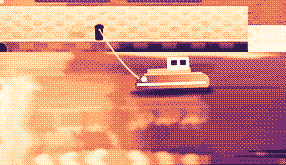
Hi, I'm Sam.
Today I want to show you
how I edit a video
in under two minutes.
First, I drop my recording
into Studio,
and the pauses are cut
before I even press play.
Then I add my music,
and I export.
Click a pixel and it's on your clipboard as HEX, RGB, HSL or SwiftUI. Your last 10 stay close.

Real posts and messages from people who tried it, word for word. Tap one to read the original.

Vedanth
@vedanthk_
The scroll sounds, every turn
“I love it dude! Especially the scroll sounds. You have put a lot of work into the app, and it shows at every turn. Very happy with it 🔥💯”

Iniyan
@iniyanai
Ripples right in the recording
“ripples baked right into the recording means no editing pass for demo videos, love it”
Customer
Shared without a name
7000 clicks in 2 days
“It's been a great experience with the clicky sounds haha, having about 7000 clicks in 2 days its crazy, Loved the concept!”

Joe
@joe_the_worker
Small sounds, big difference
“the app I never knew I needed 😂 incredible big a difference small sounds make”

Rakesh
@heyrakeshdotcom
Clicking and scrolling
“Loving the app Justinas… scrolling and clicking with it so satisfying”

Eknoor
@eknoor01
Bought it on day one
“Bought it the moment I got the mail, Been using it since, Loved it!”
Customer
Shared without a name
A happy customer
“Loving it, Thanks for building it man”
En directo
Cada clic que alguien hace en clacky.app aparece aquí al momento. Haz clic y mira cómo sube.
Clacs en esta web, desde el principio
Países con más clacs
Desde el principio, en directo
Shown by country only, never anything finer.
One payment, no subscription. Move it to another Mac any time.
One licence is for 1 Mac. Secure checkout by Polar, in US dollars.
 Clacky
$4.99once
The price of a sound app, with a screen recorder, screenshots and Clackyland too. For 1 Mac, with every update.
Sonidos: macOS 13+ · Capturas: macOS 14+ · Grabadora: macOS 15+
Opens Polar's checkout in a new tab.
Los sonidos de teclado solo escuchan cuándo se pulsa y se suelta una tecla. Clacky nunca registra, guarda ni envía qué teclas escribes, y respeta Secure Input.
Try it first, right hereThe keyboard and the clicks at the top of this page are Clacky's real sounds. Play with them before you buy.
Clacky es una pequeña app de la barra de menús del Mac que reproduce un sonido suave con cada clic, scroll y pulsación de tecla, en todas las apps, y dibuja una onda bajo cada clic. También graba tu pantalla con los sonidos de clic en el vídeo, hace capturas y hace crecer un pequeño pueblo portuario llamado Clackyland mientras trabajas.
Clacky es seguro. Los sonidos de teclado solo escuchan cuándo se pulsa y se suelta una tecla: Clacky nunca graba, guarda ni envía qué teclas pulsas, y respeta Secure Input. Está firmado y notarizado por Apple, y sus sonidos necesitan un solo permiso, Monitorización de entrada; el grabador y las capturas piden Grabación de pantalla solo cuando los usas.
Clacky cuesta $4.99 una sola vez, para 1 Mac, con todas las actualizaciones. No hay suscripción. Antes puedes probar los sonidos de clic y las ondas en tu navegador, en clacky.app.
Sí, en tu navegador: la demo de clacky.app reproduce los sonidos de clic y las ondas, así puedes oír cómo es Clacky antes de pagar. La app cuesta $4.99 una sola vez, para 1 Mac, con todas las actualizaciones, y puedes pedir el reembolso en los 7 días siguientes (14 días donde tu ley local te dé más).
Sí, dentro de los 7 días siguientes a la compra (14 días donde tu ley local te dé más). Escribe a hello@clacky.app y el reembolso vuelve a través de Polar, que gestiona el pago.
Clacky funciona en cualquier Mac con macOS 13 Ventura o posterior, con Apple silicon o Intel. El grabador de pantalla necesita macOS 15 y el estudio de capturas macOS 14. Se vende solo en clacky.app, no en la Mac App Store.
Una licencia es para 1 Mac a la vez, y puedes pasarla cuando quieras: elige Pasar a otro Mac en Clacky en el Mac antiguo y pega tu clave en el nuevo. Para dos Macs a la vez, compra una segunda licencia. ¿Compraste Clacky antes? Tu licencia conserva los Macs con los que venía.
Clacky es ligero. En nuestra propia comprobación (29 oct 2026, Clacky 2.7.13 en un MacBook Pro M5 Pro con macOS 26.7.1) usó entre el 1 y el 3 % de un núcleo de CPU durante un minuto en segundo plano. Todavía no hemos medido la duración de la batería. Un interruptor en la barra de menús apaga Clacky.
Sí. Clacky suena por donde suene tu Mac, AirPods y auriculares Bluetooth incluidos, y desde la 2.7.15 los sigue cuando te los quitas y te los vuelves a poner. Activa Solo con auriculares y los sonidos nunca suenan por los altavoces.
No. Clacky (clacky.app) es su propia app, hecha por otro creador. Klack (tryklack.com) y Klakk (tryklakk.com) son otras apps de sonidos de teclado. Clacky también reproduce sonidos de ratón, trackpad y scroll, dibuja una onda al hacer clic y graba tu pantalla. Mira Clacky vs Klack y Clacky vs Klakk.
Sí. Los sonidos suenan en cualquier app, juegos incluidos (los sonidos de teclado se pausan mientras una app tiene Secure Input activado, como un campo de contraseña). Silencio durante llamadas, activado por defecto, mantiene a Clacky en silencio mientras una app de llamadas o tu navegador usa el micro (Zoom, Meet, FaceTime, Teams, Discord y otras), para que quien está en la llamada no oiga tus clics. Para el chat de voz dentro de un juego, amplíalo a cualquier app que use el micro, o añade el juego a Silencio en estas apps. La onda se dibuja en tu pantalla, así que la ven cuando compartes pantalla.
Sí. La onda se dibuja en tu pantalla real, así que cualquier grabadora la filma, y el grabador de Clacky también graba el sonido de tu Mac, así que los clics van en el vídeo. El grabador necesita macOS 15.
37 sonidos de clic en 8 familias (Arena, Desk, Studio, Toybox, Tingle, Fidget, Analog y Spooky), 29 sonidos de teclado en 9 familias y 8 estilos de tic de scroll. Puedes oír cada uno en clacky.app antes de instalar.
Clackyland es un pueblo portuario dentro de Clacky que crece mientras usas tu Mac. Tus clics hornean galletas en la Fábrica de galletas, las galletas compran looks para tu Blip, la criatura que vive allí, y los edificios crecen cuantos más días uses tu Mac.
Cierra Clacky y arrástralo de Aplicaciones a la Papelera. Para limpiar del todo, quítalo también de Ajustes del Sistema → Privacidad y seguridad → Monitorización de entrada (y de Grabación de pantalla, si usaste el grabador), borra la carpeta Clacky de ~/Library/Application Support y el archivo ~/Library/Preferences/app.clacky.Clacky.plist. Tus grabaciones se quedan en ~/Movies/Clacky y tus capturas en ~/Pictures/Clacky Screenshots hasta que las borres.
No. Las grabaciones y capturas se guardan en tu Mac y se quedan ahí, salvo que las compartas tú.
Una vez al día, cada Mac envía un check-in anónimo: un ID aleatorio creado solo para esto, las versiones de Clacky y de macOS, y si tiene licencia, para saber cuántos Mac usan Clacky. No dice nada sobre lo que haces. Las estadísticas de uso son aparte y opcionales: Clacky pregunta primero, y puedes desactivarlas cuando quieras en Ajustes (Compartir estadísticas de uso anónimas). Dicen qué funciones y sonidos se usan, nunca lo que escribes, qué teclas pulsas, tu pantalla ni dónde haces clic. Clacky también se conecta a internet para buscar actualizaciones, comprobar tu licencia y, si los usas, para Amigos y el Bazar. La página de privacidad enumera cada petición.
Todavía no. Clacky es una app para Mac. Deja tu correo en la página de opiniones y te enterarás si eso cambia.
No. Si ya compraste Clacky antes, tu licencia sigue funcionando, con todas las actualizaciones.
Click and key sounds, a screen recorder, screenshots, a tiny harbour town and 26 small tools.
$4.99 once, for 1 Mac, with every update.
Sonidos: macOS 13+ · Capturas: macOS 14+ · Grabadora: macOS 15+