

Arena.
Crisp · Blitz
Crisp
A sharp, bright snap with nothing wasted.
 MacPipSeu próximo app para Mac está aqui.Descubra novos apps para Mac ou lance o seu de graça.macpip.com →
Sons de clique e de teclas, ondas no cursor, gravador de tela, capturas de tela e Clackyland, tudo na sua barra de menus.
O Clacky é um app para Mac. Receba o link por e-mail e abra no seu Mac.
Ou compre agora e instale depois · $4.99$4.99cerca de R$ 26,05 (Aproximado. A cobrança é em USD; seu banco faz a conversão.) uma vez só
Sons: macOS 13+ · Capturas: macOS 14+ · Gravador: macOS 15+
Os sons de teclado só escutam quando uma tecla desce e sobe. O Clacky nunca registra, guarda ou envia quais teclas você digita, e respeita o Secure Input.
Digite qualquer coisa para começar um teste de 30 segundos
O que você digita nunca sai desta página. Sua pontuação só é enviada se você publicar.
 Clacky
Seu Clacky num relance. Um botão por cartão, arraste os cartões para reordenar; mais ferramentas logo abaixo.
Digite no seu teclado para testar sua velocidade
Sons de teclado
O Clacky também dá som ao seu teclado: 29 sons em 9 famílias, do thock cremoso ao sininho de máquina de escrever. Digite no seu teclado ou toque nas teclas.
O que o Clacky faz
Sons, um gravador de tela, capturas e uma cidadezinha. Tudo na sua barra de menus.
Crisp Arena
37 sons de clique
Uma onda a cada clique
Digite ou toque numa tecla. Você está ouvindo Mallow.
Sons de teclado
Nunca registra, guarda ou envia quais teclas você digita.
Os sons de teclado só escutam quando uma tecla desce e sobe. O Clacky nunca registra, guarda ou envia quais teclas você digita, e respeita o Secure Input.
Privado por design
Um tique suave a cada entalhe de rolagem
Tiques de rolagem
Clackyland, uma cidadezinha para o seu Blip
Capturas de tela, com setas, desfoque e molduras
Requer macOS 14 ou posterior
Gravador de tela, com seus cliques e sua voz
Requer macOS 15 ou posterior
37 click sounds in 8 families. Press play on any card to hear one, or tap a name to keep it.
Crisp · Blitz
A sharp, bright snap with nothing wasted.
Beige · Rollerball
Loud and hollow, like the mouse on a 90s desktop.
Hush · Tap
A muffled click for late nights.
Bubble · Pop
A round little bloop that rises as it pops.
Tok · Pebble
A hollow wooden block, struck once. Round and resonant.
Ballpoint · Airpop
A retractable pen: a plastic double click and a hint of spring.
Shutter · Toggle
A film camera firing: a crisp release, then the curtain.
Pumpkin · Cauldron
A knuckle on a big, hollow pumpkin: a deep, round thunk.
Clacky is yours to tune. Every one of these is a real setting in the app.
37 click sounds. Eight families, from Arena to Spooky.
29 keyboard sounds. Nine families, from creamy thock to a typewriter.
Ripples. Ring, Double, Glow or Dot, in your own colours.
Stereo. Off, Subtle or Wide, so a click on the left sounds left.
Levels. Press, release, scroll and keys, each its own slider.
Your notch. Small, Standard or Large, tiles in your order.
Card themes. Mac, Mac Light, Mac Dark, Clacky or one colour you pick.
Camera bubble. A circle, a rounded square, or 16:9, 4:3 and 9:16.

The Closet. Hats, scarves and more for your Blip, earned as you click.
Take a closer look
Pick a part and watch it come out of the notch.
 The notch at rest
Agents, recordings, music and batteries show up by the notch, then step aside when they're done.

Batteries
Mac Health
All calmYour agents, by the notch. When Claude Code is done or needs you, your Blip pops out to say so. Keep Awake can wait for it too.
26 small tools live inside Clacky, each with its own switch in My Kit. Keep them , turn the ones you don’t need, and they come back just as you left them.
Memory, CPU, battery, busy apps and what fills your disk, with Boop.
Stops your Mac and its screen from sleeping.
One shortcut mutes your mic in every app. Hold it to talk.
Your last 50 copies: search, pin, paste. Off by default, stays on this Mac.
Pick any colour on screen. Copied as HEX, RGB, HSL or SwiftUI.
Each app its own volume up to 200 %, mute and output.
Pomodoro sessions with soft ambient sound, live in the notch.
Quick notes and today's checklist. Stays on this Mac.
Type :sig, get your signature. Your snippets, anywhere you type.
Drag a window to an edge for halves and quarters, or use ⌃⌥ arrows.
Tuck rarely used menu bar icons behind a divider. Notch-safe.
Remove an app and the files it left in your Library. Moves to Trash.
Record, Code, Focus, Call, Quiet: one click switches a set of tools.
A cursor halo, drawing and zoom for demos and talks.
Your script under the camera. Never shows in recordings.
Turn any recording into a small, shareable GIF.
Read a QR code or barcode on screen. Links come without trackers.
Speak, and paste it as a prompt anywhere.
A sound and a nudge when your AI agent needs you.
Claude Code's tokens today and this week, and what they'd cost on the API.
Stops a worn mouse from double-clicking by itself.
Live up and down speed, and which apps are using it.
Save your Clacky set-up to a file and open it on your new Mac.
Spotify or Music in the notch: the song, its cover, play, pause and skip.
Boop catches a coin in the notch for every new sale on Polar or Stripe.
Your Mac, AirPods, mouse, keyboard and trackpad levels, in the notch.
Memory, CPU, battery, busy apps and what fills your disk, with Boop.
Stops your Mac and its screen from sleeping.
One shortcut mutes your mic in every app. Hold it to talk.
Your last 50 copies: search, pin, paste. Off by default, stays on this Mac.
Pick any colour on screen. Copied as HEX, RGB, HSL or SwiftUI.
Each app its own volume up to 200 %, mute and output.
Pomodoro sessions with soft ambient sound, live in the notch.
Quick notes and today's checklist. Stays on this Mac.
Type :sig, get your signature. Your snippets, anywhere you type.
Drag a window to an edge for halves and quarters, or use ⌃⌥ arrows.
Tuck rarely used menu bar icons behind a divider. Notch-safe.
Remove an app and the files it left in your Library. Moves to Trash.
Record, Code, Focus, Call, Quiet: one click switches a set of tools.
A cursor halo, drawing and zoom for demos and talks.
Your script under the camera. Never shows in recordings.
Turn any recording into a small, shareable GIF.
Read a QR code or barcode on screen. Links come without trackers.
Speak, and paste it as a prompt anywhere.
A sound and a nudge when your AI agent needs you.
Claude Code's tokens today and this week, and what they'd cost on the API.
Stops a worn mouse from double-clicking by itself.
Live up and down speed, and which apps are using it.
Save your Clacky set-up to a file and open it on your new Mac.
Spotify or Music in the notch: the song, its cover, play, pause and skip.
Boop catches a coin in the notch for every new sale on Polar or Stripe.
Your Mac, AirPods, mouse, keyboard and trackpad levels, in the notch.
All 26 on. Mac Health, Keep Awake, Mic Mute and the rest, one switch each.
For demos and talks. A ring follows your pointer, hold ⌃⌥D to draw and the ink fades when you let go, ⌃⌥Z zooms in where you click.
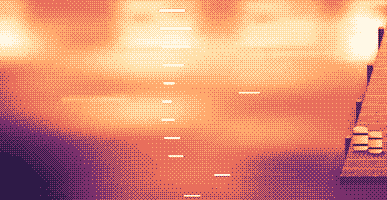
Your lines scroll right under the camera. They never show in your recordings or screenshots.
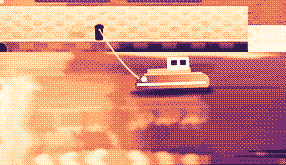
Hi, I'm Sam.
Today I want to show you
how I edit a video
in under two minutes.
First, I drop my recording
into Studio,
and the pauses are cut
before I even press play.
Then I add my music,
and I export.
Click a pixel and it's on your clipboard as HEX, RGB, HSL or SwiftUI. Your last 10 stay close.

Real posts and messages from people who tried it, word for word. Tap one to read the original.

Vedanth
@vedanthk_
The scroll sounds, every turn
“I love it dude! Especially the scroll sounds. You have put a lot of work into the app, and it shows at every turn. Very happy with it 🔥💯”

Iniyan
@iniyanai
Ripples right in the recording
“ripples baked right into the recording means no editing pass for demo videos, love it”
Customer
Shared without a name
7000 clicks in 2 days
“It's been a great experience with the clicky sounds haha, having about 7000 clicks in 2 days its crazy, Loved the concept!”

Joe
@joe_the_worker
Small sounds, big difference
“the app I never knew I needed 😂 incredible big a difference small sounds make”

Rakesh
@heyrakeshdotcom
Clicking and scrolling
“Loving the app Justinas… scrolling and clicking with it so satisfying”

Eknoor
@eknoor01
Bought it on day one
“Bought it the moment I got the mail, Been using it since, Loved it!”
Customer
Shared without a name
A happy customer
“Loving it, Thanks for building it man”
Ao vivo
Cada clique feito no clacky.app aparece aqui na hora. Clique por aí e veja o número subir.
Clacs neste site, desde o início
Países no topo
Desde o início, ao vivo
Shown by country only, never anything finer.
One payment, no subscription. Move it to another Mac any time.
One licence is for 1 Mac. Secure checkout by Polar, in US dollars.
 Clacky
$4.99once
The price of a sound app, with a screen recorder, screenshots and Clackyland too. For 1 Mac, with every update.
Sons: macOS 13+ · Capturas: macOS 14+ · Gravador: macOS 15+
Opens Polar's checkout in a new tab.
Os sons de teclado só escutam quando uma tecla desce e sobe. O Clacky nunca registra, guarda ou envia quais teclas você digita, e respeita o Secure Input.
Try it first, right hereThe keyboard and the clicks at the top of this page are Clacky's real sounds. Play with them before you buy.
O Clacky é um app pequeno para Mac, na barra de menus, que toca um som suave a cada clique, rolagem e tecla, em todos os apps, e desenha uma onda sob cada clique. Ele também grava sua tela com os sons de clique no vídeo, tira capturas e faz crescer uma cidadezinha portuária chamada Clackyland enquanto você trabalha.
O Clacky é seguro de usar. Os sons de teclado só escutam quando uma tecla desce e sobe. O Clacky nunca grava, guarda ou envia quais teclas você digita, e respeita a Entrada Segura. Ele é assinado e notarizado pela Apple, e os sons precisam de uma só permissão, o Monitoramento de Entrada; o gravador e as capturas pedem Gravação de Tela só quando você os usa.
O Clacky custa $4.99 uma vez, para 1 Mac, com todas as atualizações. Não há assinatura. Você pode testar os sons de clique e as ondulações no seu navegador, em clacky.app, antes.
Pode, no seu navegador: a demo em clacky.app toca os sons de clique e as ondulações, para você ouvir como o Clacky é antes de pagar. O app custa $4.99 uma vez, para 1 Mac, com todas as atualizações, e você pode pedir reembolso em até 7 dias (14 dias onde a lei local garantir mais).
Sim, em até 7 dias após a compra (14 dias onde a lei local garantir mais). Escreva para hello@clacky.app e o reembolso volta pela Polar, que cuida do checkout.
O Clacky funciona em qualquer Mac com macOS 13 Ventura ou mais recente, Apple silicon e Intel. O gravador de tela precisa do macOS 15 e o estúdio de capturas do macOS 14. Ele é vendido só em clacky.app, não na Mac App Store.
Uma licença vale para 1 Mac por vez, e você pode passá-la quando quiser: escolha Mover para outro Mac no Clacky do Mac antigo e cole sua chave no novo. Para dois Macs ao mesmo tempo, compre uma segunda licença. Comprou o Clacky antes? Sua licença mantém os Macs que já vinham com ela.
O Clacky é leve. Na nossa própria medição (29 out 2026, Clacky 2.7.13 num MacBook Pro M5 Pro com macOS 26.7.1), ele usou cerca de 1 a 3% de um núcleo de CPU durante um minuto rodando em segundo plano. Ainda não medimos a duração da bateria. Um interruptor na barra de menus desliga o Clacky.
Sim. O Clacky toca por onde o seu Mac tocar, AirPods e fones Bluetooth incluídos, e desde a 2.7.15 ele acompanha os fones quando você os tira e os coloca de volta. Ative Só com fones de ouvido e os sons nunca tocam nos alto-falantes.
Não. O Clacky (clacky.app) é um app próprio, de outro criador. Klack (tryklack.com) e Klakk (tryklakk.com) são outros apps de som de teclado. O Clacky também toca sons de mouse, trackpad e rolagem, desenha uma onda no clique e grava sua tela. Veja Clacky vs Klack e Clacky vs Klakk.
Sim. Os sons tocam em qualquer app, jogos incluídos (os sons de teclado pausam enquanto um app está com a Entrada Segura ativa, como num campo de senha). Silêncio em chamadas, ativado por padrão, deixa o Clacky quieto enquanto um app de chamada ou o seu navegador usa o microfone (Zoom, Meet, FaceTime, Teams, Discord e outros), para que as pessoas na chamada não ouçam seus cliques. Para o chat de voz dentro de um jogo, amplie para qualquer app que use o microfone, ou adicione o jogo em Silêncio nestes apps. A onda é desenhada na sua tela, então as pessoas a veem quando você compartilha a tela.
Sim. A onda é desenhada na sua tela de verdade, então qualquer gravador a filma, e o gravador do próprio Clacky também grava o som do seu Mac, então os cliques ficam no vídeo. O gravador precisa do macOS 15.
37 sons de clique em 8 famílias (Arena, Desk, Studio, Toybox, Tingle, Fidget, Analog e Spooky), 29 sons de teclado em 9 famílias e 8 estilos de tique de rolagem. Você ouve todos em clacky.app antes de instalar.
A Clackyland é uma cidade portuária dentro do Clacky que cresce conforme você usa o Mac. Seus cliques assam biscoitos na Fábrica de biscoitos, os biscoitos compram visuais para o seu Blip, a criaturinha que mora lá, e os prédios crescem quanto mais dias você usa o Mac.
Feche o Clacky e arraste-o de Aplicativos para o Lixo. Para limpar tudo, remova-o também de Ajustes do Sistema → Privacidade e Segurança → Monitoramento de Entrada (e Gravação de Tela, se você usou o gravador), apague a pasta Clacky em ~/Library/Application Support e o arquivo ~/Library/Preferences/app.clacky.Clacky.plist. Suas gravações ficam em ~/Movies/Clacky e suas capturas em ~/Pictures/Clacky Screenshots até você apagá-las.
Não. Gravações e capturas ficam salvas no seu Mac e continuam lá, a menos que você mesmo as compartilhe.
Uma vez por dia, todo Mac envia um check-in anônimo: um ID aleatório criado só para isso, as versões do Clacky e do macOS, e se está licenciado, para sabermos quantos Macs usam o Clacky. Ele não diz nada sobre o que você faz. As estatísticas de uso são separadas e opcionais: o Clacky pergunta primeiro, e você pode desativá-las quando quiser nos Ajustes (Compartilhar estatísticas de uso anônimas). Elas dizem quais recursos e sons são usados, nunca o que você digita, quais teclas aperta, sua tela ou onde você clica. O Clacky também se conecta à internet para verificar atualizações, verificar sua licença e, se você os usa, para Amigos e o Bazar. A página de privacidade lista cada requisição.
Ainda não. O Clacky é um app para Mac. Deixe seu e-mail na página de feedback e você saberá se isso mudar.
Não. Se você já comprou o Clacky antes, sua licença continua funcionando, com todas as atualizações.
Click and key sounds, a screen recorder, screenshots, a tiny harbour town and 26 small tools.
$4.99 once, for 1 Mac, with every update.
Sons: macOS 13+ · Capturas: macOS 14+ · Gravador: macOS 15+