

Arena.
Crisp · Blitz
Crisp
A sharp, bright snap with nothing wasted.
 MacPipYour next Mac app is here.Discover new Mac apps, or launch yours for free.macpip.com →
Click and key sounds, cursor ripples, a screen recorder, screenshots and Clackyland, all in your menu bar.
Clacky is a Mac app. Get the link by email and open it on your Mac.
Or buy now, install later · $4.993 days free no card then $4.99 once
Sounds: macOS 13+ · Screenshots: macOS 14+ · Recorder: macOS 15+
Keyboard sounds listen for key down/up only. Clacky never records, stores or sends which keys you type, and respects Secure Input.
Type anything to start a 30-second speed test
What you type never leaves this page. Your score is sent only if you post it.
 Clacky
Your Clacky at a glance. One switch each, drag cards to reorder; more tools wait below.
Type on your keyboard to test your speed
Keyboard sounds
Clacky plays your keyboard too: 29 sounds in 9 families, from creamy thock to a typewriter bell. Type on your keyboard or tap the keys.
What Clacky does
Sounds, a screen recorder, screenshots and a little town. All in your menu bar.
Crisp Arena
37 click sounds
A ripple on every click
Type or tap a key. You’re hearing Mallow.
Keyboard sounds
Never records, stores or sends which keys you type.
Keyboard sounds listen for key down/up only. Clacky never records, stores or sends which keys you type, and respects Secure Input.
Private by design
A soft tick for every notch of scrolling
Scroll ticks
Clackyland, a little town for your Blip
Screenshots, with arrows, blur and frames
Needs macOS 14 or later
Screen recorder, with your clicks and your voice
Needs macOS 15 or later
37 click sounds in 8 families. Press play on any card to hear one, or tap a name to keep it.
Crisp · Blitz
A sharp, bright snap with nothing wasted.
Beige · Rollerball
Loud and hollow, like the mouse on a 90s desktop.
Hush · Tap
A muffled click for late nights.
Bubble · Pop
A round little bloop that rises as it pops.
Tok · Pebble
A hollow wooden block, struck once. Round and resonant.
Ballpoint · Airpop
A retractable pen: a plastic double click and a hint of spring.
Shutter · Toggle
A film camera firing: a crisp release, then the curtain.
Pumpkin · Cauldron
A knuckle on a big, hollow pumpkin: a deep, round thunk.
Clacky is yours to tune. Every one of these is a real setting in the app.
37 click sounds. Eight families, from Arena to Spooky.
29 keyboard sounds. Nine families, from creamy thock to a typewriter.
Ripples. Ring, Double, Glow or Dot, in your own colours.
Stereo. Off, Subtle or Wide, so a click on the left sounds left.
Levels. Press, release, scroll and keys, each its own slider.
Your notch. Small, Standard or Large, tiles in your order.
Card themes. Mac, Mac Light, Mac Dark, Clacky or one colour you pick.
Camera bubble. A circle, a rounded square, or 16:9, 4:3 and 9:16.
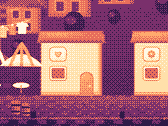
The Closet. Hats, scarves and more for your Blip, earned as you click.
Take a closer look
Pick a part and watch it come out of the notch.
 The notch at rest
Agents, recordings, music and batteries show up by the notch, then step aside when they're done.

Batteries
Mac Health
All calmYour agents, by the notch. When Claude Code is done or needs you, your Blip pops out to say so. Keep Awake can wait for it too.
26 small tools live inside Clacky, each with its own switch in My Kit. Keep them , turn the ones you don’t need, and they come back just as you left them.
Memory, CPU, battery, busy apps and what fills your disk, with Boop.
Stops your Mac and its screen from sleeping.
One shortcut mutes your mic in every app. Hold it to talk.
Your last 50 copies: search, pin, paste. Off by default, stays on this Mac.
Pick any colour on screen. Copied as HEX, RGB, HSL or SwiftUI.
Each app its own volume up to 200 %, mute and output.
Pomodoro sessions with soft ambient sound, live in the notch.
Quick notes and today's checklist. Stays on this Mac.
Type :sig, get your signature. Your snippets, anywhere you type.
Drag a window to an edge for halves and quarters, or use ⌃⌥ arrows.
Tuck rarely used menu bar icons behind a divider. Notch-safe.
Remove an app and the files it left in your Library. Moves to Trash.
Record, Code, Focus, Call, Quiet: one click switches a set of tools.
A cursor halo, drawing and zoom for demos and talks.
Your script under the camera. Never shows in recordings.
Turn any recording into a small, shareable GIF.
Read a QR code or barcode on screen. Links come without trackers.
Speak, and paste it as a prompt anywhere.
A sound and a nudge when your AI agent needs you.
Claude Code's tokens today and this week, and what they'd cost on the API.
Stops a worn mouse from double-clicking by itself.
Live up and down speed, and which apps are using it.
Save your Clacky set-up to a file and open it on your new Mac.
Spotify or Music in the notch: the song, its cover, play, pause and skip.
Boop catches a coin in the notch for every new sale on Polar or Stripe.
Your Mac, AirPods, mouse, keyboard and trackpad levels, in the notch.
Memory, CPU, battery, busy apps and what fills your disk, with Boop.
Stops your Mac and its screen from sleeping.
One shortcut mutes your mic in every app. Hold it to talk.
Your last 50 copies: search, pin, paste. Off by default, stays on this Mac.
Pick any colour on screen. Copied as HEX, RGB, HSL or SwiftUI.
Each app its own volume up to 200 %, mute and output.
Pomodoro sessions with soft ambient sound, live in the notch.
Quick notes and today's checklist. Stays on this Mac.
Type :sig, get your signature. Your snippets, anywhere you type.
Drag a window to an edge for halves and quarters, or use ⌃⌥ arrows.
Tuck rarely used menu bar icons behind a divider. Notch-safe.
Remove an app and the files it left in your Library. Moves to Trash.
Record, Code, Focus, Call, Quiet: one click switches a set of tools.
A cursor halo, drawing and zoom for demos and talks.
Your script under the camera. Never shows in recordings.
Turn any recording into a small, shareable GIF.
Read a QR code or barcode on screen. Links come without trackers.
Speak, and paste it as a prompt anywhere.
A sound and a nudge when your AI agent needs you.
Claude Code's tokens today and this week, and what they'd cost on the API.
Stops a worn mouse from double-clicking by itself.
Live up and down speed, and which apps are using it.
Save your Clacky set-up to a file and open it on your new Mac.
Spotify or Music in the notch: the song, its cover, play, pause and skip.
Boop catches a coin in the notch for every new sale on Polar or Stripe.
Your Mac, AirPods, mouse, keyboard and trackpad levels, in the notch.
All 26 on. Mac Health, Keep Awake, Mic Mute and the rest, one switch each.
For demos and talks. A ring follows your pointer, hold ⌃⌥D to draw and the ink fades when you let go, ⌃⌥Z zooms in where you click.
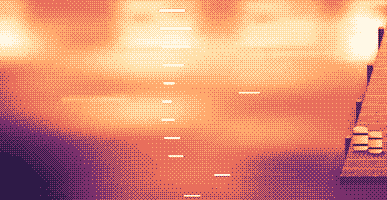
Your lines scroll right under the camera. They never show in your recordings or screenshots.
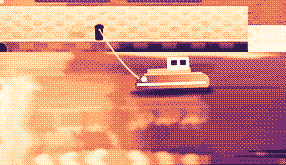
Hi, I'm Sam.
Today I want to show you
how I edit a video
in under two minutes.
First, I drop my recording
into Studio,
and the pauses are cut
before I even press play.
Then I add my music,
and I export.
Click a pixel and it's on your clipboard as HEX, RGB, HSL or SwiftUI. Your last 10 stay close.

Real posts and messages from people who tried it, word for word. Tap one to read the original.

Vedanth
@vedanthk_
The scroll sounds, every turn
“I love it dude! Especially the scroll sounds. You have put a lot of work into the app, and it shows at every turn. Very happy with it 🔥💯”

Iniyan
@iniyanai
Ripples right in the recording
“ripples baked right into the recording means no editing pass for demo videos, love it”
Customer
Shared without a name
7000 clicks in 2 days
“It's been a great experience with the clicky sounds haha, having about 7000 clicks in 2 days its crazy, Loved the concept!”

Joe
@joe_the_worker
Small sounds, big difference
“the app I never knew I needed 😂 incredible big a difference small sounds make”

Rakesh
@heyrakeshdotcom
Clicking and scrolling
“Loving the app Justinas… scrolling and clicking with it so satisfying”

Eknoor
@eknoor01
Bought it on day one
“Bought it the moment I got the mail, Been using it since, Loved it!”
Customer
Shared without a name
A happy customer
“Loving it, Thanks for building it man”
Live
Every click anyone makes on clacky.app lands here, as it happens. Click around and watch it go up.
Clacks on this website, all time
Top countries
All time, live
Shown by country only, never anything finer.
One payment, no subscription. Move it to another Mac any time.
One licence is for 1 Mac. Secure checkout by Polar, in US dollars.
 Clacky
$4.99once
The price of a sound app, with a screen recorder, screenshots and Clackyland too. For 1 Mac, with every update.
Sounds: macOS 13+ · Screenshots: macOS 14+ · Recorder: macOS 15+
Opens Polar's checkout in a new tab.
Keyboard sounds listen for key down/up only. Clacky never records, stores or sends which keys you type, and respects Secure Input.
Try it freeEvery feature, on your own Mac, before you pay a thing.
3 daysfree on your Mac, no card
Sounds: macOS 13+ · Screenshots: macOS 14+ · Recorder: macOS 15+
Clacky is a small Mac menu-bar app that plays a soft sound for every click, scroll and key press, in every app, and draws a ripple under every click. It also records your screen with the click sounds in the video, takes screenshots and grows a little harbour town called Clackyland while you work.
Clacky is safe to use. Keyboard sounds listen for key down/up only. Clacky never records, stores or sends which keys you type, and respects Secure Input. It is signed and notarized by Apple, and its sounds need one permission, Input Monitoring; the recorder and screenshots ask for Screen Recording only when you use them.
Clacky costs $4.99 once, for 1 Mac, with every update. There is no subscription. Try it free for 3 days first, with no card and no account.
After 3 days Clacky stops working until you buy it for $4.99 once. The trial starts when you first open Clacky, needs no card and no account, and your settings stay put when you buy.
Yes, within 7 days of buying (14 days where your local law gives you longer). Email hello@clacky.app and the refund goes back through Polar, who handle the checkout.
Clacky works on any Mac with macOS 13 Ventura or later, Apple silicon and Intel. The screen recorder needs macOS 15 and the screenshot studio macOS 14. It is sold only on clacky.app, not in the Mac App Store.
One licence is for 1 Mac at a time, and you can move it whenever you like: choose Move to another Mac in Clacky on the old Mac, then paste your key on the new one. For two Macs at once, buy a second licence. Bought Clacky earlier? Your licence keeps the Macs it came with.
Clacky is light. In our own check (29 Oct 2026, Clacky 2.7.13 on an M5 Pro MacBook Pro with macOS 26.7.1) it used about 1 to 3% of one CPU core over a minute of running in the background. We have not measured battery life yet. One switch in the menu bar turns Clacky off.
Yes. Clacky plays through whatever your Mac plays through, AirPods and Bluetooth headphones included, and since 2.7.15 it follows them when you take them out and put them back in. Turn on Only with headphones and the sounds never play on the speakers.
No. Clacky (clacky.app) is its own app, made by a different maker. Klack (tryklack.com) and Klakk (tryklakk.com) are other keyboard sound apps. Clacky also plays mouse, trackpad and scroll sounds, draws a click ripple and records your screen. See Clacky vs Klack and Clacky vs Klakk.
Yes. Sounds play in any app, games included (keyboard sounds pause while an app has Secure Input on, like a password field). Quiet during calls, on by default, keeps Clacky silent while a call app or your browser uses the mic (Zoom, Meet, FaceTime, Teams, Discord and others), so people on a call don’t hear your clicks. For voice chat inside a game, widen it to any app that uses the mic, or add the game to Quiet in these apps. The ripple is drawn on your screen, so people see it when you share your screen.
Yes. The ripple is drawn on your real screen, so any recorder films it, and Clacky’s own recorder also records your Mac’s sound, so the clicks are in the video. The recorder needs macOS 15.
37 click sounds in 8 families (Arena, Desk, Studio, Toybox, Tingle, Fidget, Analog and Spooky), 29 keyboard sounds in 9 families and 8 scroll tick styles. You can hear every one on clacky.app before you install.
Clackyland is a harbour town inside Clacky that grows as you use your Mac. Your clicks bake cookies at the Cookie Factory, cookies buy looks for your Blip, the little creature who lives there, and the buildings grow the more days you use your Mac.
Quit Clacky and drag it from Applications to the Trash. To clean up, also remove it from System Settings → Privacy & Security → Input Monitoring (and Screen Recording, if you used the recorder), delete the Clacky folder in ~/Library/Application Support and the file ~/Library/Preferences/app.clacky.Clacky.plist. Your recordings stay in ~/Movies/Clacky and your screenshots in ~/Pictures/Clacky Screenshots until you delete them.
No. Recordings and screenshots are saved on your Mac and stay there unless you share them yourself.
Once a day every Mac sends an anonymous check-in: a random ID made for this alone, the Clacky and macOS versions, and whether it’s a trial, licensed or locked, so we know how many Macs use Clacky. It says nothing about what you do. Usage stats are separate and optional: Clacky asks first, and you can turn them off any time in Settings (Share anonymous usage stats). They say which features and sounds are used, never what you type, which keys you press, your screen or where you click. Clacky also goes online to check for updates, check your licence, start the free trial once per Mac (with an anonymous one-way Mac ID) and, if you use them, for Friends and the Bazaar. The privacy page lists every request.
Not yet. Clacky is a Mac app. Leave your email on the feedback page and you will hear if that changes.
No. If you bought Clacky before, your licence keeps working, with every update.
Click and key sounds, a screen recorder, screenshots, a tiny harbour town and 26 small tools.
Free for 3 days, no card.
Sounds: macOS 13+ · Screenshots: macOS 14+ · Recorder: macOS 15+