What is Clacky? The cozy Mac app, explained by the person who makes it
I make Clacky. People ask me what it is, and for a while my answer took too long. So last week I cut it down to the parts people actually love, and this post is the short, honest tour.
Every picture here is the real app (or the live copy of it on clacky.app), not a mockup.

Justinas, maker of Clacky
8 min read
The short answer
What is Clacky?
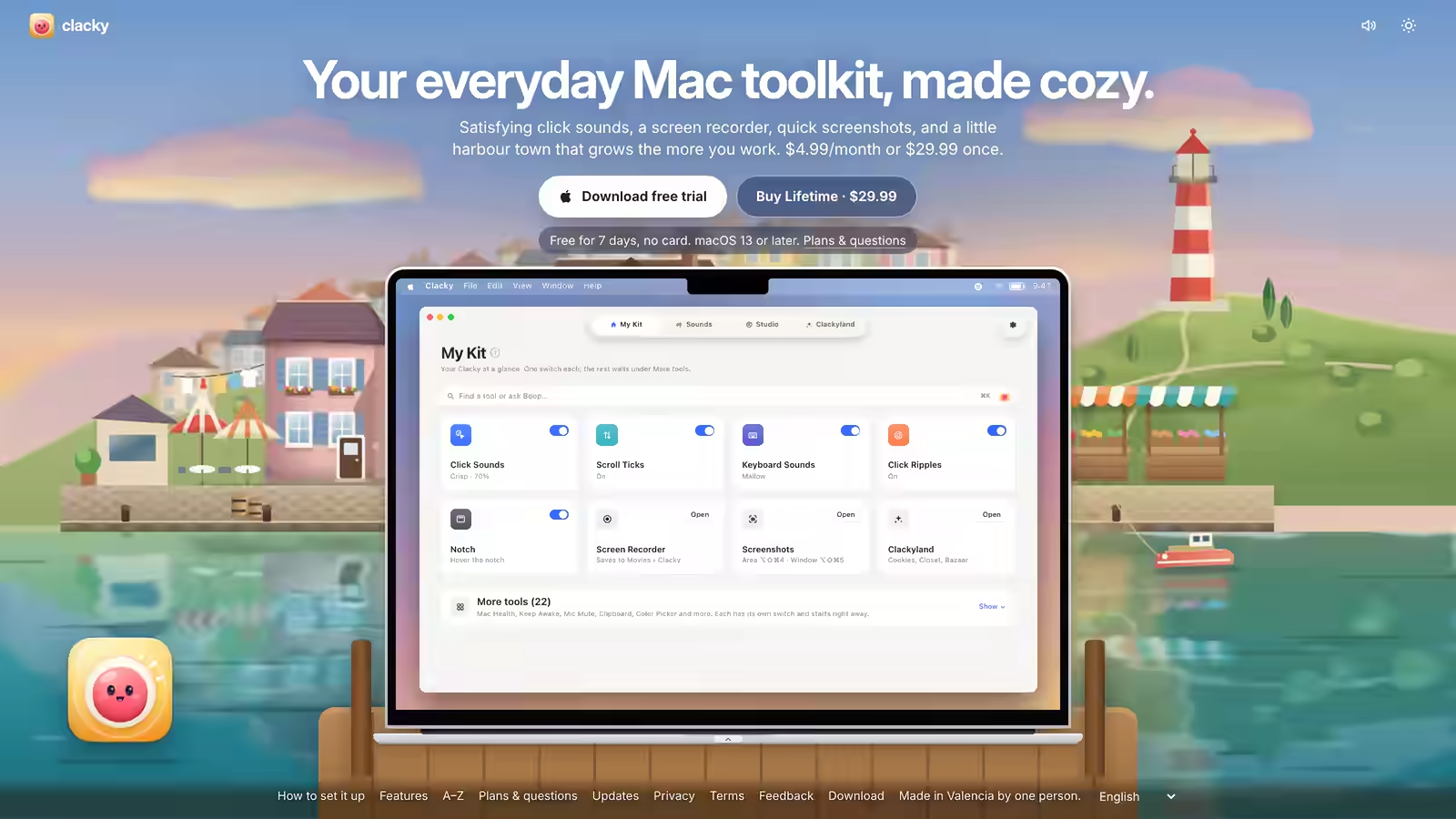
Clacky is a small Mac app that lives in your menu bar. It plays a satisfying sound and draws a ripple for every click, scroll and key press, records your screen and takes screenshots with those clicks in them, and grows a little harbour town called Clackyland while you work. It costs $4.99 a month or $19.99 once, after a 7-day free trial with no card.
Clacky in one breath
A menu-bar app with four places, and one switch for each thing it does.

Clacky sits in the menu bar at the top of your screen. Click its icon and a window opens with four places along the top: My Kit, Sounds, Studio and Clackyland.
My Kit is the overview. Each tile is one thing Clacky does, with one switch: click sounds, scroll ticks, keyboard sounds, click ripples, the notch, the screen recorder, screenshots and Clackyland. Turn on what you like and close the window. Clacky keeps working in the background, in every app.
There are a few extra utilities folded away under More tools, off unless you switch them on. Most people never open it, and that's the point.
Sounds: every click, key and scroll gets one
37 click sounds, 29 keyboard sounds and 8 scroll ticks, made by a synth, never recordings.
This is where Clacky started. Your Mac's trackpad and mouse are silent, so every click feels a little flat. Clacky plays a short, satisfying sound for each press, and a lighter one when the button comes back up.
- Click sounds: 37 of them in 8 families: Arena, Desk, Studio, Toybox, Tingle, Fidget, Analog and Spooky. Studio's are quiet enough to leave on while you record.
- Keyboard sounds: 29 in 9 families, from Cream (a deep, buttery thock) to Typewriter. They play on any keyboard, including the one built into your MacBook.
- Scroll ticks: a soft tick for every notch of scrolling, in 8 styles.
None of them are recordings. Each sound is built from noise and tones by a small synth, and no two clicks sound exactly the same, the way a real switch never does. You can try every click sound in the tool further down this page.
Keyboard sounds listen for key down/up only; Clacky never records, stores or sends which keys are typed, and it respects Secure Input.
Try it: tap a pad to hear it
Clacky’s own sound engine, playing in your browser. Turn your sound on.
Click ripples you can see in a recording
A ring under the pointer for every click, so people watching know exactly what you clicked.
If you've ever watched a screen recording and lost track of the mouse, this is for you. Clacky draws a ripple on your real screen, right under the pointer, every time you click.
Because it's on the screen itself, it shows up in any recorder: Clacky's own, the one built into macOS, QuickTime, Zoom, OBS. You pick the style (Ring, Double, Glow or Dot), the size, and a colour for the left button, the right button and the others. A thin dark edge keeps them readable on light and dark backgrounds.
I wrote a whole guide on this: how to show mouse clicks in a screen recording on a Mac.
Studio: record your screen with the clicks in it
A screen recorder that keeps your click sounds in the video, and a simple editor for what you made.

Most screen recorders on a Mac don't record your Mac's own sound without extra setup. Clacky's does, so the click sounds end up in the video along with the ripples. Press Record, pick the whole screen, an area or a window, and you get a file in Movies › Clacky.
Then Edit a Video opens it: trim the ends, zoom in on what matters, and add captions made on your Mac from what you said. Exports come in the right shape and size for where the video is going (X, Reels, TikTok, YouTube), with an estimate of the file size before you export.
The recorder needs macOS 15 or later. If you're wondering how big your recordings will get, I measured that properly in How big is a screen recording on a Mac?
Screenshots, framed and ready to post
Area, window or screen, a scrolling capture for long pages, and an editor to mark them up.

Screenshots have their own shortcuts: ⌥⇧⌘4 for an area and ⌥⇧⌘5 for a window. Scrolling Capture turns a long page into one tall image.
Edit a Picture is where a plain screenshot becomes something you'd post: arrows, boxes, text, highlights, a blur for anything private, and a frame on a soft background. The screenshot studio needs macOS 14 or later.
If you only want the frame, there's a free screenshot frame tool that runs in your browser.
Clackyland: a little harbour town that grows while you work
Your clicks bake cookies, and cookies build the town. Nothing runs out or expires.
This is the cozy part. Clackyland is a small painted harbour town where your Blip lives. As you use your Mac, your clicks bake cookies at the Cookie Factory. Cookies unlock new buildings, and new looks for your Blip in the Closet and the Bazaar. A streak counts the days you show up.
It's a game you play by working, and it never nags. There are no timers that punish you for a day off, and nothing you've earned disappears.
Your Blip also sits next to the notch at the top of your screen. Rest the pointer on it and you'll see which sounds are playing, with buttons to record or take a shot.
What Clacky never does
It plays sounds for your keys without ever keeping which keys they were.
An app that hears your keyboard has to earn trust, so here it is plainly: keyboard sounds listen for key down/up only; Clacky never records, stores or sends which keys are typed, and it respects Secure Input. In a password field, nothing plays at all.
Your recordings and screenshots are saved on your Mac and never uploaded. Clacky goes online to check for updates, to activate your licence, to start the free trial once per Mac (with an anonymous ID, not your serial number), and to send anonymous usage counts, which you can switch off in Settings.
I wrote a longer post on how this works and how to check any app yourself: Do keyboard sound apps record what you type? The full list is on the privacy page.
Try it: press any key
| Kind of key | press a key |
| Side of the keyboard | press a key |
| Which key it was | never kept |
| Key presses here | 0 |
This runs only in this page. It never reads which key you pressed, and nothing is stored or sent.
What it costs, and who makes it
7 days free with no card, then $4.99 a month or $19.99 once.

Download Clacky and it just works for 7 days, with no card and no account. After that, pick one:
| Plan | Price | What you get |
|---|---|---|
| Monthly | $4.99 a month | Everything, every update, on 2 Macs. Cancel in one click. |
| Lifetime | $19.99 once | The same, yours for good. 7-day refund. |
Try it: drag the months
$59.88
12 months of Monthly. Lifetime is $19.99 once, so it pays for itself after 5 months.
Real prices: $4.99 a month or $19.99 once. Plain sums, no tricks.
Clacky needs macOS 13 Ventura or later (the recorder macOS 15, the screenshot studio macOS 14). It's signed and notarized by Apple and sold only on clacky.app, through Polar, not the Mac App Store.
As for me: I'm Justinas, and I'm not a Swift developer. I build Clacky with an AI coding assistant, test every build on my own Mac, and ship small updates most weeks. When people tell me something is confusing, I fix it, which is how this simpler Clacky happened. If something bugs you, the feedback page reaches me directly.
Set up Clacky in about a minute
- Download it. Get the free trial from clacky.app and drag Clacky into your Applications folder.
- Allow Input Monitoring. Clacky explains this before macOS asks: in System Settings → Privacy & Security → Input Monitoring, switch Clacky on so it can hear clicks in every app.
- Pick your sounds. Open Sounds, rest the pointer on a card to hear it, and click the one you like. That’s it.
Try the click sounds here
Open it on its own pageThe Click Sounds Lab is a free tool that runs Clacky’s own synth in your browser. Tap a sound to hear it, compare two side by side, and download the one you like as a WAV file.
The tool loads here as you scroll. You can also open it on its own page.
Nothing you do in it is uploaded or saved.
Questions
Is Clacky free?
It’s free for 7 days with no card. After that it’s $4.99 a month, or $19.99 once for Lifetime. The free browser tools on clacky.app stay free.
Does Clacky work on Windows or iPhone?
No. Clacky is a Mac app for macOS 13 or later. The free tools on clacky.app work in any browser.
Will the click sounds be in my screen recordings?
With Clacky’s own recorder, yes: it records your Mac’s sound, so the clicks are in the video. The ripples show in any recorder, because they’re drawn on the screen.
Can other people hear the sounds on a call?
Only if your call app shares your computer’s sound. The sounds play through your speakers or headphones like any other Mac sound, and the “Clacky is on” switch turns them all off.
I bought Clacky before. Do I pay again?
No. If you bought Clacky before, your licence keeps working, with every update.
Written by Justinas Rolando
I make Clacky and build it in public. I write about what I learn making a small Mac app. More about me on the about page, and a free newsletter at justinasrolando.com.