Try Clacky free for 7 days
No card, no account. The whole app, every tool, from the first launch.
Free for 7 days · no card, no account · macOS 13 or later
Or see the plans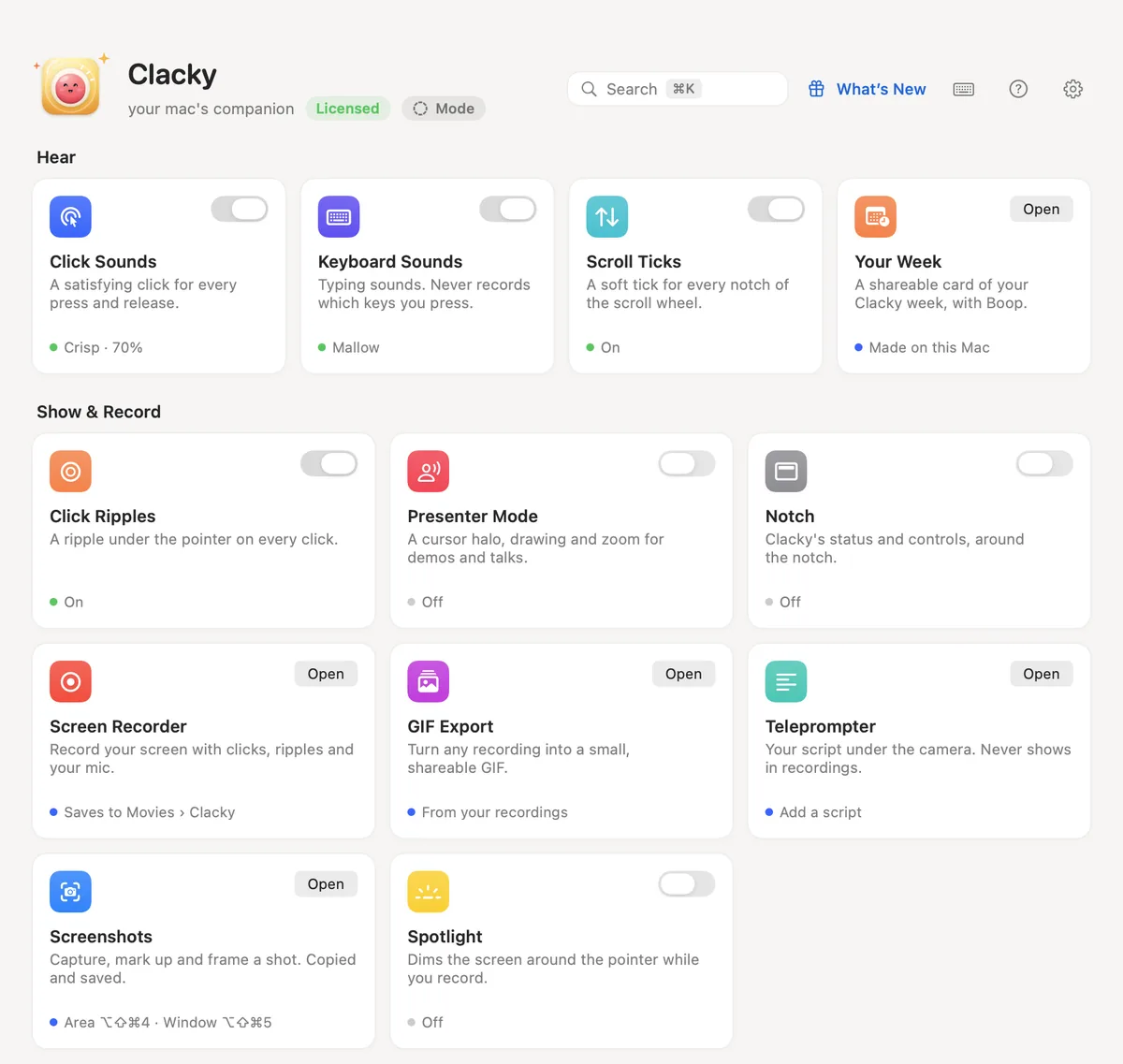
What you get, free for 7 days
Everything. Not a lite version, not a demo.
Hear
- Click sounds, 37 of them
- Keyboard sounds
- Scroll ticks
- Your week, as a share card
Show & record
- Click ripples and spotlight
- Screen recorder with mic and camera bubble
- Auto captions and a teleprompter
- GIFs and vertical clips
- Screenshot studio: arrows, blur, frames
Mac & focus
- Mac health, storage and battery
- Modes and the notch
- Focus timer with ambient sounds
- Keep awake
- Notes and today’s tasks
Build
- Agent alerts for Claude Code and Codex
- Voice to prompt
- MCP: let your AI tools use Clacky
Everyday
- Window snapping
- Clipboard history
- Text expander
- Colour picker
- App uninstaller
- Menu bar tidy
After 7 days: Clacky goes quiet and Boop gets hungry until you pick a plan: $4.99 a month, $39 a year, or Lifetime for $69 once (only 100 will ever be sold). Right now, the last 25 lifetime licences go at the old price, $4.99 once. Every plan: every tool and every update, on 2 Macs. Already bought Clacky? You have Lifetime.
After you click Download
Three steps. The trial starts when Clacky first opens, email or not: the full setup guide opens right after the download.
- 1
Open Clacky.dmg
It’s in your Downloads folder (or click it in your browser’s downloads).
- 2
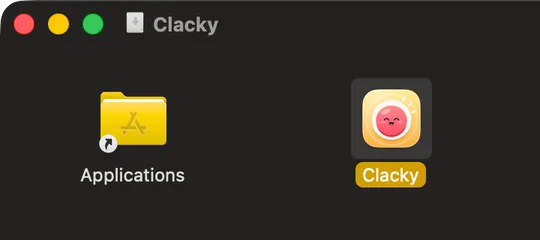
Drag Clacky into Applications
In that window, drag the Clacky icon onto the Applications folder.
- 3
Open Clacky
Open it from Applications. If macOS says it was downloaded from the Internet, click Open. Boop says hi, asks what you want Clacky for, and your 7 free days start.
Closed it, or stuck on a step? Setup help
What to expect on first launch
No surprises: Clacky tells you why before macOS asks for anything.
- 1
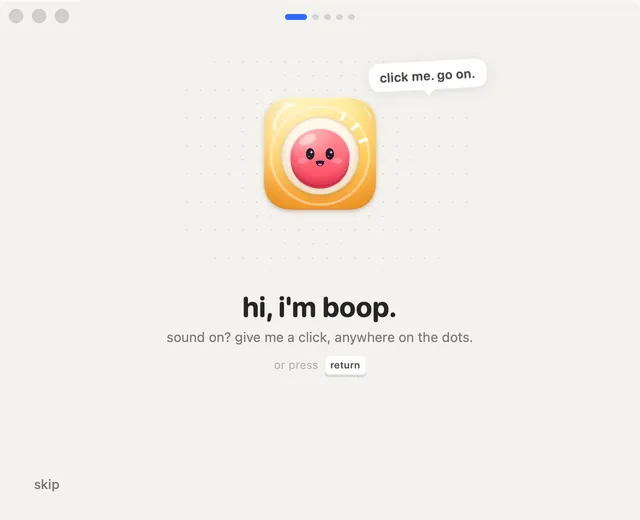
Say hi to Boop
A short welcome tour. Click Boop to hear your first clack, then pick what you want Clacky for: building, recording, focus, Mac health or just vibes. It switches on the tools that fit, and you can change anything later.
- 2
Input Monitoring, only for sounds
If you picked sounds or ripples, Clacky explains why it needs Input Monitoring, then opens System Settings for you. It hears clicks and keys only to play a sound, never records which keys you type, and stays silent in password fields.
- 3
The rest, when you first need it
Nothing is asked up front for tools you don’t use. The recorder and screenshots ask for Screen Recording the first time; the mic asks when you record with it or talk to Voice to Prompt; window snapping and the text expander ask for Accessibility.
- 4
macOS asks to reopen Clacky
After you allow Screen Recording (and sometimes Input Monitoring), macOS shows “Quit & Reopen”. Click it: that’s macOS, not a crash. Clacky comes straight back and the permission works from then on.
- 5
Your dashboard
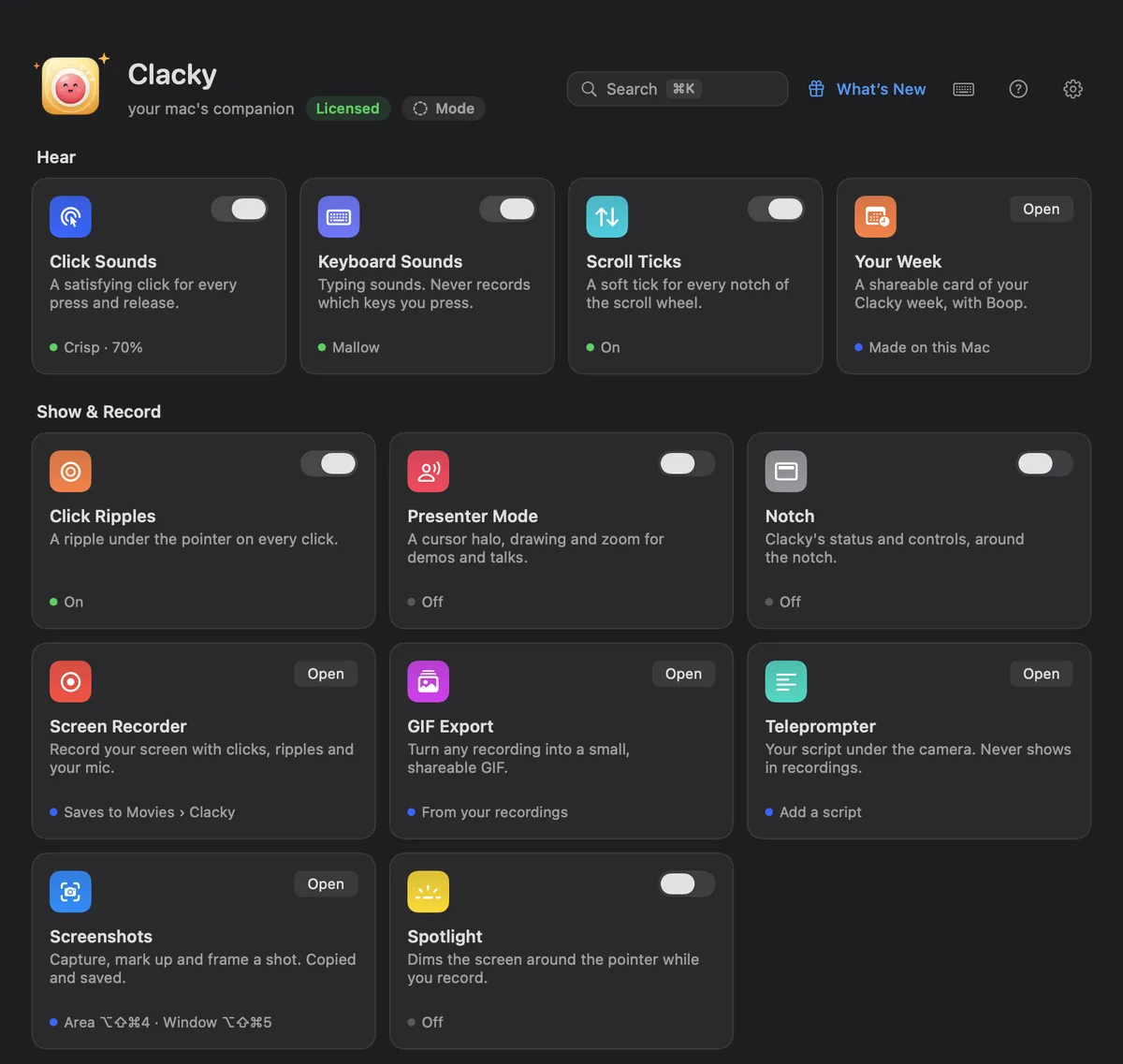
Every tool on one screen, each with its own switch. Press ⌘K to find any tool or setting, and ⌘/ for the shortcuts. A short tour shows you around the first time.
- macOS 13+ (recorder 15+, screenshots 14+)
- Signed & notarized by Apple
- Tools you don’t use stay off
- 13 languages
- Anonymous stats, one switch off
- Automatic updates
What Clacky sees and never sees, tool by tool: the privacy page.
Ready when you are
Free for 7 days · no card, no account · macOS 13 or later
Or see the plans