Claude Code for PHP on a Mac: setup, Laravel and PHP 8.6
PHP had a busy week. On 21 October the PHP team shipped fixes for two critical bugs that let someone run code on a server without logging in, and asked everyone to update straight away. PHP 8.6 is also four weeks out, planned for 19 November.
I build Clacky with Claude Code every day, on a Mac. PHP isn't my language, so for this post I read the php.net notes, the PHP 8.6 upgrade file, Laravel's Boost docs and Claude Code's own docs, and wrote down the setup I'd use, step by step. There are three free tools in here too: a version checker, a CLAUDE.md maker and a PHP 8.6 checker. All of them run in your browser.

Justinas, maker of Clacky
10 min read
The short answer
How do I use Claude Code on a PHP project on a Mac?
Update PHP first (brew upgrade php, 8.5.12 has the 21 October fix). Install Claude Code, open Terminal in your project and run claude, then /init to write a CLAUDE.md. Add your PHP version, test command and rules to it. On Laravel, install Laravel Boost so Claude can read your app.
Update PHP on your Mac first: the 21 October security fix
Two critical bugs were fixed in 8.5.12, 8.4.27, 8.3.36 and 8.2.35. PHP 8.1 and older get no fix.
The php.net advisory is short and serious. Two bugs (CVE-2026-109618 and CVE-2026-109619) can let an attacker run code on a PHP server with a single request, no login needed. Every PHP setup that serves web pages is affected, including PHP-FPM, Apache with mod_php and FrankenPHP. The PHP team says there are no complete workarounds. Updating is the fix.
Your Mac is probably not a public server, but the PHP on it is the one you test with, and the habit carries over to production. Check what you have:
php -vIf you installed PHP with Homebrew, updating takes a minute. As of today the php formula is 8.5.12, and the older branches have their own formulae:
brew update
brew upgrade php        # or php@8.4, php@8.3, php@8.2
Then restart anything that runs PHP for you, like brew services restart php for PHP-FPM, or php artisan serve if it's running. Paste your version below to check it.
Try it: paste your php -v
Waiting for a version
Type one, or tap an example above.
Runs only in this page. Versions from php.net, 26 October 2026. If php -v comes from Herd, MAMP or Docker, update it there, not with Homebrew.
Then do the same on your servers, your Docker images and your CI, because that's where these bugs matter most. PHP 8.2 also reaches end of life on 31 December 2026, so if production is still on 8.2, this is a good week to plan the move.
Install Claude Code and open your PHP project
One line in Terminal, then run it from your project folder. It reads composer.json and finds its way around.
Claude Code runs in Terminal. Anthropic's quickstart has the install line:
curl -fsSL https://claude.ai/install.sh | bashThere's also a Homebrew cask, brew install --cask claude-code. That one doesn't update itself, so run brew upgrade claude-code now and then. You need a Claude plan or an API account to sign in.
Then go to your project and start it:
cd ~/Sites/my-shop
claude
The first time, type /init. Claude looks through the project and writes a CLAUDE.md file with what it found: the framework, the folders, the commands. Read it, because it's a guess, and fix anything that's wrong.
Good first questions for a PHP codebase you don't know well:
- "What does this app do, and where does a request go from
public/index.php?" - "Which PHP version does
composer.jsonask for, and which packages are old?" - "Find the slowest-looking database queries and explain why."
When you want it to change code, start in plan mode (press Shift+Tab until it says plan). It shows you what it would change before it touches a file.
Write a CLAUDE.md that knows your PHP
The file Claude reads first. Your PHP version, the commands that prove a change works, and your house rules.
The most useful line in a PHP project's CLAUDE.md is the PHP version you run in production. Your Mac might have 8.5 while the server runs 8.3. Without that line, Claude happily writes code that works on your Mac and breaks on deploy.
Composer can help with the same problem. Set the production version in composer.json, so composer update picks packages that work there:
"config": {
    "platform": { "php": "8.3.36" }
}
The second most useful part is the commands. If Claude knows how to run your tests, your static analysis and your formatter, it runs them after a change and fixes what fails before it tells you it's done. Pick your stack below and copy the result into a CLAUDE.md in your project's root folder.
Try it: pick your stack
# Notes for Claude

## Stack
- PHP 8.4 in production. Don't use features from newer PHP versions.
- Laravel, with Composer for dependencies.
- Never edit `vendor/`. Ask me before running `composer update`.

## Commands
- Tests: `php artisan test`
- Static analysis: `vendor/bin/phpstan analyse`
- Format: `vendor/bin/pint`
- After every change, run `php artisan test`, `vendor/bin/phpstan analyse`, `vendor/bin/pint` and fix what they report before you say you're done.

## Rules
- Start new PHP files with `declare(strict_types=1);`.
- Add types to every new parameter, property and return value.
- Laravel app. Use Artisan to make files (`php artisan make:model`, `make:controller`, `make:migration`).
- Validation goes in Form Request classes, not in controllers.
- Never edit a migration that has already run. Add a new one.
- Use Eloquent relationships instead of raw joins unless I ask.
- Plan first for changes that touch more than 3 files, and show me the plan.
Made in this page from your picks. Save it as CLAUDE.md in your project's root folder, then change anything that isn't true for you.
Keep it short and true. Claude follows what's written there, so a stale rule ("we use PHPUnit" when you moved to Pest) causes more trouble than a missing one. When Claude does something you don't like twice, that's a new line for the file.
On Laravel? Install Laravel Boost so Claude can see your app
An official package that gives Claude your versions, your database schema, your logs and the Laravel docs.
Laravel Boost is Laravel's own package for AI coding tools. It does two things. It writes Laravel guidelines into your CLAUDE.md (inside its own block, so your notes stay), and it runs an MCP server, a small program Claude Code can ask questions. Install it in the project:
composer require laravel/boost --dev
php artisan boost:install
Pick Claude Code when it asks. Boost usually sets up Claude Code by itself. If it doesn't, the docs give this command:
claude mcp add -s local -t stdio laravel-boost php artisan boost:mcpNow Claude can read your PHP and Laravel versions, your installed packages and models, the database schema, the last error in your logs, and search docs that match the package versions you have. That last one matters: it stops Claude from using an API from a Laravel version you're not on.
Two tips from the docs. The generated files (.mcp.json, boost.json and the guideline files) are rebuilt on every boost:install and boost:update, so you can leave them out of git. The .ai/rules folder is different: it holds rules for your own app, like "money is stored as integer cents", and it belongs in git so your whole team gets them.
Boost has a Database Query tool. Point it at your local database, never at production.
Make Claude check its own PHP with a hook
A few lines in .claude/settings.json run php -l on every file Claude edits, and send any error straight back.
A CLAUDE.md asks Claude to run your checks. A hook makes sure it happens. It's a command Claude Code runs by itself after every edit. Save this as .claude/hooks/php-lint.sh and make it runnable with chmod +x:
#!/bin/bash
# Lint each PHP file Claude edits. Exit 2 tells Claude.
FILE=$(jq -r '.tool_input.file_path')
case "$FILE" in *.php) ;; *) exit 0 ;; esac
if ! OUT=$(php -l "$FILE" 2>&1); then
  echo "$OUT" >&2
  exit 2
fi
if [ -x "$CLAUDE_PROJECT_DIR/vendor/bin/pint" ]; then
  "$CLAUDE_PROJECT_DIR/vendor/bin/pint" "$FILE" >/dev/null 2>&1
fi
exit 0
Then add it to .claude/settings.json:
{
  "hooks": {
    "PostToolUse": [
      {
        "matcher": "Edit|Write",
        "hooks": [
          { "type": "command", "command": "\"$CLAUDE_PROJECT_DIR\"/.claude/hooks/php-lint.sh" }
        ]
      }
    ]
  }
}
The script reads the edited file's path from what Claude Code sends it, with jq (brew install jq if you don't have it). php -l only checks syntax, so it's fast enough to run on every edit. Keep the slow things, the full test suite and PHPStan, as commands in your CLAUDE.md.
The hook can't undo an edit, because it runs after it. What exit code 2 does is put the error in front of Claude, which then fixes it. Commit the folder and everyone on the project gets the same check.
Get your code ready for PHP 8.6, out 19 November
The release candidates are out. Find what 8.6 deprecates now, then let Claude Code do the boring fixes.
PHP 8.6 brings things people have wanted for a while: default values for readonly properties, partial function application, a clamp() function and a new Time\Duration class. It also deprecates a list of old habits. Deprecations don't break anything yet, but they fill your logs and they become errors in a later version.
From the 8.6 UPGRADING notes, the ones most likely to be in an older codebase:
| Deprecated in 8.6 | Use instead |
|---|---|
is_integer(), is_long(), is_double(), doubleval() | is_int(), is_float(), floatval() |
return inside finally | return after the try block |
returning a value from __construct() | a bare return; or nothing |
define() with a third argument | drop the third argument |
spl_object_hash() | spl_object_id() |
Two behaviour changes are worth a test too: preg_grep() now returns false on a regex error, and sessions now default to strict mode, HttpOnly cookies and SameSite=Lax.
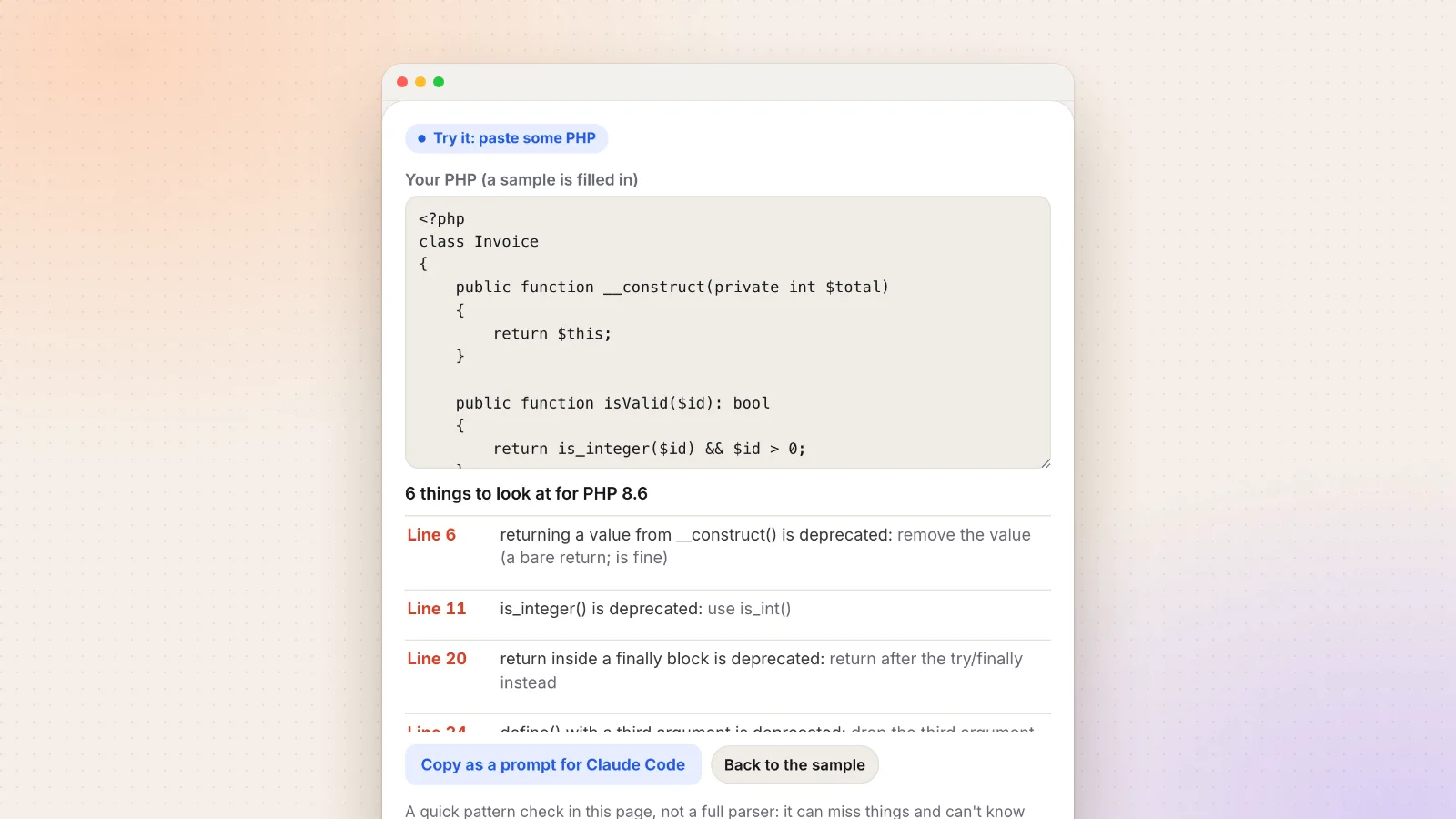
Paste a file into the checker below. It shows what it finds by line, and gives you a prompt to paste into Claude Code with the list.
Try it: paste some PHP
6 things to look at for PHP 8.6
- Line 6returning a value from __construct() is deprecated: remove the value (a bare return; is fine)
- Line 11is_integer() is deprecated: use is_int()
- Line 20return inside a finally block is deprecated: return after the try/finally instead
- Line 24define() with a third argument is deprecated: drop the third argument
- Line 25spl_object_hash() is deprecated: use spl_object_id()
- Line 26preg_grep() now returns false on a regex error: check the result with === false
A quick pattern check in this page, not a full parser: it can miss things and can't know what a variable holds. Your code is never sent anywhere. Patterns from the PHP 8.6 UPGRADING file (RC4).
For a whole project, ask Claude Code to do the same across every file, one kind of fix per commit, and to run the tests after each one. Don't run the release candidates in production. Test with them in CI or Docker, and switch on the day 8.6.0 is out.
Record a short demo of what Claude changed
A 30-second clip on a pull request says more than a long description. Record just the window that matters.
When Claude Code finishes a change, check it the way a user would, then record that check for the pull request. A short clip of the new form, the fixed page or the tests going green helps whoever reviews it, and that includes you a week later.
macOS can do this for free. Press Shift-Command-5, pick Record Selected Portion, and draw around the browser window. That's enough for most pull requests.
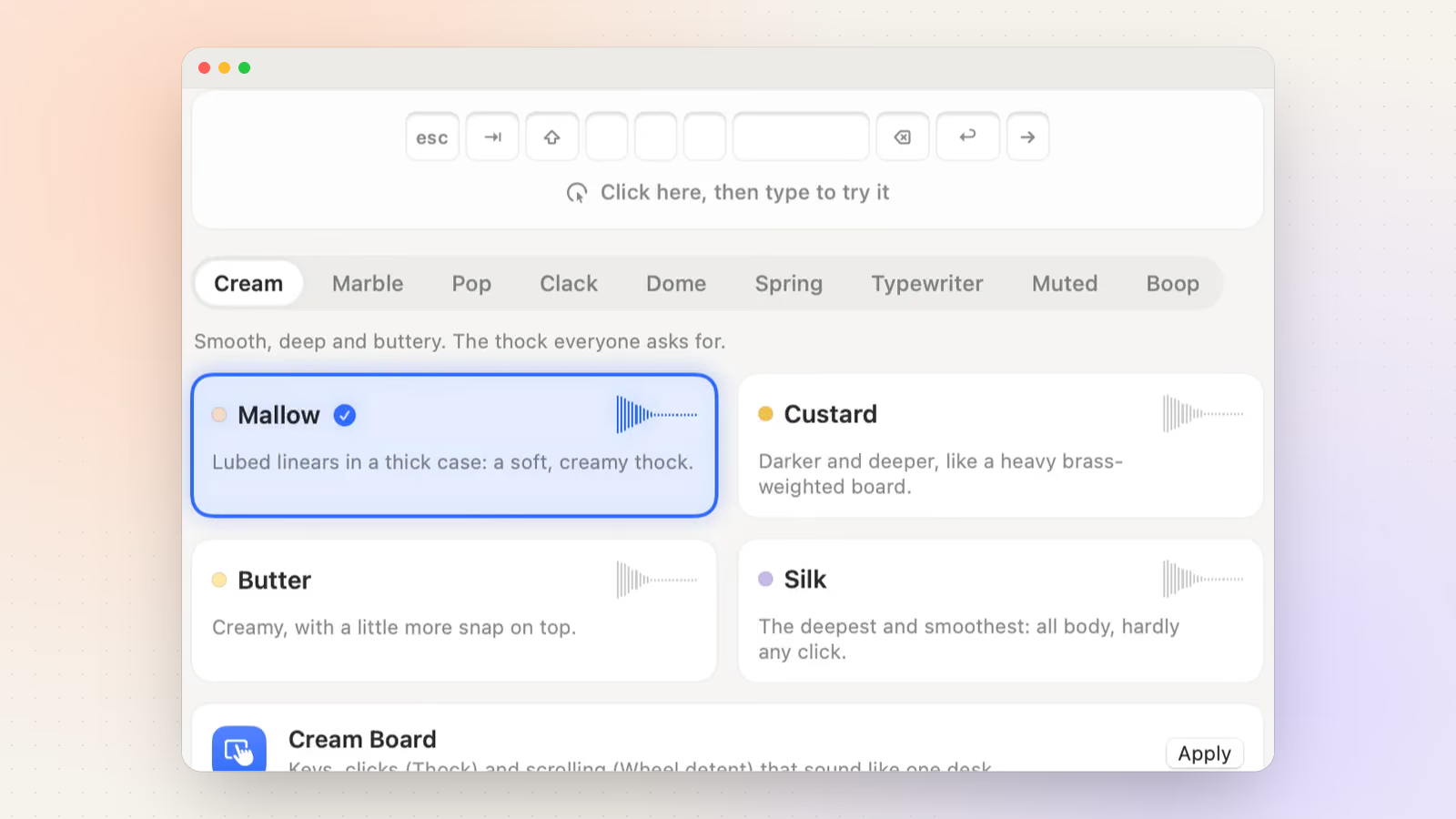
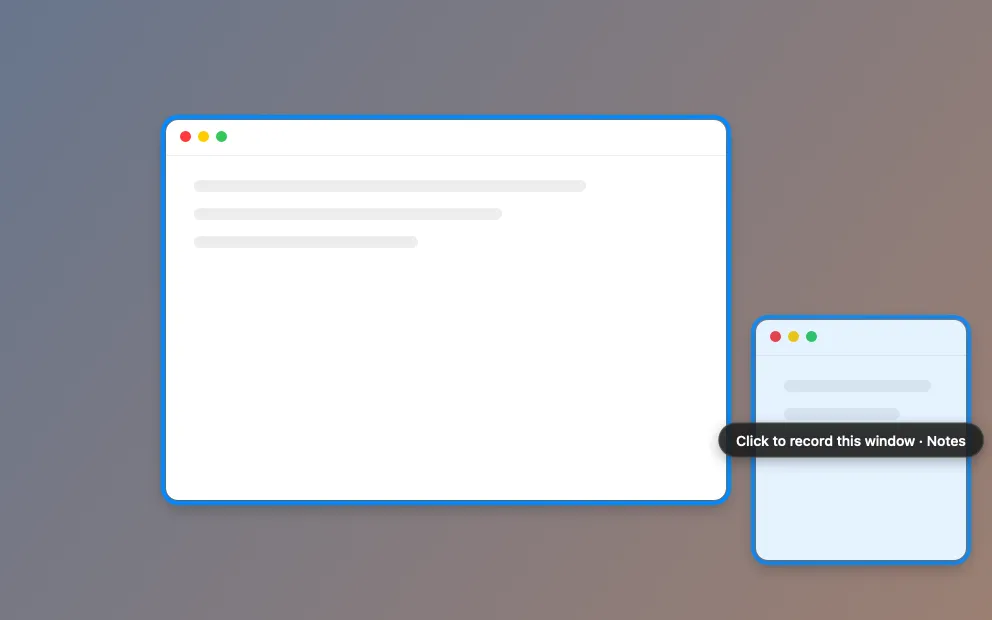
I use Clacky, the Mac app I make, for the same job. Its recorder can record a single window, so notifications and the rest of your desktop stay out, and the editor cuts the pauses for you. It also plays cozy keyboard and click sounds while you type and click. Keyboard sounds listen for key down/up only; Clacky never records, stores or sends which keys are typed, and it respects Secure Input. It costs $4.99 a month or $19.99 once, with a 3-day free trial.
If you leave Claude Code running on a long task, my guide on getting a notification when Claude Code finishes means you don't have to keep checking Terminal.
Set up Claude Code for a PHP project on a Mac
- Update PHP. Run
php -v. With Homebrew, runbrew updateandbrew upgrade php(orphp@8.4,php@8.3,php@8.2). 8.5.12, 8.4.27, 8.3.36 and 8.2.35 have the 21 October 2026 fix. - Install Claude Code. Run
curl -fsSL https://claude.ai/install.sh | bashin Terminal, orbrew install --cask claude-code. - Start it in your project.
cdinto the project folder, runclaude, then type/initto write a first CLAUDE.md. - Fix the CLAUDE.md. Add your production PHP version, your test, static analysis and format commands, and your rules. The CLAUDE.md maker in this post gives you a start.
- Add Laravel Boost (Laravel only). Run
composer require laravel/boost --dev, thenphp artisan boost:install, and pick Claude Code. - Add a lint hook. Save the php -l hook script in
.claude/hooks/and add a PostToolUse hook with the matcherEdit|Writeto.claude/settings.json.
Frame a screenshot of your code
Open it on its own pageA free screenshot frame: drop in a screenshot of your Terminal or your editor and get a clean, framed picture for a pull request or a post. It all happens in your browser.
The tool loads here as you scroll. You can also open it on its own page.
Nothing you do in it is uploaded or saved.
Questions
Can Claude Code work on a PHP project?
Yes. Claude Code works with any language it can read and any command it can run, so it can read your PHP, run Composer, PHPUnit or Pest, PHPStan and Artisan. Tell it which commands to use in a CLAUDE.md file.
Is PHP 8.6 out yet?
Not yet, as of 26 October 2026. 8.6.0 RC4 came out on 21 October, RC5 is planned for 5 November, and PHP 8.6.0 is planned for 19 November 2026. The release candidates are for testing only.
Which PHP version should I use on my Mac?
The same branch your production server runs, at its latest patch. With Homebrew you can install php@8.4 or php@8.3 next to the latest php, and switch with brew unlink php and brew link php@8.4 --force.
Do I need Laravel Boost to use Claude Code with Laravel?
No, Claude Code works on a Laravel app without it. Boost adds Laravel guidelines and an MCP server, so Claude can read your schema and logs and search docs for your exact package versions. It saves a lot of explaining.
Do the tools in this post send my code anywhere?
No. The version checker, the CLAUDE.md maker and the PHP 8.6 checker run only in your browser tab. Nothing you paste is uploaded or saved.
Written by Justinas Rolando
I make Clacky and build it in public. I write about what I learn making a small Mac app. More about me on the about page, and a free newsletter at justinasrolando.com.