Share cards
A card of your Blip, your stats or an achievement, in 1:1, 9:16 or 16:9, made on your Mac. Nothing is uploaded.
What it is
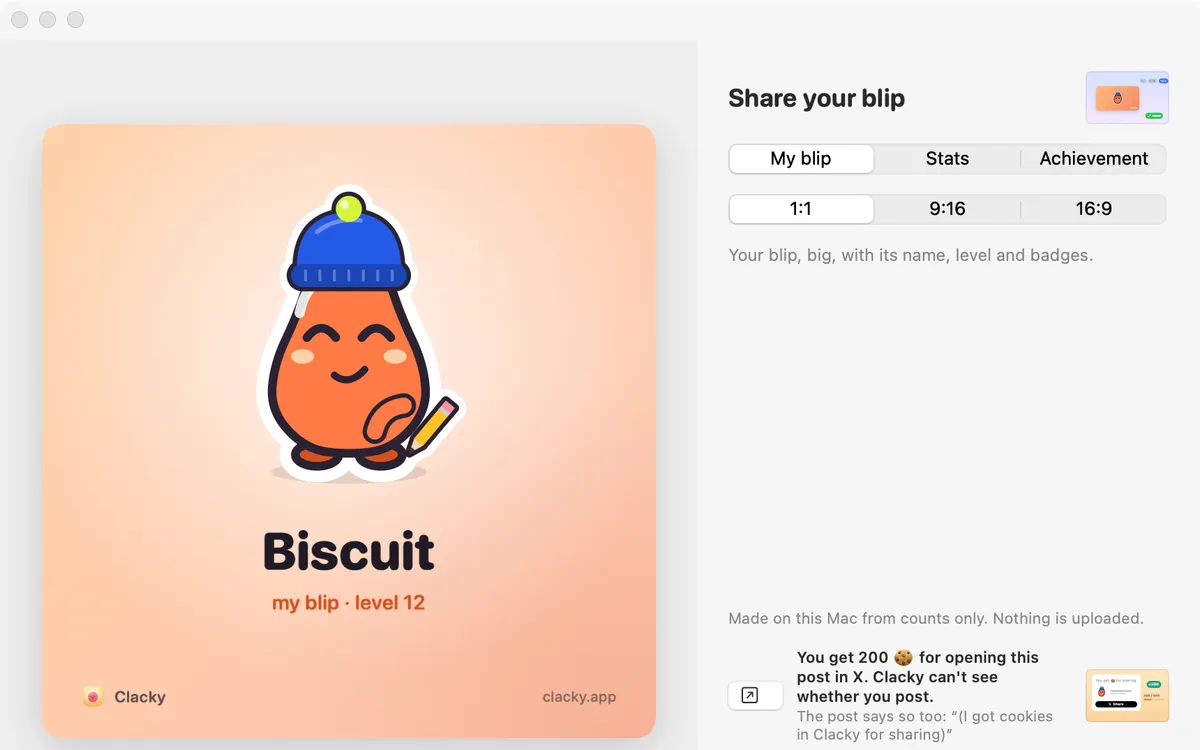
Share cards turn your Blip, your numbers or a new achievement into a picture in your Blip’s colours, ready for a post or a story.
Pick a card (your Blip, your stats for today, this week, this month or all time, or an achievement), then a size: 1:1, 9:16 or 16:9.
Cards are made on this Mac from counts only. Nothing is uploaded; you decide where it goes.
How to use it
Open your Blip’s profile
Click your profile bubble at the top right of the Clacky window, then Edit your Blip.
Press Share
Press Share under your Blip.
Pick a card and a size
Choose My blip, Stats or Achievement, then 1:1, 9:16 or 16:9. For stats, pick up to 6 numbers.
Send it on
Press Copy image, Save PNG… or Share….
Questions
- Does the stats card show what I typed?
- No. Only counts, like clicks and key presses. Never which keys.
- Is my card uploaded?
- No. It’s made on your Mac. It only goes where you copy, save or share it.
Make something on your Mac today.
Seven days free, every feature, cancel anytime.