Keyboard sounds for focus and study on a Mac
Updated 29 October 2026
Short answer: a soft, steady typing sound can make a long writing or study session feel less silent and keep you typing. It is a matter of taste: loud, clicky sounds can get tiring over a long session, so pick a muted or creamy sound, play it only in your headphones, and keep it quiet during calls. To compare the apps that do this, see the best keyboard sound apps for Mac.
We make Clacky, a Mac app for keyboard and click sounds, so this page uses its settings as the example. The same ideas work with any keyboard sound app.
The short version
- Soft beats loud for long sessions: a muted or creamy sound instead of a sharp clicky one.
- Headphones only keeps the people around you happy in a library, an office or a shared room.
- Quiet during calls and in some apps: sounds stop when a call starts, and you can silence the apps you pick.
- There’s no good evidence that typing sounds improve focus. Use them if they make writing feel nicer, and turn them off if they distract you.
Do keyboard sounds help you focus?
For some people, yes. A typing sound gives every key press a small reply, so writing feels more like using a real keyboard and less like tapping glass. Many people who write, code or study for hours like that feedback, and some find a quiet room harder to work in than a soft, steady sound. Others find any extra sound distracting. We haven’t seen good evidence that typing sounds improve focus (studies on key clicks look at typing speed and accuracy, not concentration), so treat them like music while you work: try it for a day and keep it only if it helps.
Try the soft sounds first
Every Clacky keyboard sound plays on clacky.app and in the typing test, right in your browser. In the app you get Only with headphones, Quiet during calls and Quiet in these apps. Free for 3 days, no card, then $4.99 once.
Pick a soft sound for long sessions
Loud, bright clicks are fun for a minute and tiring after an hour. For study and writing, start with something soft:
- Muted sounds in Clacky: Library (silent switches, a soft low pat), Scissor (a thin laptop keyboard, light and quick) and Feather (the softest, for when someone is asleep).
- Cream sounds: Mallow, Custard, Butter and Silk, deep and smooth, the "thock" many people ask for.
- Turn the volume down until you only just hear it under your music or the room. You want a texture in the background, not a sound you notice.
Not sure what thock, creamy or poppy mean? Keyboard sounds explained plays each one.
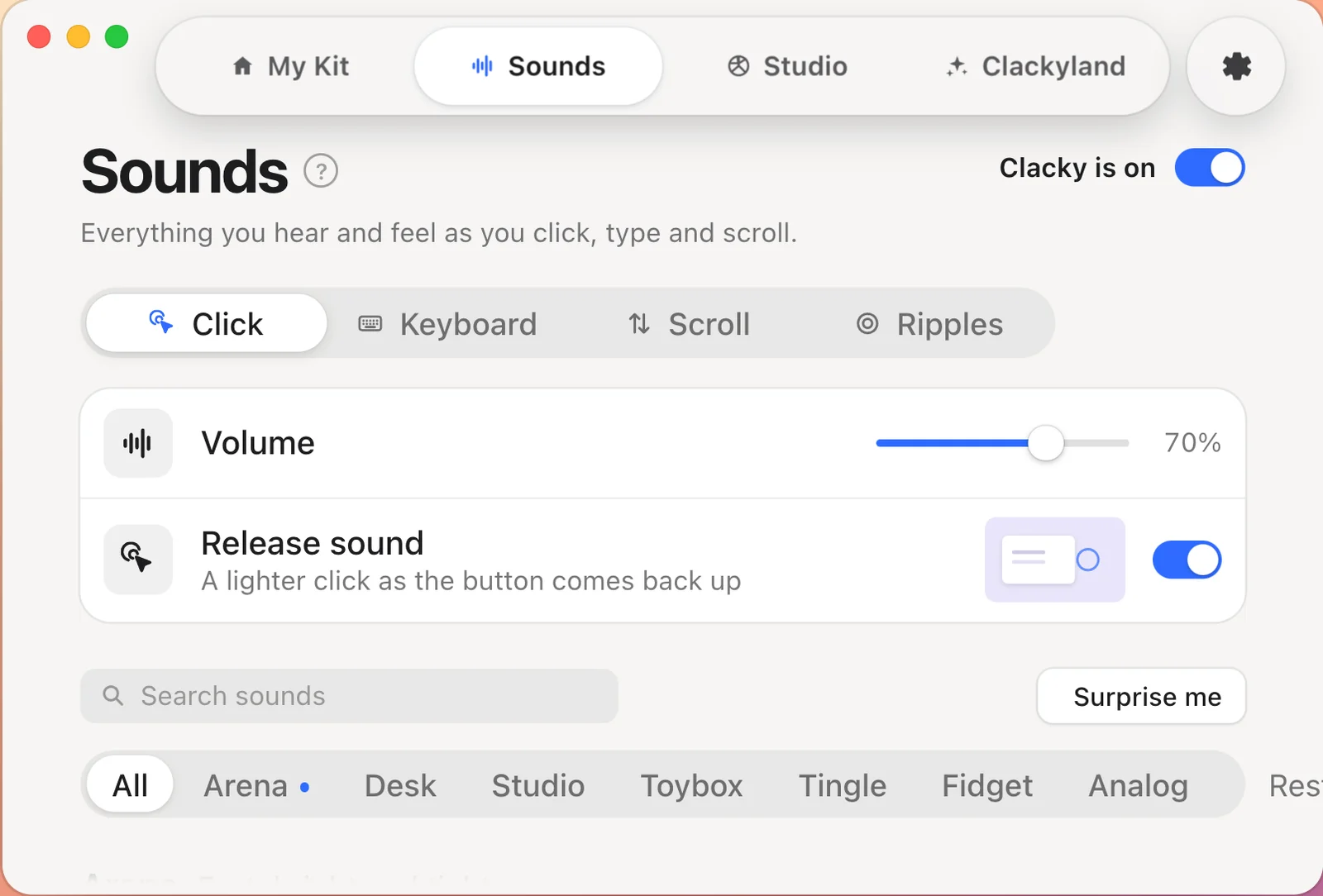
Headphones only, for libraries and shared rooms
In a library, a classroom, an office or a bedroom with someone asleep, your typing sounds should stay in your ears. In Clacky, turn on Only with headphones: sounds play in AirPods or headphones, never on the speakers. Take them out and Clacky goes silent; put them back in and it plays through them again, with no restart (Clacky 2.7.13 and later).
Quiet during calls, and in the apps you choose
Two settings keep the sounds from getting in the way:
- Quiet during calls (on by default): no sounds while a call app or your browser uses the microphone (Zoom, Meet, FaceTime, Teams, Discord and others), so a call starts silent. You can widen it to any app that uses the mic. Clacky only checks whether the mic is in use; it never opens or listens to it.
- Quiet in these apps: add the apps where you want silence, a video editor or a game for example, and Clacky keeps quiet there.
For students, writers and coders
- Studying and essays: a muted sound in your headphones, quiet during online classes (the call setting does it for you).
- Writing: a typewriter sound such as Ribbon has a little bell on Return, which some writers love for long drafts.
- Coding: a short, tidy sound like Scissor or Butter keeps up with fast typing. If you live in a terminal and want silence there, add it to Quiet in these apps.
Is it safe to run keyboard sounds while I study?
Any keyboard sound app needs a permission to see key presses (on a Mac, Input Monitoring). Clacky’s rule: Keyboard sounds listen for key down/up only. Clacky never records, stores or sends which keys you type, and respects Secure Input. Password fields stay silent. More in how keyboard sound apps work on a Mac.
Questions
Do typing sounds help you study?
They can make long study sessions feel less silent and keep you typing, but that is personal: we haven’t seen good evidence that they improve focus. Try a soft sound in your headphones for a day and keep it only if it helps.
What is the quietest keyboard sound in Clacky?
Feather, in the Muted family, is the softest. Library (silent switches) and Scissor (a thin laptop keyboard) are a little more present but still quiet.
Can people around me hear my keyboard sounds?
Only if they play on your speakers. Turn on Only with headphones in Clacky and sounds play in AirPods or headphones, never on the speakers.
Will keyboard sounds play during a Zoom or Meet call?
Not with Quiet during calls on, which is the default in Clacky: no sounds while a call app or your browser uses the microphone. Clacky only checks whether the mic is in use and never opens it.
Can a keyboard sound app see my essay as I type it?
It can see that keys go down and up, and a good one keeps nothing else. Clacky: Keyboard sounds listen for key down/up only. Clacky never records, stores or sends which keys you type, and respects Secure Input.
More guides
- Claude Code & Codex notificationsA sound or a notification when your agent is done or needs you.
- Keep your Mac awake, lid closedClamshell mode, caffeinate, pmset and apps, and what each one really does.
- Keyboard & click sounds on MacHow they work, the permission they need, the apps, and fixes.
- Show mouse clicks on MacThe built-in option, editors, and a live ripple with a sound.
- Click sound on MacNo built-in setting: how to add one, and the permission it needs.
- Best keyboard sound appsFree and paid apps side by side, and which one fits you.
- Keyboard sounds explainedWhat thock, creamy, clacky and poppy mean, and how each one sounds.
- Cozy Mac appsIdle games, ambient sounds, pets and soft clicks that run while you work.
- Teleprompter on MacRead your script under the camera, and keep it out of the recording.
- Show clicks and record click soundsGet the click ripple and the click sound into any Mac screen recording.
- Typing test with keyboard soundsA 30-second typing test you can hear, right in your browser.
New to Clacky? It’s a cozy Mac menu-bar app with click and keyboard sounds, a screen recorder, screenshots and a little harbour town that grows while you work. See every tool · Try it free for 3 days
Checked on 29 October 2026. Something changed, or something here is wrong? Email hello@clacky.app.