Keep Awake
Stops your Mac and its screen from sleeping: for a while, with the lid closed, or until your agent is done.
What it is
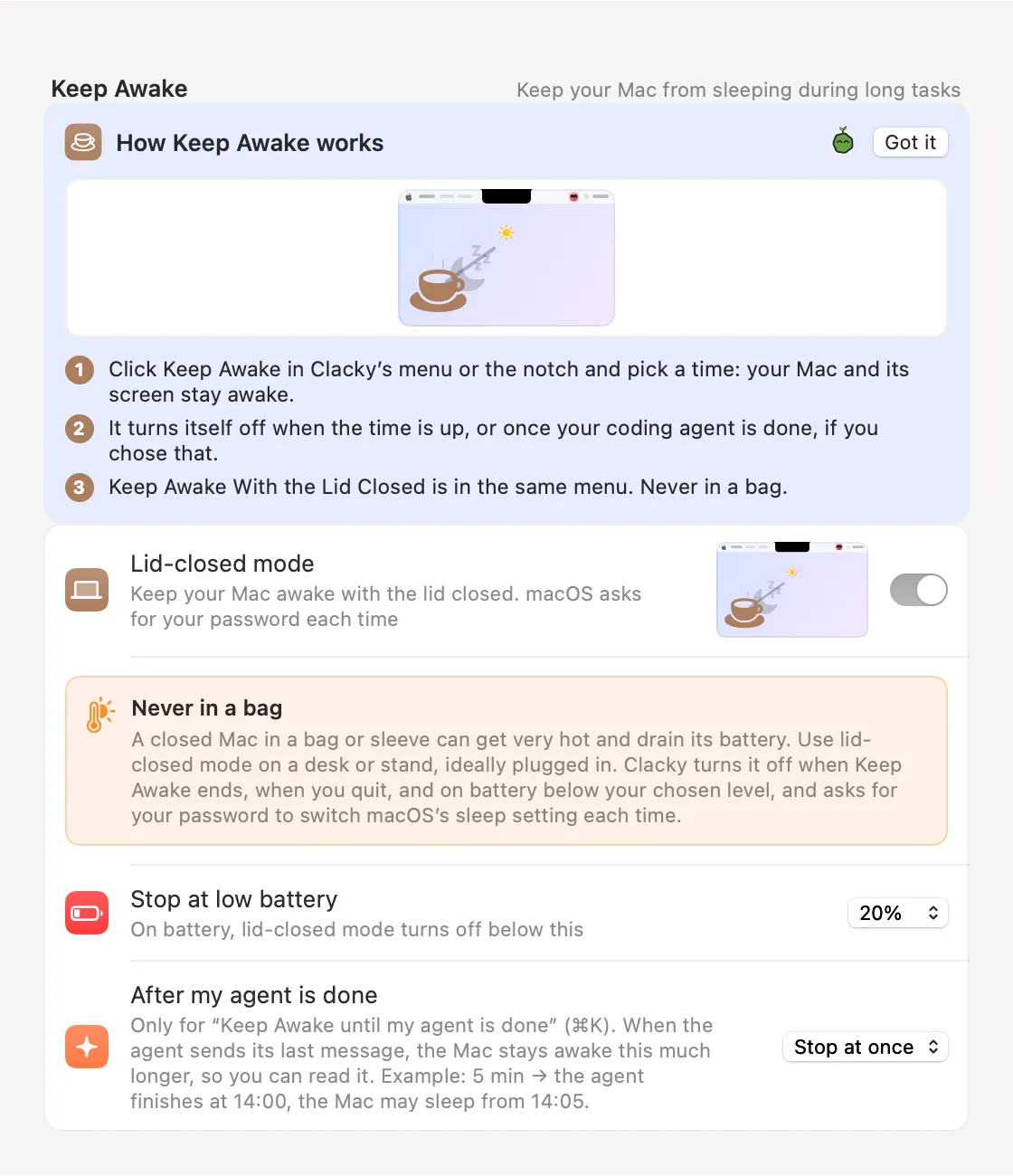
Keep Awake stops your Mac and its screen from sleeping during long downloads, renders or agent runs. Pick 15 minutes, 1 hour, 2 hours or until you turn it off, and it lets go by itself when the time is up.
Until My Agent Is Done keeps it awake while Claude Code or Codex is working, and lets your Mac sleep once the agent is done (or a few minutes later, if you choose).
Keep Awake With the Lid Closed is there too, once you allow it in Settings. macOS asks for your password each time, and it switches off on battery below the level you choose. Use it on a desk, never in a bag.
How to use it
Open the Keep Awake menu
Click the Clacky icon in the menu bar and choose Keep Awake (it’s in the notch too).
Pick how long
Choose 15 minutes, 1 hour, 2 hours, Until I turn it off, or Until My Agent Is Done.
Lid closed (optional)
Choose Keep Awake With the Lid Closed…. The first time, it opens Settings → Keep Awake: read the warning and switch on Lid-closed mode.
Turn it off
Choose Turn Off in the same menu, or let the time run out.
Tips
- Press ⌘K and type “awake” to start it from the keyboard.
- Settings → Keep Awake sets how long the Mac stays up after your agent is done, and the battery level where lid-closed mode stops.
Questions
- Does it need my password?
- Only for lid-closed mode, because it changes a macOS sleep setting. The normal timer needs no password.
- What if Clacky quits while the lid-closed mode is on?
- Clacky puts the setting back when Keep Awake ends or you quit. After a crash, it puts it back at the next launch.
- Does “until my agent is done” work with any AI tool?
- It follows the Claude Code and Codex sessions that Agent Alerts sees, so an agent has to be working when you pick it.
Make something on your Mac today.
Seven days free, every feature, cancel anytime.