9:16, 4:5, 16:9 and 1:1
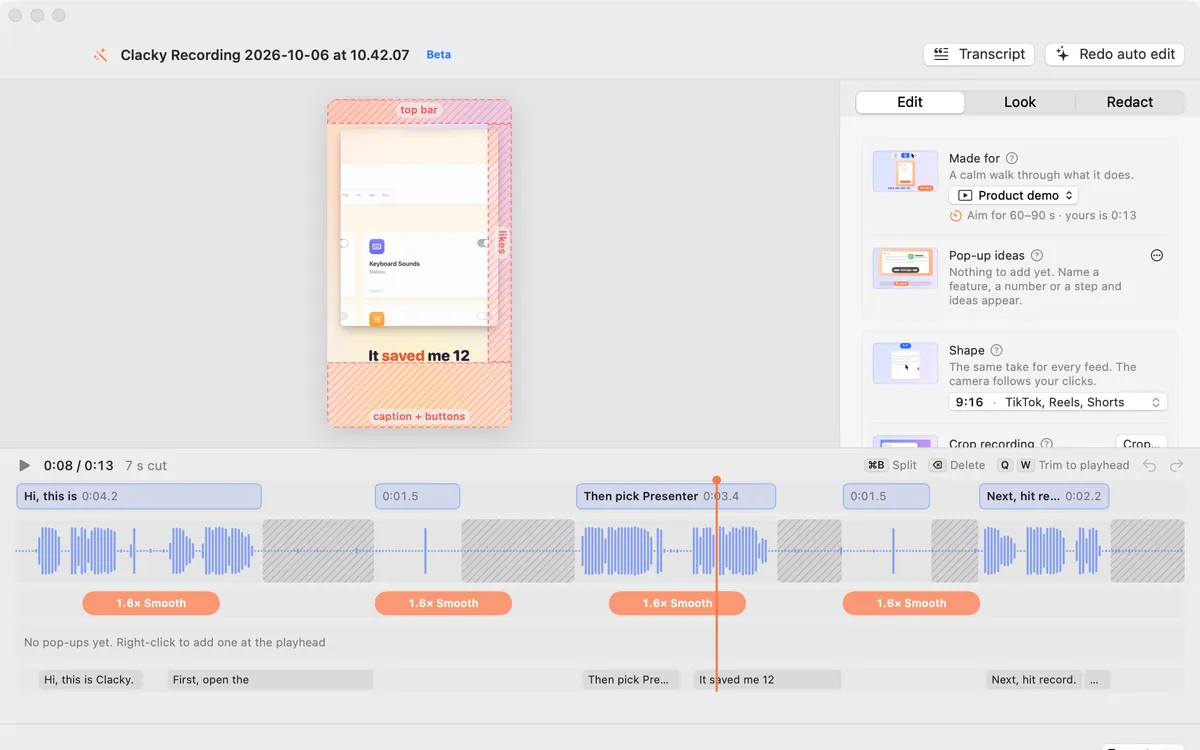
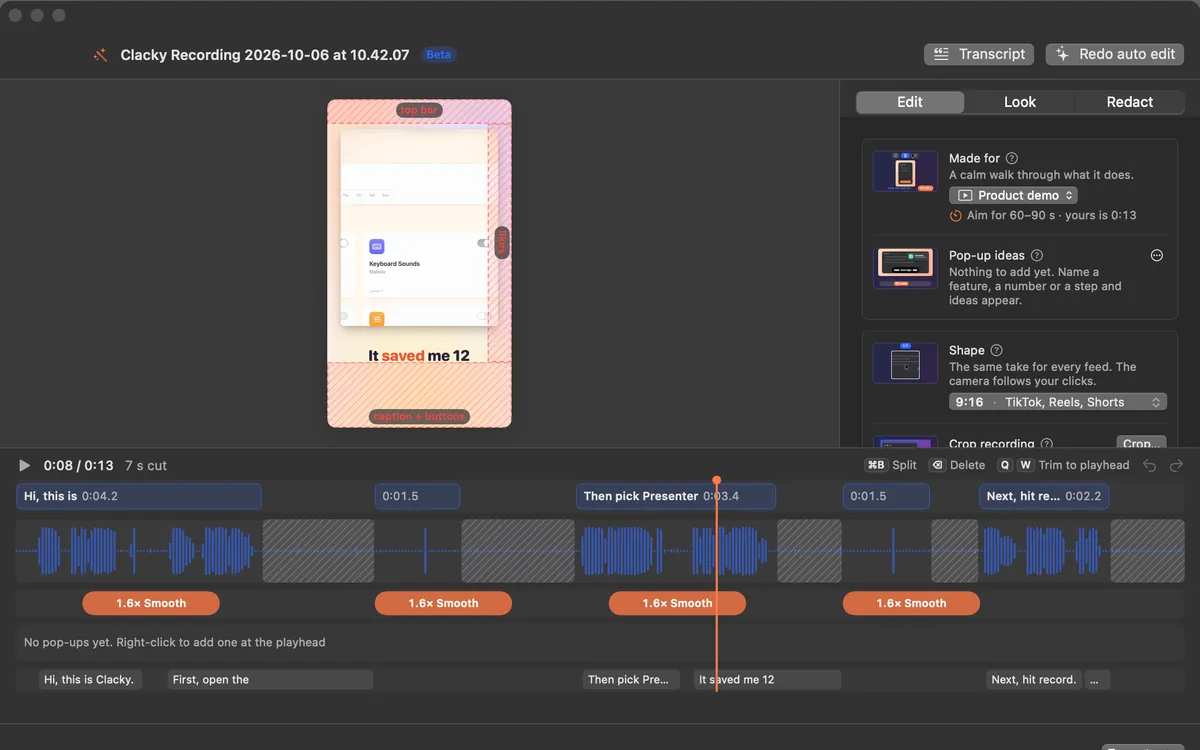
Tall 9:16 for Shorts, Reels and TikTok with the camera following your pointer, 4:5 for the Instagram and Threads feed, wide for X and YouTube, square too. Safe zones show where the app buttons go.
What it is
The Shape row in Studio turns the same take into any feed’s shape: 16:9 for X and YouTube, 9:16 for Shorts, Reels and TikTok, 1:1 for feed posts and LinkedIn, and 4:5 for the Instagram and Threads feed.
In the tall and square shapes, the camera follows your clicks so the important part stays in frame. Show safe zones shades where TikTok, Reels and Shorts put their buttons, so you keep your content clear; the shading never goes into the export.
How to use it
Open your recording in Studio
Click Edit in Studio in the recording preview, or Edit a Video in Studio.
Pick a shape
In the Edit tab, click the Shape row and choose 16:9, 9:16, 1:1 or 4:5.
Check the safe zones
For 9:16, turn on Show safe zones to see where the apps’ buttons will sit.
Export
Click Export…, or use the arrow by Export to save all four shapes at once.
Tips
- Turn off Camera follows clicks to fit the whole recording inside the frame instead.
Questions
- Do I need to record in a tall shape?
- No. Record as usual; Studio makes the tall, square and wide versions from the same take.
- Do the safe zones show in my video?
- No. They are only a guide on the preview and are never exported.
Make something on your Mac today.
Seven days free, every feature, cancel anytime.