 MacPip
Answer
How do I put a screenshot in a MacBook or iPhone frame?
macOS has no device-frame tool, so either place your screenshot inside one of Apple’s official product bezels (free images of iPhone, iPad and Mac, from Apple Design Resources) in a design app, or use a screenshot tool that draws the frame for you.
Clacky’s Showcase (macOS 14 or later) puts a shot in a window, iPhone, MacBook, iPad or browser frame at a 3D angle on a background, and exports it at 4K, 6K or 8K.
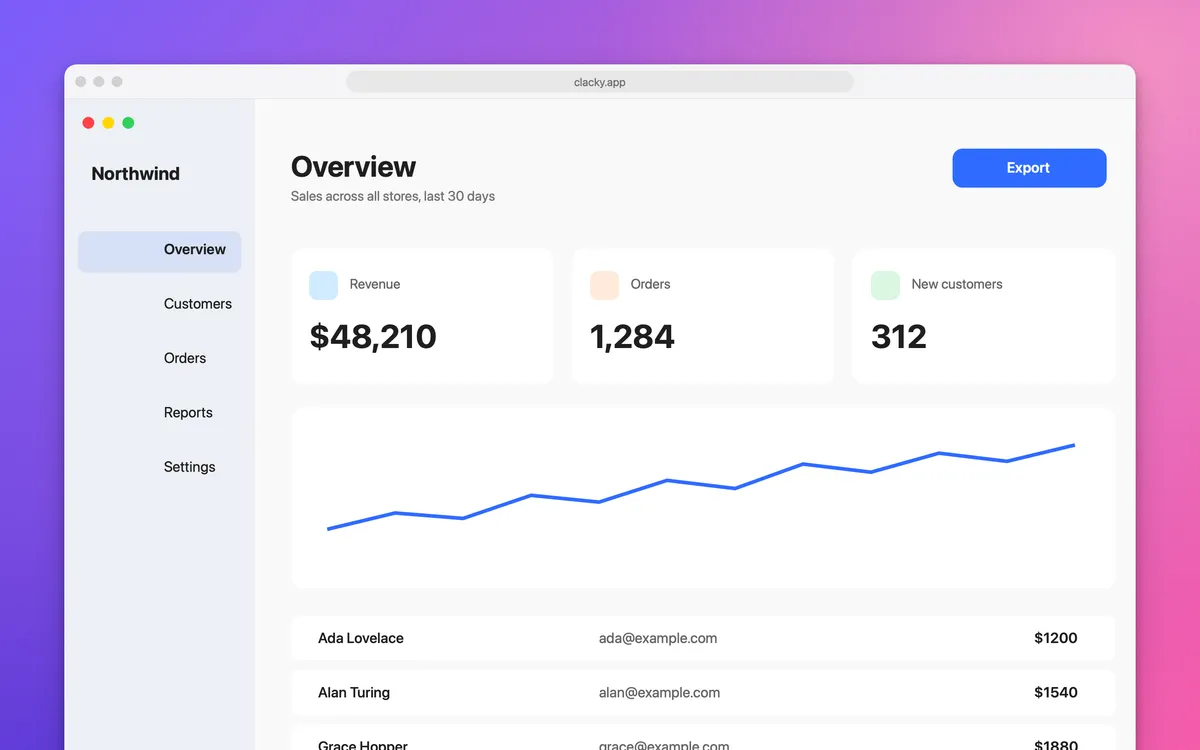
With Apple’s product bezels
- Go to Apple Design Resources (developer.apple.com/design/resources) and download the Product Bezels for the device you want. They come as Photoshop and PNG files.
- Take a screenshot at the right shape: a full-screen Mac shot for a MacBook, a tall shot for an iPhone.
- Open the bezel in a design app (Photoshop, Figma, Pixelmator Pro or Keynote).
- Put the screenshot on a layer under the bezel and scale it to fit the screen area exactly.
- Export as PNG. If you use it in marketing, read Apple’s marketing guidelines linked from the same page.
Pick the right frame
| Frame | Best for | Shot to take |
|---|---|---|
| MacBook | A Mac app or a whole desktop | Full screen |
| iPhone | Tall pages, mobile sites, chats | A tall area or a scrolling shot |
| iPad | Wide layouts, dashboards | A wide area |
| Browser | Websites, with the address shown | The page area of the window |
| Window | Any app, no device | One window |
With Clacky’s Showcase
The frame, shadow and background are drawn fresh at the export size, so nothing is stretched. For a plain window or a browser frame with your link in the address bar, use the window and browser frames in Polish. A free Screenshot Frame also runs in your browser.
- Take a shot with ⌥⇧⌘4 (area) or ⌥⇧⌘5 (window).
- In the editor, pick Showcase, then a device: Window, iPhone (with the Dynamic Island), MacBook (with the notch), iPad or Browser.
- Pick an angle: Flat, Tilt left, Tilt right, Stairs or Float, and a background. Or click Make it pretty for one good pick, and again for another.
- Choose 4K, 6K or 8K, then Copy or Save.
Where these facts come from
Checked on 5 November 2026.
- Apple Design Resources: Product Bezels (iPhone, iPad and Mac bezels, Photoshop and PNG, marketing guidelines)
Questions
Can I use Apple’s device frames for my App Store page?
What size should a framed screenshot be?
Can I frame a screenshot on my iPhone?
Facts checked on 5 November 2026.
Related
- ShowcaseYour shot in a window, iPhone, MacBook, iPad or browser frame, at a 3D angle on a background. Copy or save at 4K, 6K or 8K.
- Window and browser framesGive an area shot a title bar, or a browser frame with your link in the address bar. Auto-balance evens out the margins.
- Screenshot framePut a screenshot in a Mac window, a MacBook or an iPhone frame on a soft background. Sizes for X, Instagram and stories. Free, in your browser.
- Combine several screenshots into one imageUse the Shortcuts app’s Combine Images action (side by side, stacked or a grid), Keynote, or Clacky’s Collage, which adds even gaps and a background.
- Screenshot a window without the shadowPress Shift-Command-4, then Space, then hold Option as you click the window. The shot has no shadow. A Terminal setting makes it the default.
Make something on your Mac today.
3 days free, every feature. Then $4.99 once.