StudioLive
Window and browser frames
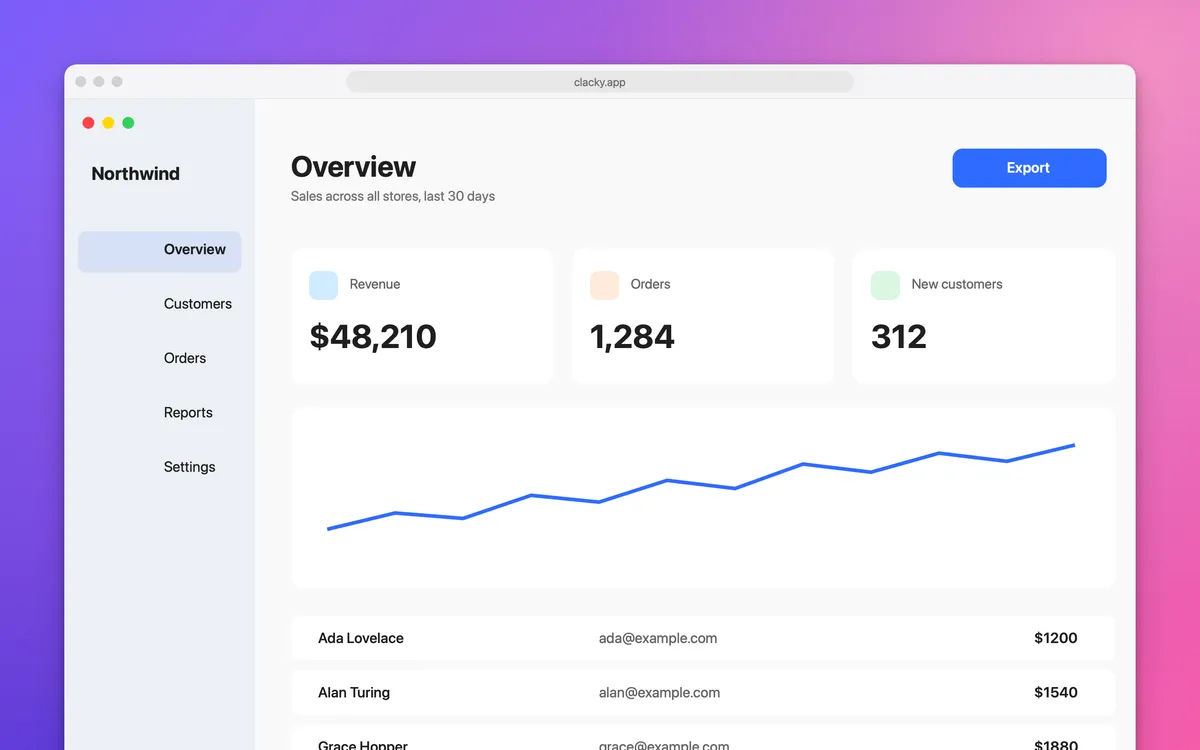
Give an area shot a title bar, or a browser frame with your link in the address bar. Auto-balance evens out the margins.
What it is
An area shot has nothing around it. A frame gives it one: Window adds a title bar drawn by Clacky, Browser adds an address bar with your link if you type one.
Auto-balance trims empty margins left by a quick crop, so the shot sits in the middle with even padding all round.
How to use it
Open the shot in Polish
In the screenshot editor, pick Polish (⌘B).
Pick a frame
In the Frame section, choose None, Window or Browser.
Add your link
With Browser, type the address in Address (optional).
Even the margins
Open More… and turn on Auto-balance.
Tips
- Inset, under More…, adds a border in the shot’s own edge colour, so a rough crop looks intended.
Questions
- Is the address bar a real browser screenshot?
- No. Clacky draws it, with the address you type.
- Can I frame a collage?
- Frames are for single shots; a collage has its own Nice look.
Make something on your Mac today.
Seven days free, every feature, cancel anytime.