Showcase
Your shot in a window, iPhone, MacBook, iPad or browser frame, at a 3D angle on a background. Copy or save at 4K, 6K or 8K.
What it is
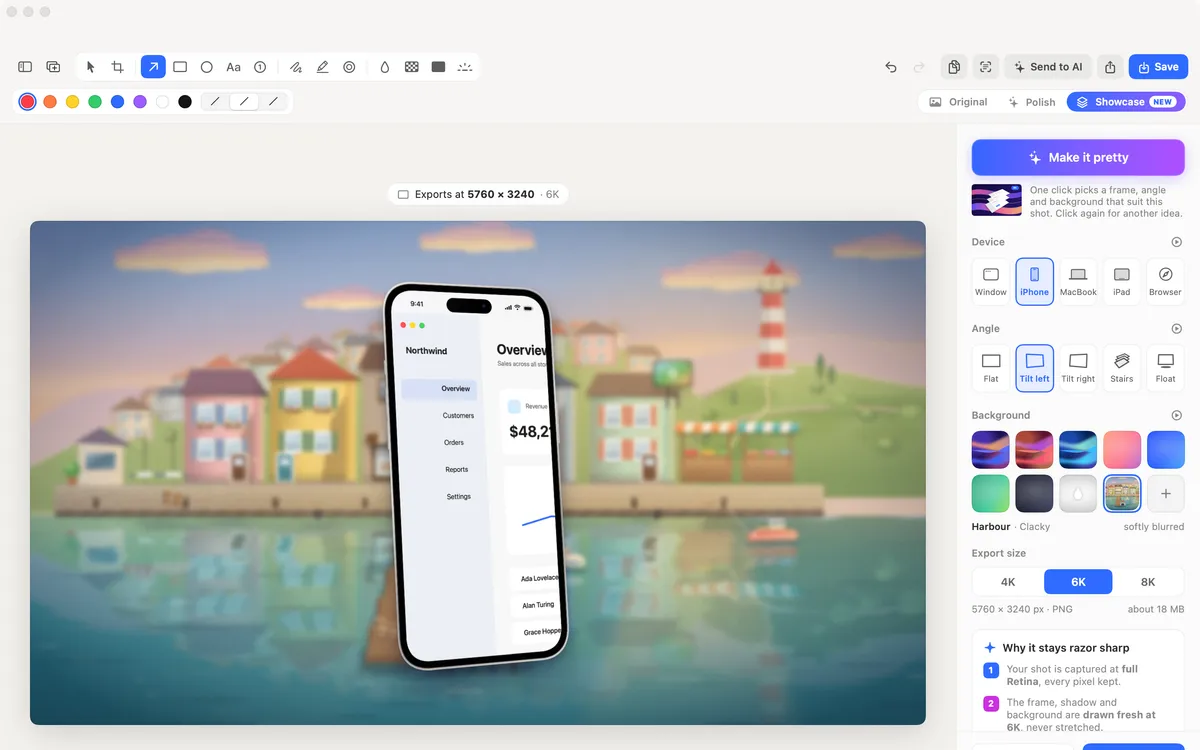
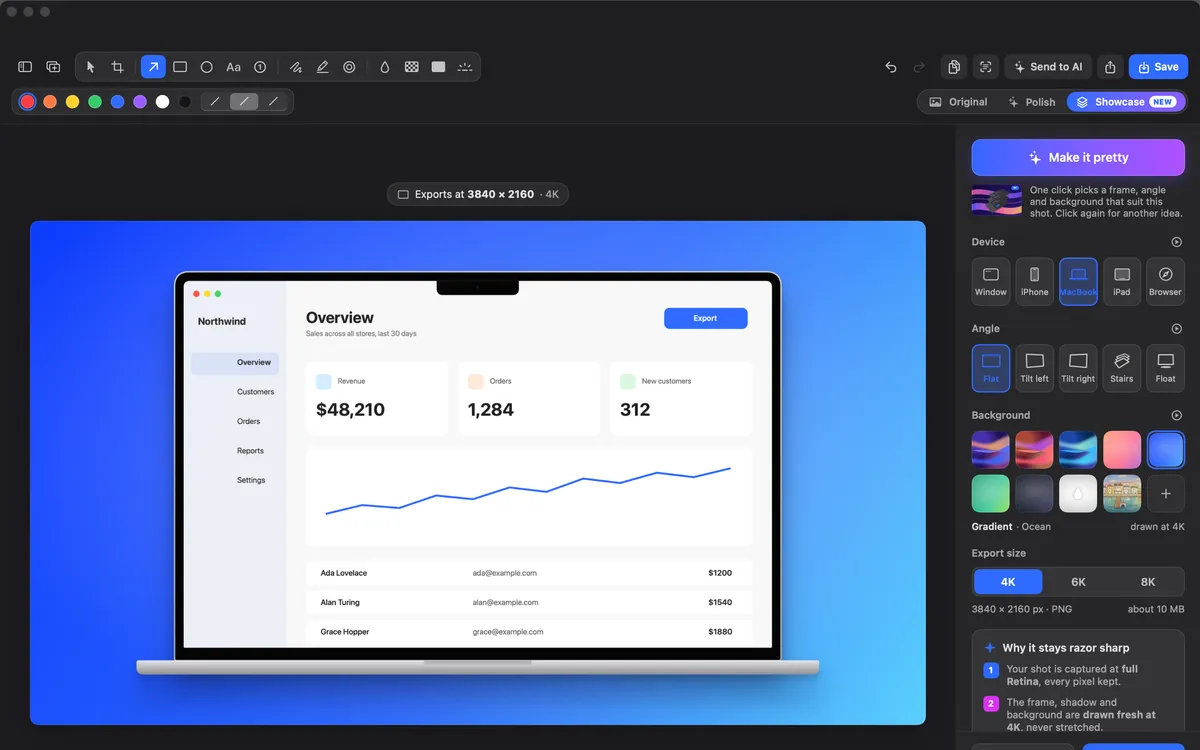
Showcase puts your shot in a device: a floating window, an iPhone with the Dynamic Island, a MacBook, an iPad or a browser, at an angle, on a background.
Angles are Flat, Tilt left or right, Stairs (three copies stepped back) and Float. Backgrounds include liquid wallpapers, gradients, your shot’s own colours softly blurred, the Clacky harbour, or a picture of your own.
Copy or save at 4K, 6K or 8K. The frame, shadow and background are drawn fresh at that size; your shot is what you captured, at full Retina.
How to use it
Open a shot
Take a screenshot, or open a picture from Studio → Edit a Picture.
Pick Showcase
In the switch at the top of the editor, pick Showcase, next to Original and Polish.
Make it pretty
Click Make it pretty for a device, an angle and a background picked for this shot. Click again for another idea.
Or choose yourself
Set Device, Angle and Background in the sidebar.
Copy or save
Pick 4K, 6K or 8K, then Copy or Save. Save writes a new file next to the original.
Tips
- Tall shots suit the iPhone, full-screen shots the MacBook.
- If your Mac is short on memory, Clacky makes it at a smaller size and says so.
Questions
- Does 8K make my screenshot sharper?
- The frame, shadow and background are drawn fresh at 8K. Your shot keeps the detail it was captured with; nothing is made up.
- Can I mark up a showcase shot?
- Make your marks in Original or Polish first; they come with the shot into Showcase.
Make something on your Mac today.
Seven days free, every feature, cancel anytime.