Card looks
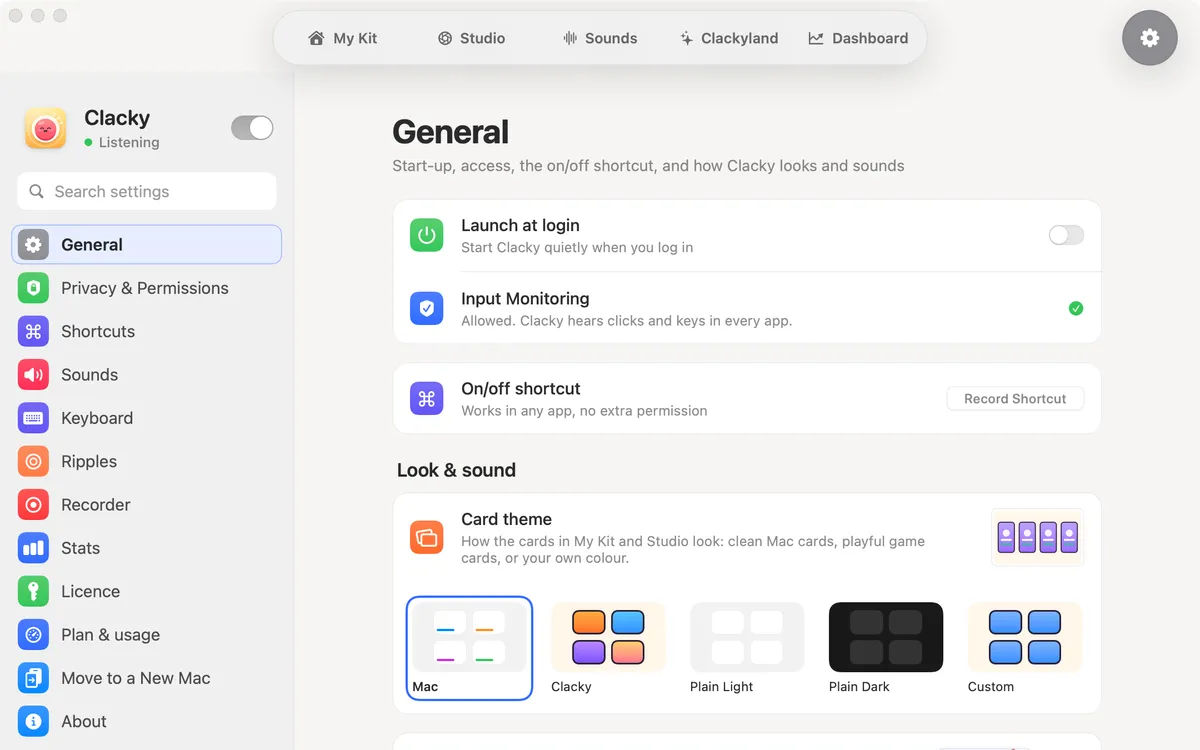
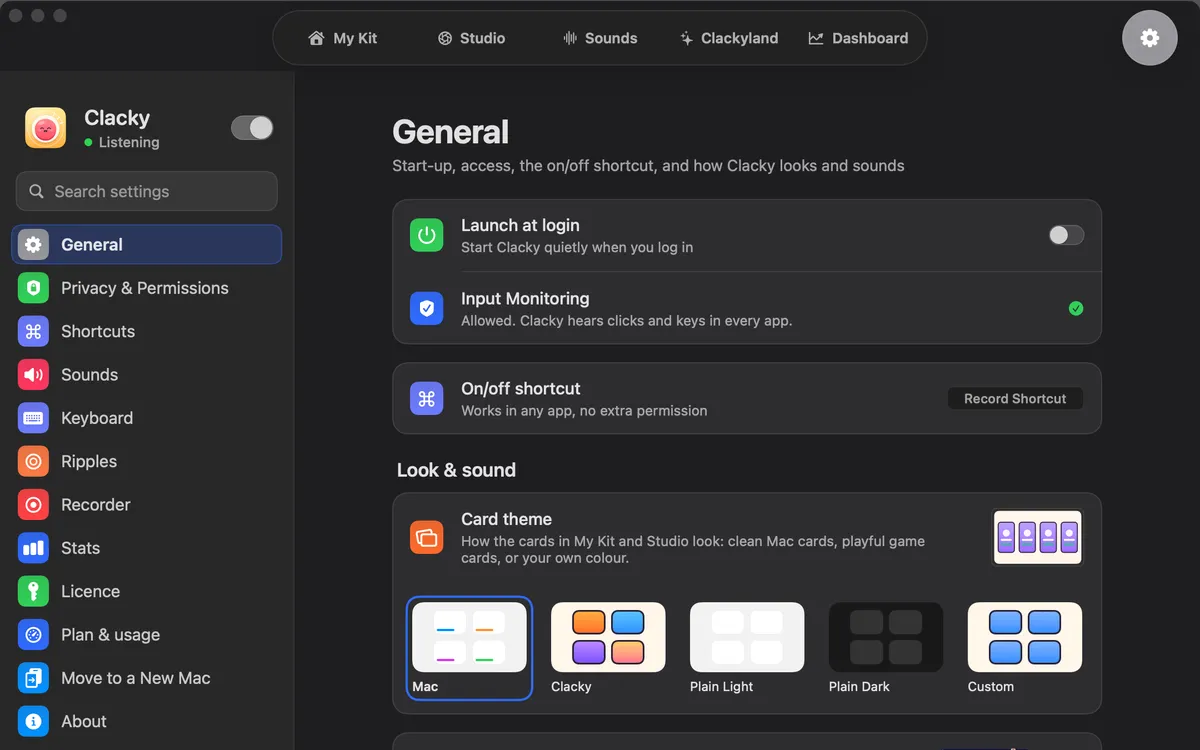
Clean Mac cards by default, or colourful game cards with your Blips, Plain Light, Plain Dark, or Custom in one of six accent colours.
What it is
Card theme sets how the tool cards in My Kit and Studio look. Mac, the default, is clean macOS cards with your level as a thin line along the bottom.
Clacky turns them into colourful game cards with your Blips and a level bar. Plain Light and Plain Dark are calm white or dark grey cards, with the Blips kept. Custom paints every card in one colour you pick.
A card’s level grows each time you use that tool from its card. It’s counted on this Mac only.
How to use it
Open Settings
Click the gear in the Clacky window, or choose Settings in the Clacky menu.
Find Card theme
In General, under Look & sound, find Card theme.
Pick a look
Click Mac, Clacky, Plain Light, Plain Dark or Custom. The cards change straight away.
Choose a colour
With Custom, pick one of the six accent colours under it.
Questions
- Does the look change what the tools do?
- No. Only how the cards look; every switch and button works the same.
- How do I go back to the plain Mac look?
- Pick Mac under Settings → General → Card theme. It’s the default.
Make something on your Mac today.
Seven days free, every feature, cancel anytime.