Click Doctor
Stops a worn mouse from double-clicking by itself.
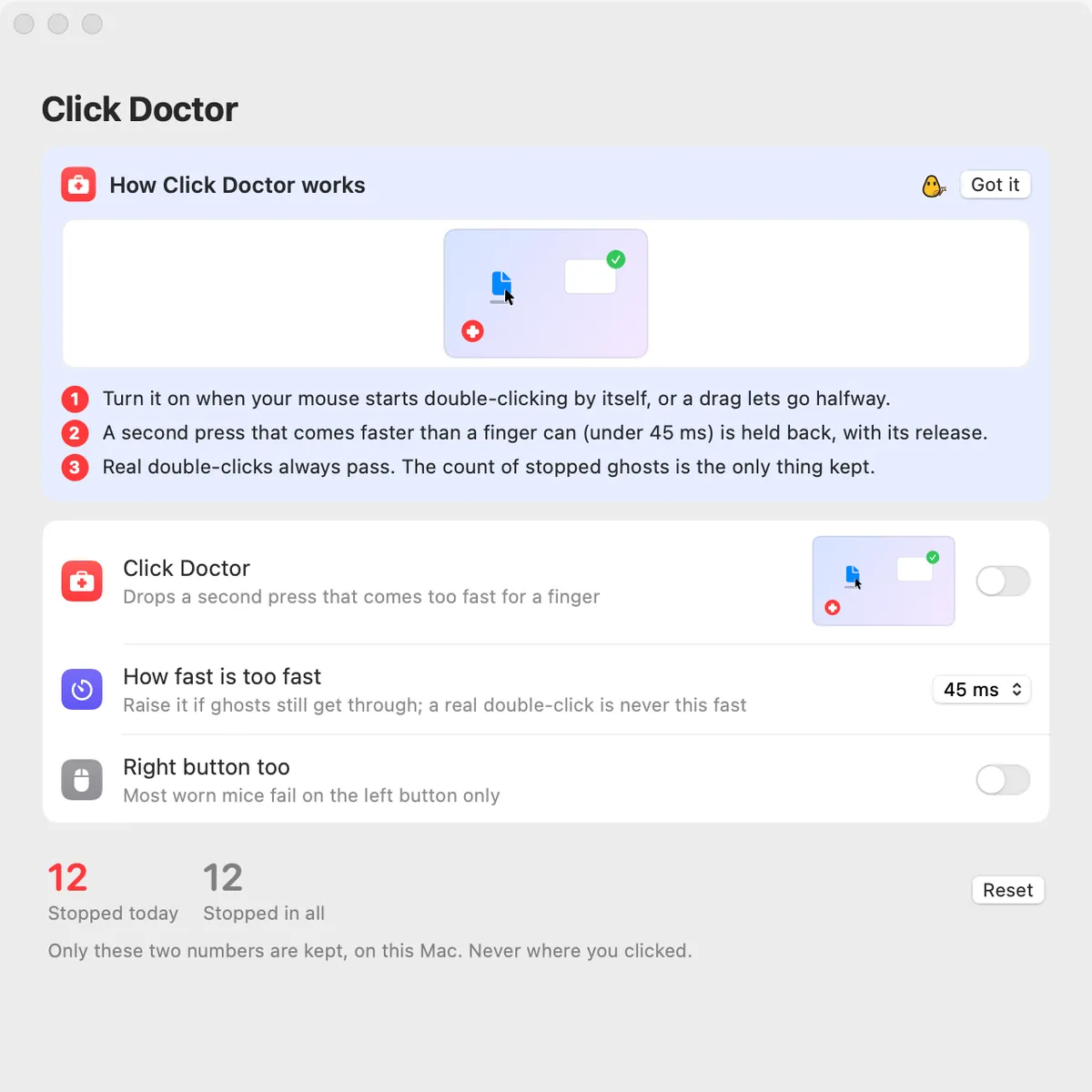
What it is
A worn mouse button “chatters”: one press reaches your Mac as two, so a single click opens two things, or a drag lets go halfway. Click Doctor holds back the second press when it comes faster than a finger can.
Real double-clicks always pass. It watches mouse presses and releases only, never keys or where the pointer goes.
The only thing kept is the count of ghost clicks it stopped, on this Mac.
How to use it
Turn it on
Open Clacky from the menu bar and switch on the Click Doctor card in My Kit (add it from Explore if it isn’t there).
Allow Accessibility
Press Allow… in Settings → Click Doctor. macOS asks once.
Click as usual
A second press under 45 ms after the last release is held back, with its release. The card shows how many it stopped today.
Tune it
Ghosts still getting through? Raise How fast is too fast (30, 45, 60 or 80 ms) in Settings → Click Doctor.
Tips
- It guards the left button. Turn on Right button too if that one chatters as well.
Questions
- Will it break my double-clicks?
- No. A real double-click is much slower than the ghost presses it stops.
- Does it see my keyboard?
- No. It listens to mouse presses and releases only.
Make something on your Mac today.
Seven days free, every feature, cancel anytime.