Grab Code
Read a QR code or barcode on screen. Links come without trackers.
What it is
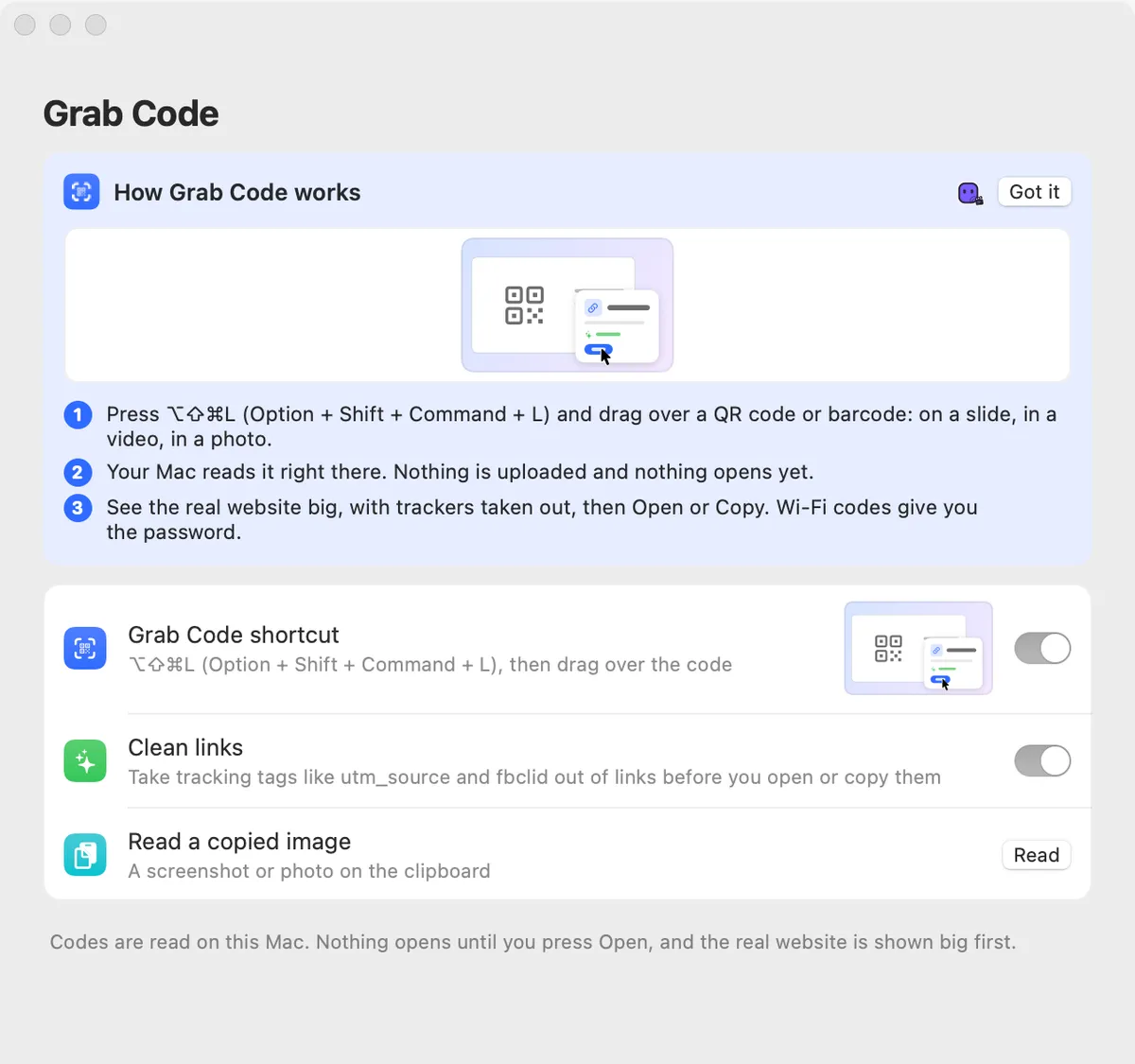
Grab Code reads a QR code or barcode anywhere on your screen: on a slide, in a video, in a photo. Drag over it and your Mac reads it right there. Nothing is uploaded.
Nothing opens on its own. You see the real website big first, with tracking tags like utm_source and fbclid taken out, then choose Open or Copy Link.
A Wi-Fi code gives you the network and the password to copy; an email address or plain text can be copied too.
How to use it
Start
Press ⌥⇧⌘L, or open Studio and click Grab Code.
Drag over the code
Drag a box around the QR code or barcode.
Check it
A card shows what’s inside: the real website, a Wi-Fi network, an email or text.
Open or copy
Press Open, or Copy Link (Copy Password for Wi-Fi).
Tips
- Have a screenshot or photo on the clipboard? Settings → Grab Code → Read a copied image reads it.
- Settings → Grab Code can turn off Clean links if you want the original link.
Questions
- Is the image sent anywhere?
- No. The code is read on your Mac.
- Why do links look different?
- Only tracking tags are removed, so the page still opens the same. The original is one switch away.
Make something on your Mac today.
Seven days free, every feature, cancel anytime.