Ka-ching
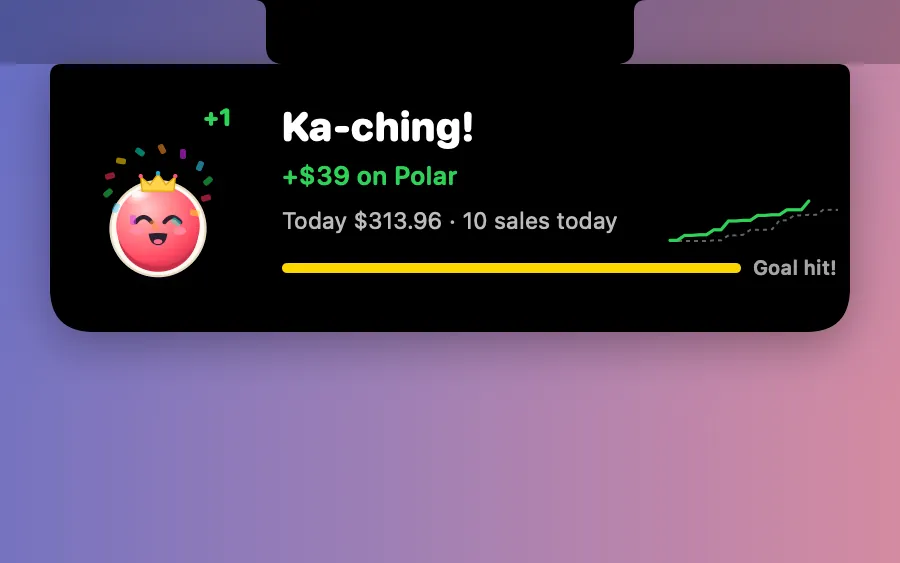
Boop catches a coin in the notch for every new sale on Polar or Stripe. Hide amounts and it only counts sales.
What it is
Ka-ching is a moment for makers: every new sale on Polar or Stripe, Boop catches a coin in the notch with a ka-ching and confetti. The notch shows today’s total against yesterday.
You connect with a read-only Polar access token or a Stripe restricted key. It goes into your Keychain and is only ever sent to the store itself. While it’s on, Clacky asks your store for new orders every 2 minutes.
Only today’s and yesterday’s totals are kept on this Mac: no names, emails or products. Recording or sharing your screen? Hide amounts shows sales, never money.
How to use it
Open Ka-ching
Open Clacky from the menu bar and switch on the Ka-ching card in My Kit (add it from Explore if it isn’t there). With no store connected yet, it opens Settings → Ka-ching.
Connect a store
Under Stores, paste a read-only Polar access token or a Stripe restricted key and press Connect.
Check the switch
Make sure Ka-ching with Boop is on at the top of the page.
Make a sale
Each new sale: a coin, a ka-ching and confetti in the notch.
Tips
- Set a Daily goal to see a ring fill up in the notch.
- Quiet hours keep the sound and the card away at night; sales still count.
Questions
- Can Clacky change anything in my store?
- No. It uses a read-only token or a restricted key, and only asks for new orders.
- Is my sales data sent to Clacky?
- No. The token only goes to your store, and only day totals are kept on this Mac.
Make something on your Mac today.
Seven days free, every feature, cancel anytime.