Live
Who’s on your site right now, on a globe, with where they are and the pages they’re on.
What it is
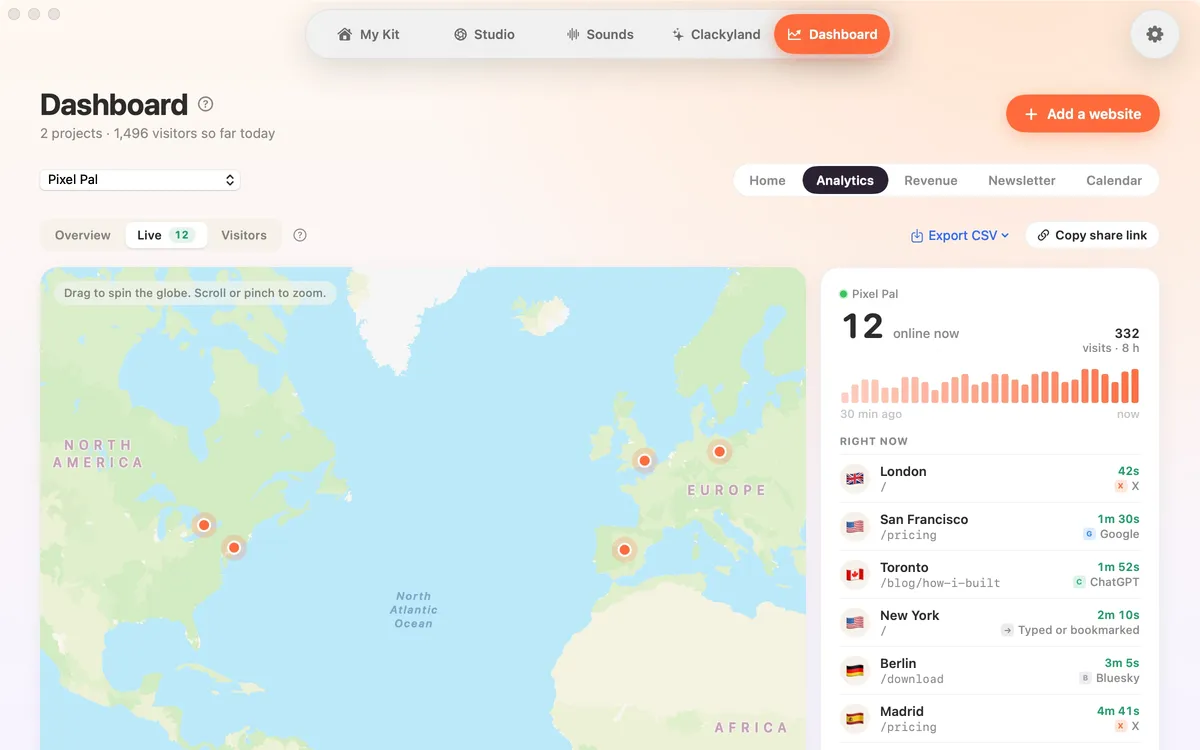
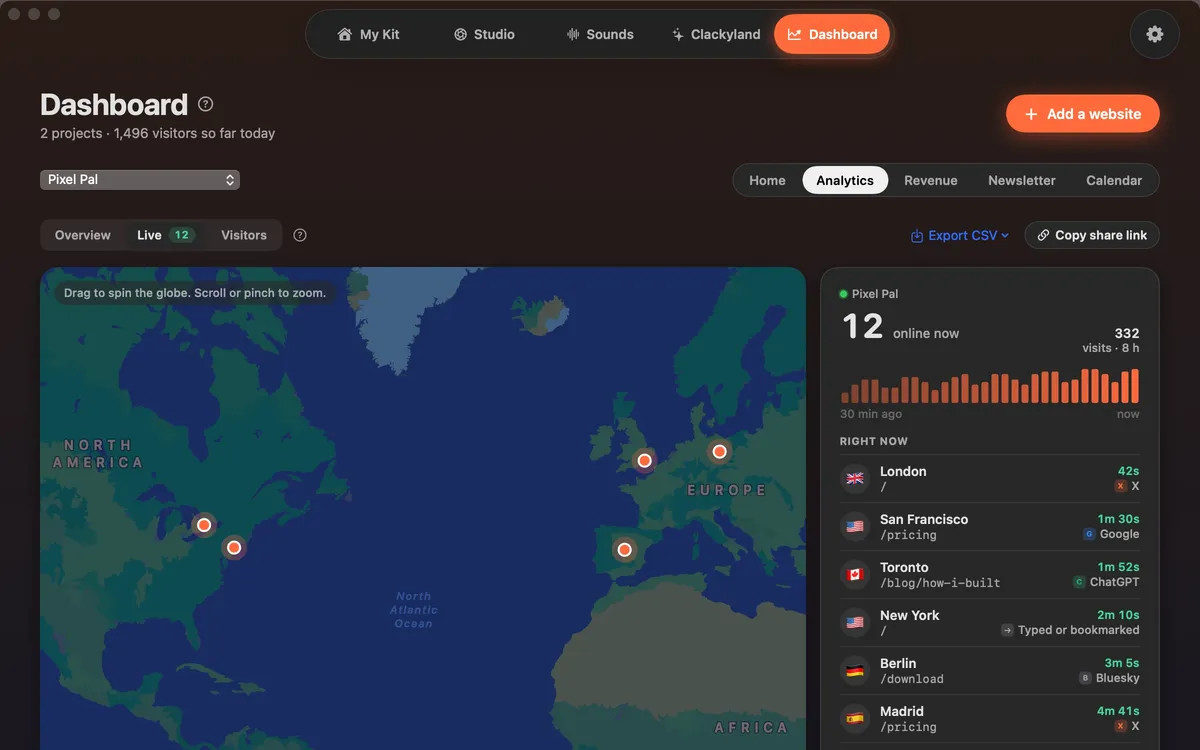
Live shows who’s on your site right now, as pins on a globe, next to a list of people here now and visits that just ended. Each one shows roughly where they are and the pages they’re on.
It’s the fun part of launch day: post a link, then watch people arrive.
Places are cities, rounded to about 10 km. No IP address or visitor id is ever shown or kept. Live only asks for new numbers while it’s on screen.
How to use it
Open Live
In the Clacky window, pick Dashboard, then Analytics, then Live. The Live button shows how many people are on now.
Move the globe
Drag to spin the globe. Scroll or pinch to zoom.
Read the list
Right now lists the people on your site and their pages. Earlier shows visits that just ended.
Tips
- Turn on Live visitors in the menu bar on the Dashboard’s Home tab to see the number beside the Clacky icon. It checks once a minute.
- Online now in the Overview also opens Live.
Questions
- How exact is the location?
- It’s a city, rounded to about 10 km. Clacky never shows or keeps the visitor’s IP address.
- Does Live use my Mac’s battery all the time?
- No. It only checks for new visitors while the Live view is on screen. The menu-bar number checks once a minute when you turn it on.
Make something on your Mac today.
Seven days free, every feature, cancel anytime.