AI & MCPLive
Mac Health and Modes
Quick context for your agent: CPU, memory, disk and battery, and which mode you’re in.
- get_mac_health
- get_mode
- set_mode
What it is
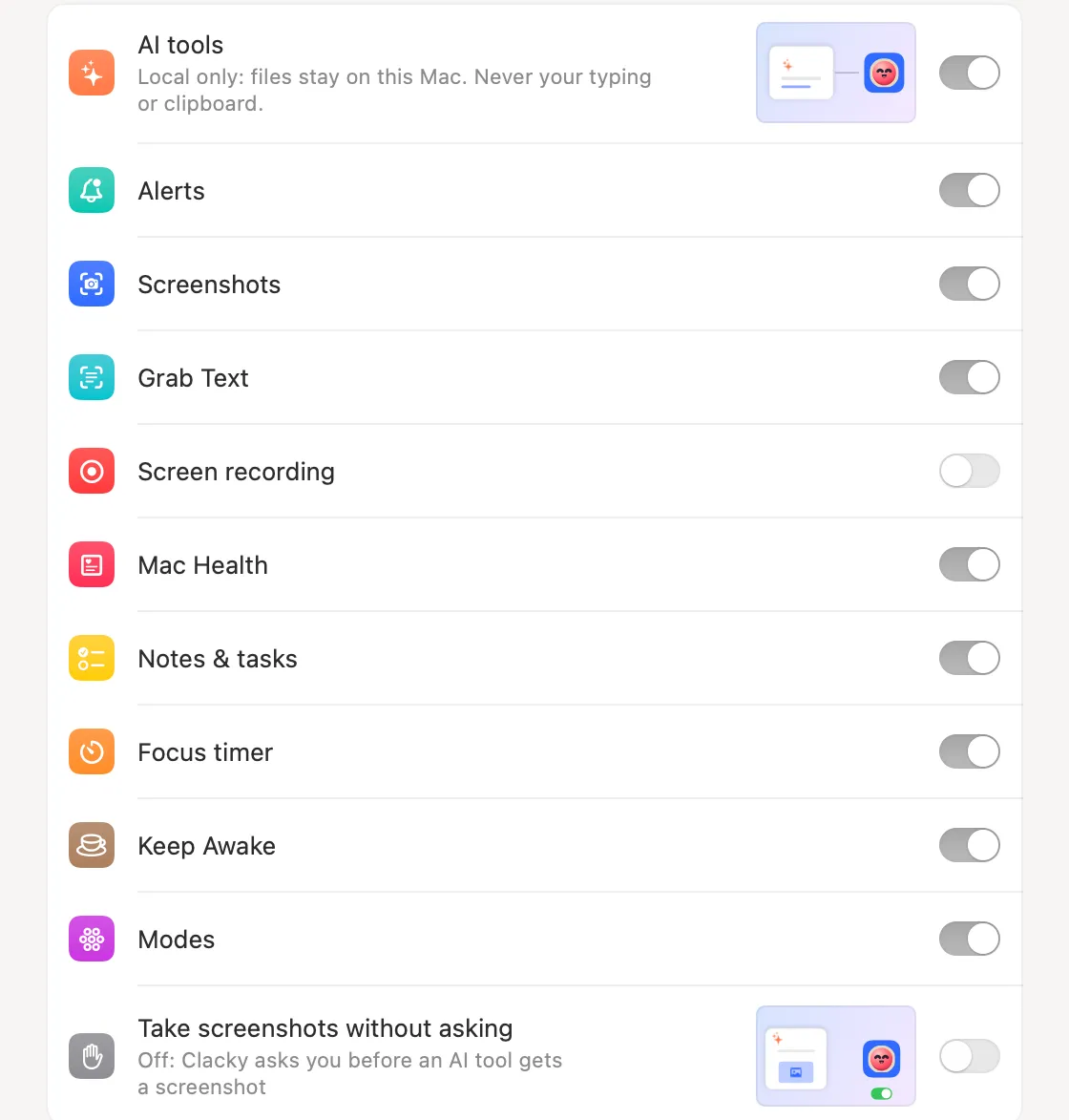
Quick context for your agent. get_mac_health returns CPU, memory pressure, disk space, battery and temperature, without app or process names.
get_mode says which Clacky mode is on, like Record, Code, Focus, Call, Quiet or one you made. set_mode switches to one, and “none” puts every tool back the way it was.
How to use it
Connect Clacky
Turn on Settings → Connect AI tools, add Clacky to your AI app, and leave Mac Health and Modes on.
Ask about your Mac
Say “Is my Mac running low on disk before I start this build?”
Switch modes
Say “I’m about to record a demo. Set up my Mac.” Your agent switches Clacky to Record mode.
Questions
- Does it see which apps I’m running?
- No. Mac Health for AI tools returns numbers only, never app or process names.
- Can my AI use modes I made myself?
- Yes. get_mode lists every mode there is, yours included, and set_mode takes its name.
Make something on your Mac today.
Seven days free, every feature, cancel anytime.