StudioLive
Pause and resume
Pause from the pill, the menu or the notch. Resume and it carries on: one file at the end.

What it is
Need a moment? Pause the recording and nothing is recorded; the time stands still. Resume and the video carries on right where it paused.
You get one file at the end, not a pile of parts. Pause from wherever is closest: the recording pill, the Clacky menu or the notch.
How to use it
Pause
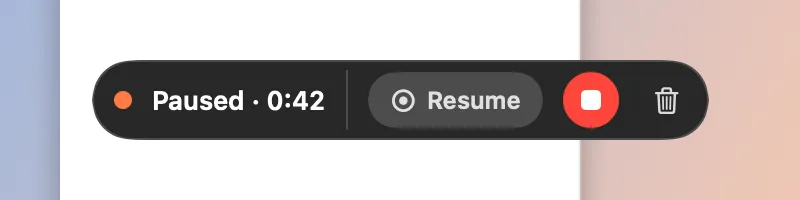
While recording, click Pause in the pill, choose Pause Recording in the Clacky menu, or click Pause in the notch.
While paused
The pill shows an orange dot and Paused with the time.
Resume
Click Resume in the pill, or Resume Recording in the menu.
Stop
Click Stop when you’re done. The pieces are joined into one video.
Questions
- Do I get one file or several?
- One. Clacky joins everything into a single recording when you stop.
- Does Studio still line up the zooms after a pause?
- Yes. The paused time is taken out of the pointer track too, so zooms and clips line up.
Make something on your Mac today.
Seven days free, every feature, cancel anytime.