StudioLive
Redact screenshots
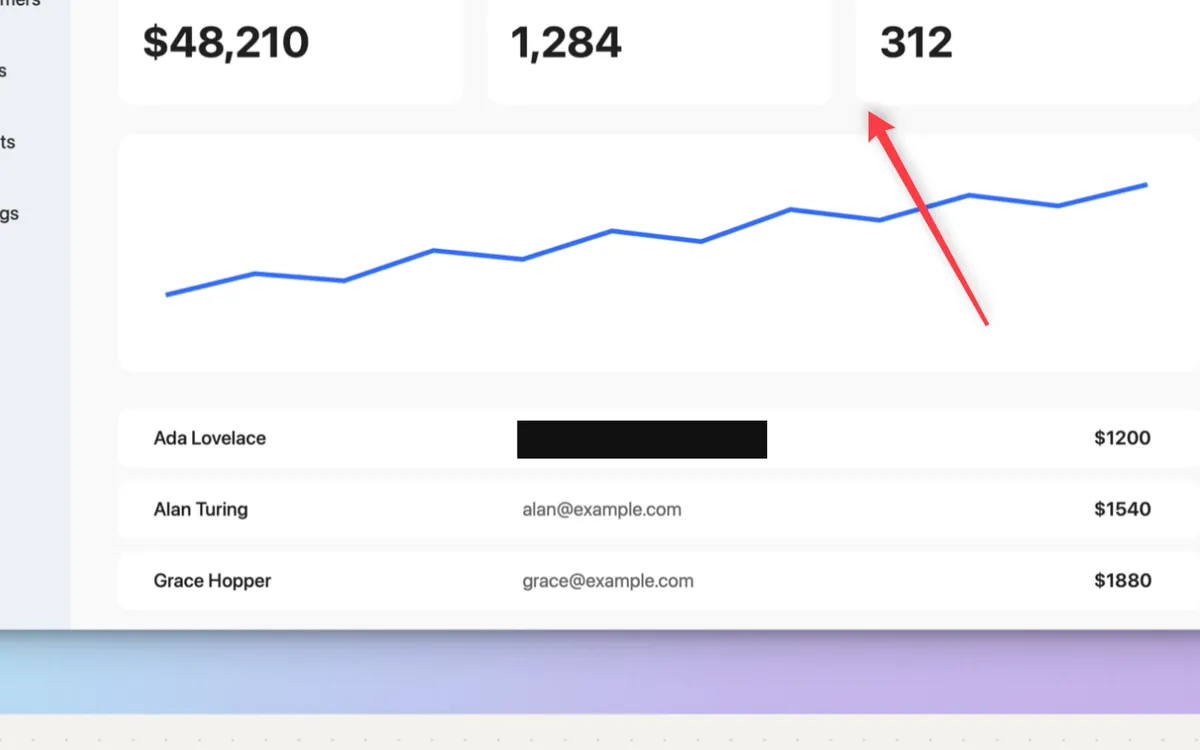
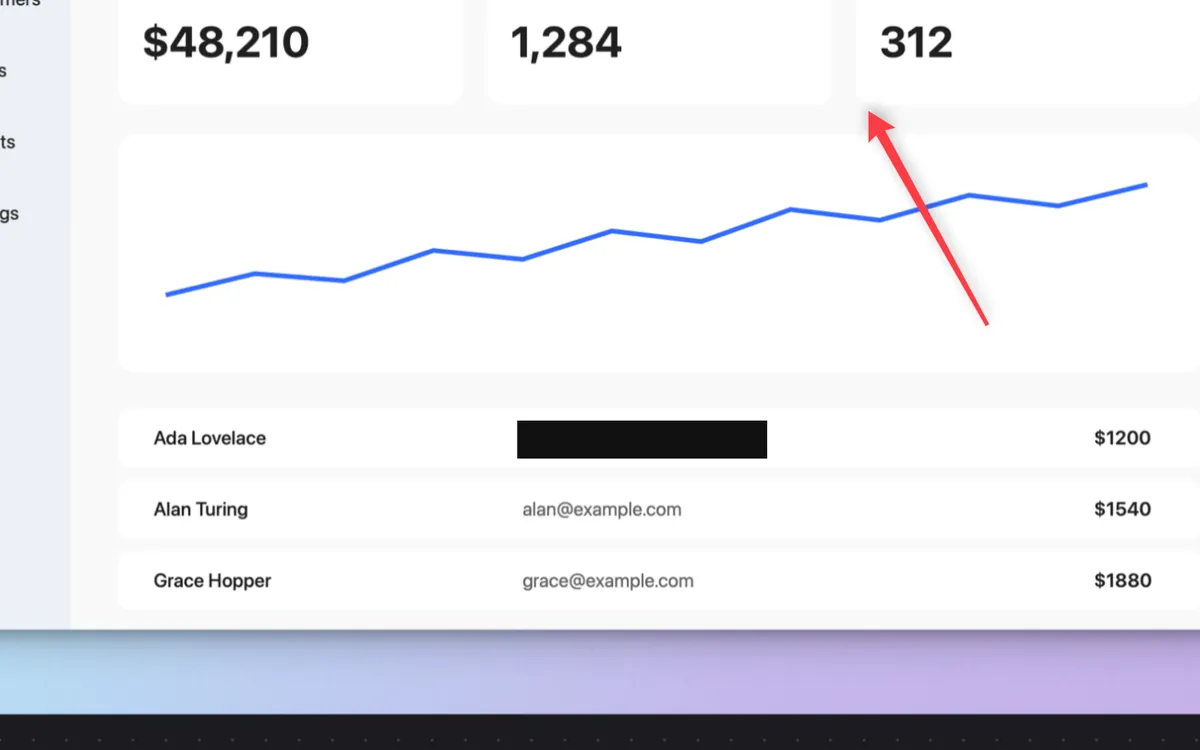
Drag a solid bar over a password, key or email. Nothing under the bar survives.
What it is
Redact covers part of a screenshot with a solid bar. Nothing under the bar survives in the copy you share or save.
Blur and Pixelate are there too, but blur can be undone; a solid fill can’t. For passwords, keys and tokens, use Redact.
How to use it
Open the shot
Take a screenshot; it opens in the editor.
Pick Redact
Choose Redact in the toolbar, or press D.
Drag over it
Drag a bar over the password, key or email.
Copy or save
Press ⌘C or ⌘S. The shared copy has the bar baked in.
Tips
- Grab Text in the editor reads the marked-up shot, so text under a Redact bar isn’t copied.
Questions
- Why not just blur it?
- Blurred text can sometimes be recovered. A solid bar leaves nothing to recover.
- Can I hide things in videos too?
- Yes. Studio has its own Redact tab for recordings, with Blur, Pixelate or a solid Bar.
Make something on your Mac today.
Seven days free, every feature, cancel anytime.