SoundsLive
Your Week
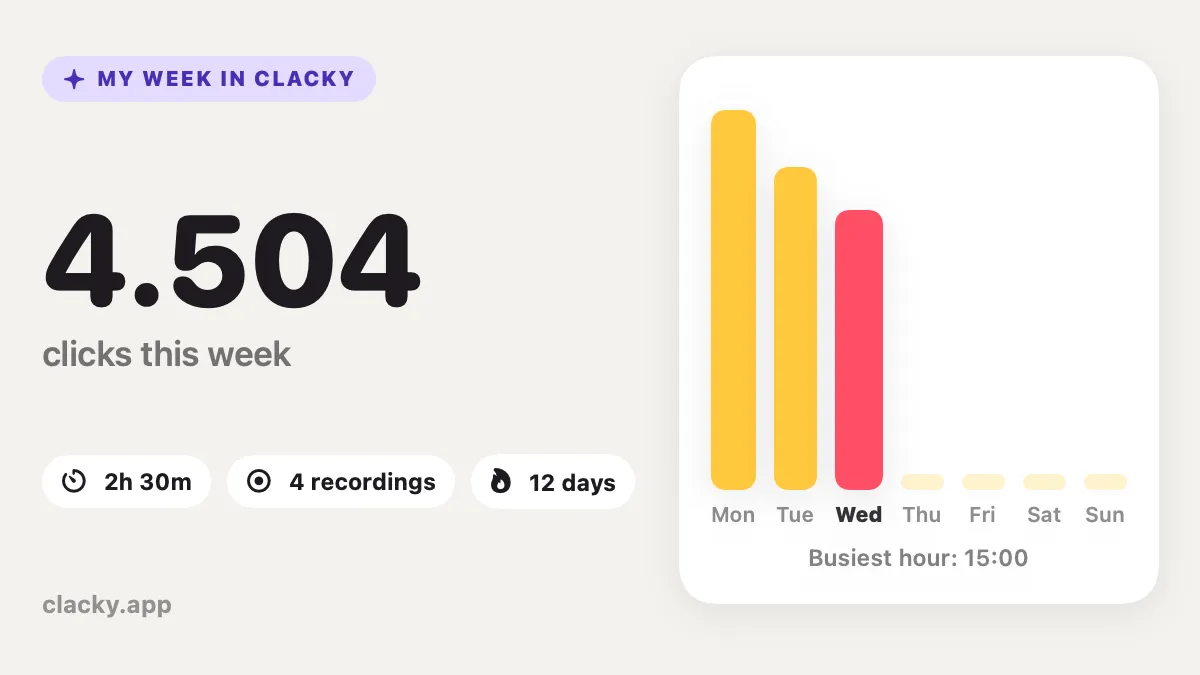
A shareable card of your Clacky week, with Boop.
What it is
Your Week turns the week’s numbers into one picture with Boop: clicks, keys, scrolls, your favourite sound, your busiest day and a day-by-day chart.
It’s made on this Mac from counts only. Never an app name, a window title or which keys you typed. Nothing is uploaded unless you share it yourself.
How to use it
Open it
In the Clacky window, press ⌘K and type “Your Week”, then press Return.
Look it over
A preview of your card shows this week so far.
Copy or save
Press Copy to paste it anywhere, or Save… to keep it as a file.
Tips
- For a closer look at your week, open Your Stats from the “Your week in Clacky” card in Sounds.
Questions
- Does the card show what I typed?
- No. It shows a count of key presses only. Clacky never records which keys you type.
- Is it posted anywhere?
- No. The card is made on your Mac. It goes somewhere only if you copy or save it and share it yourself.
Make something on your Mac today.
Seven days free, every feature, cancel anytime.