Use case
A scroll wheel sound for your Mac
Scroll Ticks in Clacky plays a soft tick for every notch of the scroll wheel, like a real wheel detent, in every app. It is on from the start.
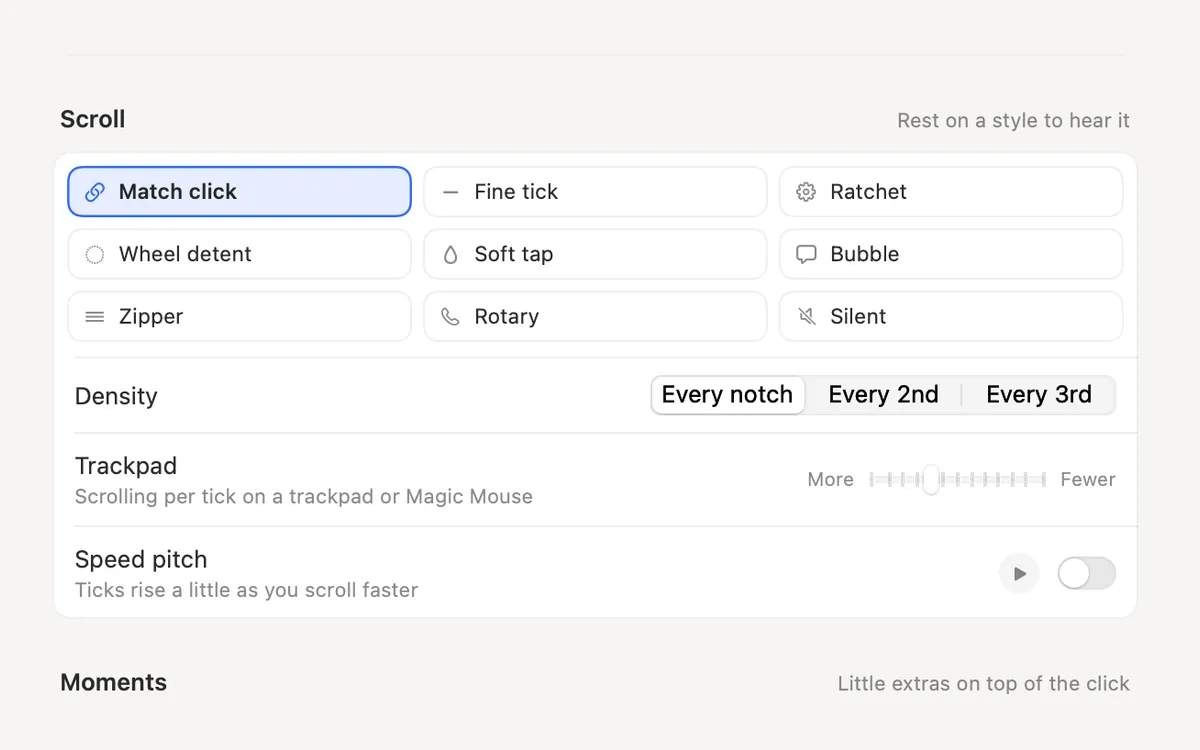
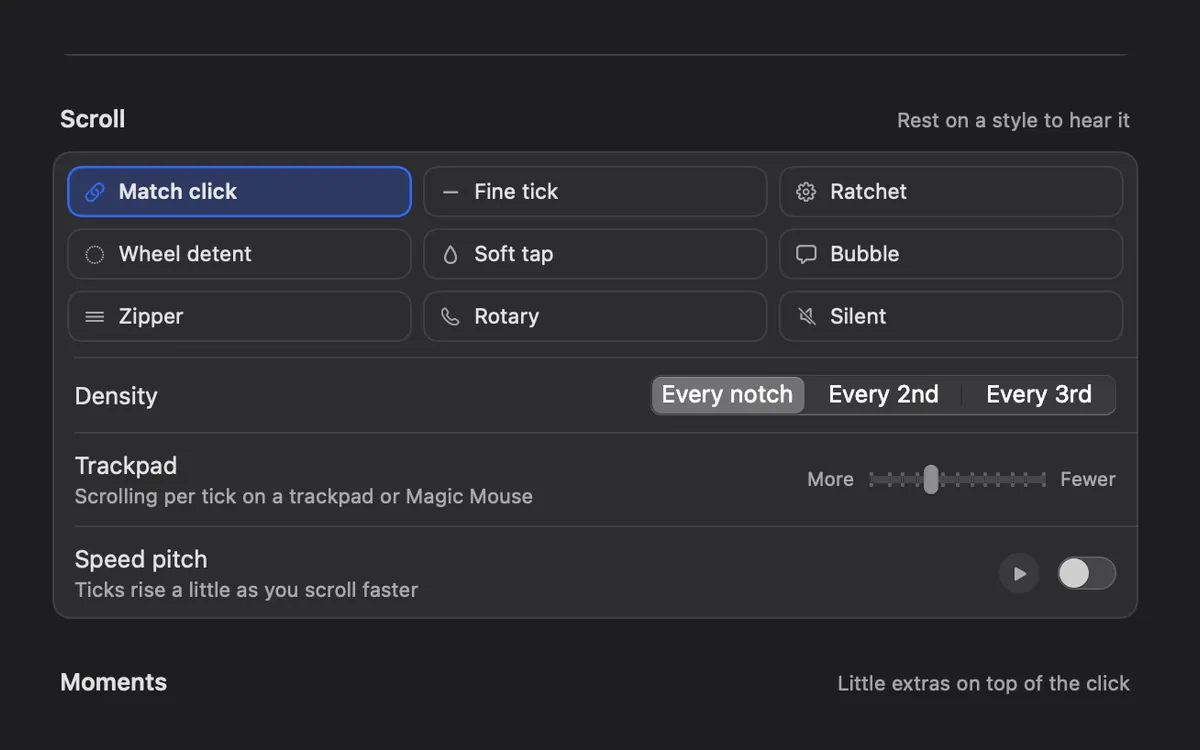
Pick a style
There are 8 scroll styles: Fine tick, Ratchet, Wheel detent, Soft tap, Bubble, Zipper, Rotary and Silent (clicks only). Match click sound uses each click sound’s own tick. Open More options in Settings → Sounds, rest on a style to hear it, then pick one.
Set the feel
Choose a density (every notch, every 2nd or every 3rd), the Trackpad amount for trackpads and Magic Mouse, and Speed pitch if you want ticks to rise a little as you scroll faster.
Questions
- Does it work with a trackpad?
- Yes. The Trackpad setting sets how much scrolling plays one tick on a trackpad or Magic Mouse.
- Can I keep click sounds and turn ticks off?
- Yes. Scroll Ticks has its own switch, and the Scroll chip in the Clacky menu turns it on and off.
- Can I try them first?
- Yes, the sounds page on this site plays them in your browser.
Facts checked on 17 October 2026.
Make something on your Mac today.
Seven days free, every feature, cancel anytime.