 MacPip
Answer
How do I blur an email or password in a screen recording?
You need an editor with a blur or redact box, because QuickTime Player has no blur tool and iMovie has no blur for part of the frame: drag the box over the email or password and keep it there for as long as it is on screen.
The safest way is to keep private things off screen before you record. Clacky Studio can find emails, card numbers, keys and IP addresses in your recording and cover them all in one click.
Before you record
- Close mail, chats and password managers you won’t show.
- Use a test account with a made-up email for demos.
- Sign in before you start recording, so the password field never appears.
- Turn on Do Not Disturb in Control Center, so no message pops up.
- Record one window or a selected area instead of the whole screen.
Blur, pixelate or a solid bar?
Short text like a code or a short password can sometimes be guessed through a light blur. For secrets, use a solid bar.
| Cover | Looks like | Use it for |
|---|---|---|
| Blur | Soft and smudged | Names and faces, where the shape doesn’t matter |
| Pixelate | Big squares | The same, with a clearer “hidden” look |
| Solid bar | A plain block | Passwords, keys and card numbers: nothing under it survives |
With Clacky Studio
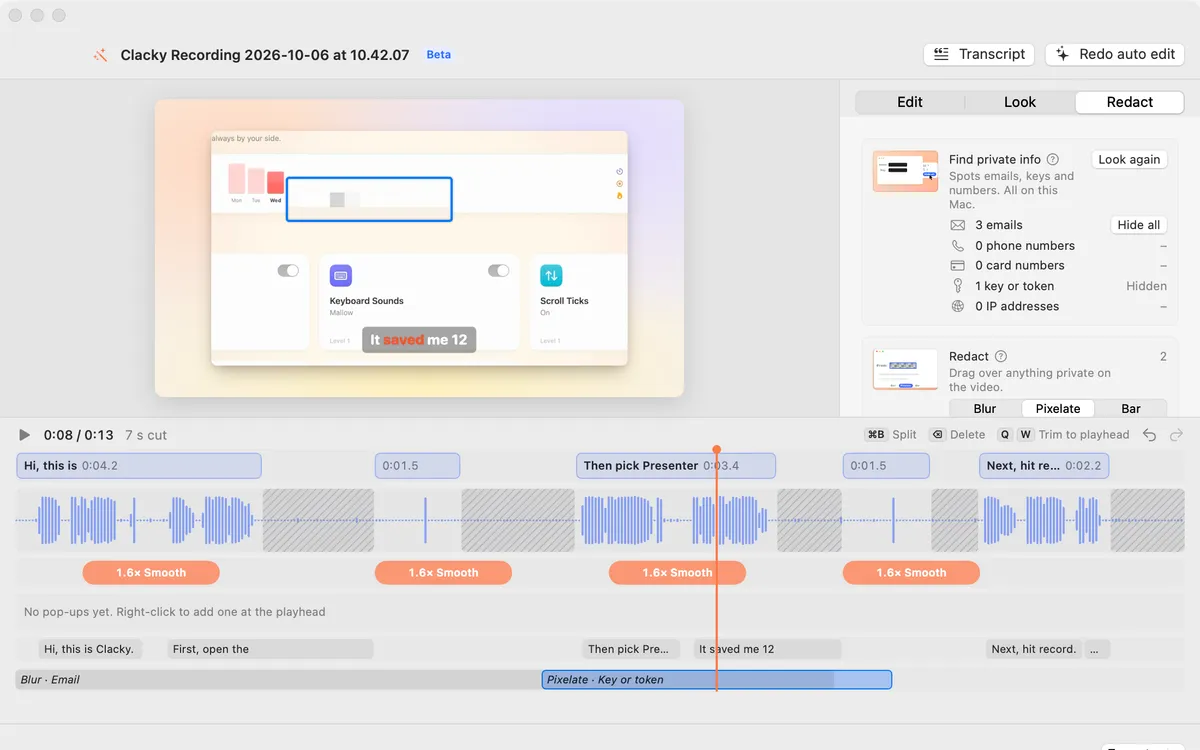
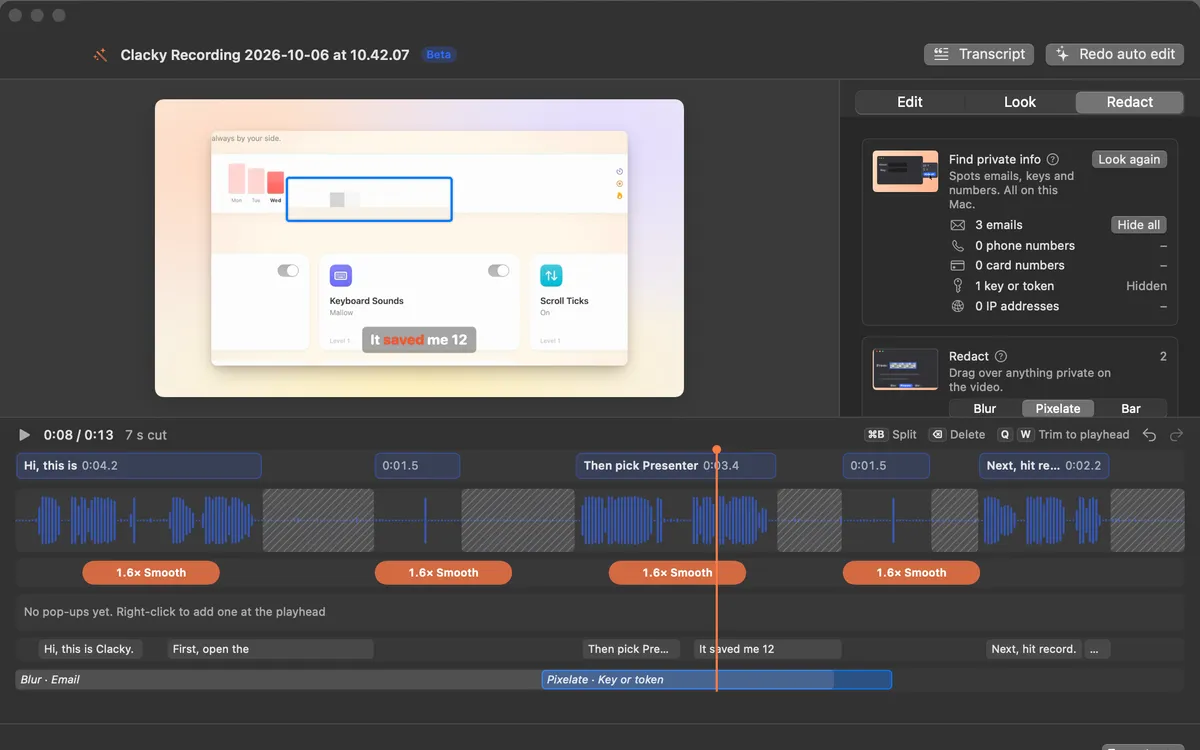
- Open the recording with Edit in Studio, or any video with Edit a Video, and click the Redact tab.
- Under Find private info, Clacky reads the screen in your recording, on your Mac, and lists the emails, phone numbers, card numbers, keys or tokens and IP addresses it found.
- Click Hide all to cover them, or Look again after you change the edit.
- For anything else, drag a box over it in Redact and pick Blur, Pixelate or Bar. Stretch the box on the timeline for as long as it shows. It follows the zoom.
- Export and watch the result once before you share it.
Without Clacky
iMovie has no blur for a part of the frame. A common workaround is to put a solid image over the spot with a picture-in-picture overlay. Other video editors have a mask or blur effect you can track over time.
For screenshots, the same job is easier: see how to blur part of a screenshot. Clacky’s recorder keeps everything on your Mac, and recordings are never uploaded, see Clacky’s privacy page.
Where these facts come from
Checked on 5 November 2026.
- Apple: Trim a movie or clip in QuickTime Player (QuickTime’s editing tools)
- Apple: Ken Burns and cropping in iMovie on Mac
Questions
Is a blurred password safe in a video?
Does Clacky upload my recording to find private info?
Can I blur a face in a screen recording?
Facts checked on 5 November 2026.
Related
- Redact videoDrag a box over something private: Blur, Pixelate or a solid Bar, for as long as you like. It follows the zoom.
- Find private infoClacky reads the screen in your recording, on your Mac, finds emails, phone numbers, card numbers, keys and IP addresses, and Hide all covers them.
- Blur part of a screenshot on a MacPreview has no blur tool, so cover it with a filled shape in Markup. Or use an editor with blur, like Clacky’s, which can find emails and keys for you.
- PrivacyWhat Clacky does and never does, and every request it makes.
- Product demo video on MacRecord a product demo with clicks heard and seen, let Studio cut the pauses and zoom on clicks, add captions, and export for X, YouTube or a launch.
Make something on your Mac today.
3 days free, every feature. Then $4.99 once.