Make a product demo video on your Mac
A good demo shows where you click, skips the waiting and fits the place it’s going. Clacky does all three in one app: record, auto edit, captions, export.
Record it
Clacky’s recorder captures your screen, a window or an area with click sounds and ripples, your Mac’s audio and your mic. A camera bubble and a teleprompter under the camera are there if you want them; Clacky’s own controls stay out of the video.
Let Studio do the first cut
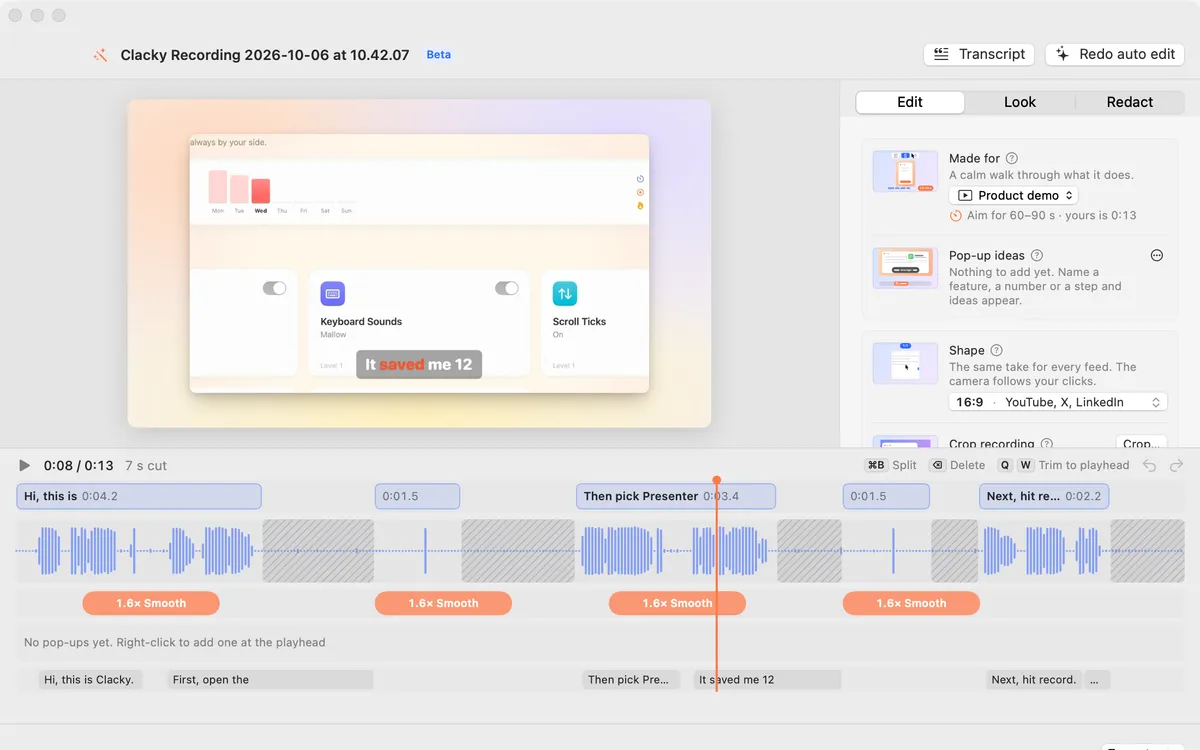
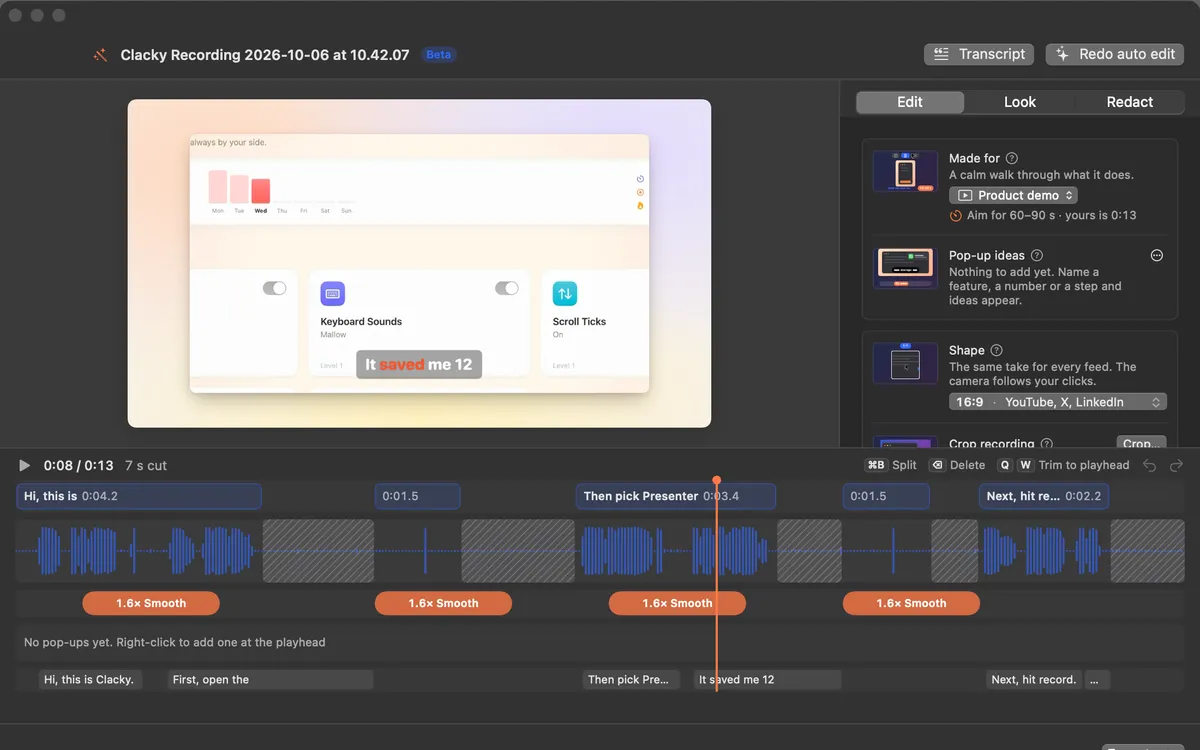
Tell Studio what the video is for (Product demo, Launch teaser, Short, Tutorial or Build in public) and the shape, captions and cuts follow. Auto edit (Beta) cuts the quiet, zooms on bursts of clicks and speeds up loading screens. Click any cut to bring it back.
Pop-up ideas offers cards right where you said a feature or a number, and Find private info covers emails, keys and card numbers it spots on screen.
Export for where it’s going
Pick X, YouTube, LinkedIn, TikTok, Reels, Shorts or a GIF, choose a file size and Studio makes it fit. Float the recording on a background and tilt it in 3D for a launch look.
Questions
- Is my demo uploaded anywhere?
- No. Recording, editing and export happen on your Mac.
- How is it different from Screen Studio?
- Screen Studio is a dedicated recorder and editor. Clacky vs Screen Studio compares the two from each one’s own pages, including where Screen Studio is better.
Facts checked on 17 October 2026.
Make something on your Mac today.
Seven days free, every feature, cancel anytime.