 MacPip
Answer
How do I remove background noise from a screen recording on a Mac?
In iMovie, which is free: select the clip, click the Noise Reduction and Equalizer button above the viewer, tick Reduce background noise and drag the slider until the hiss or hum is gone but your voice still sounds natural.
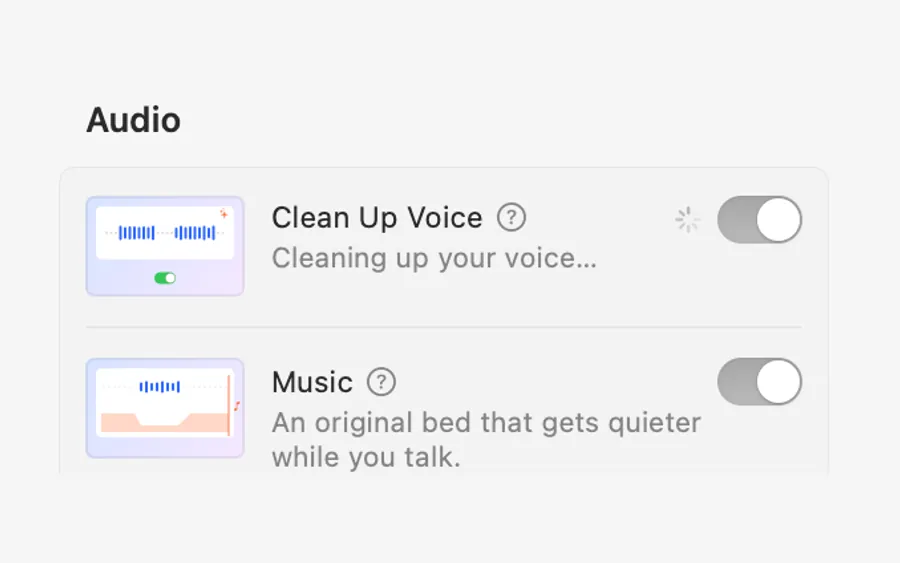
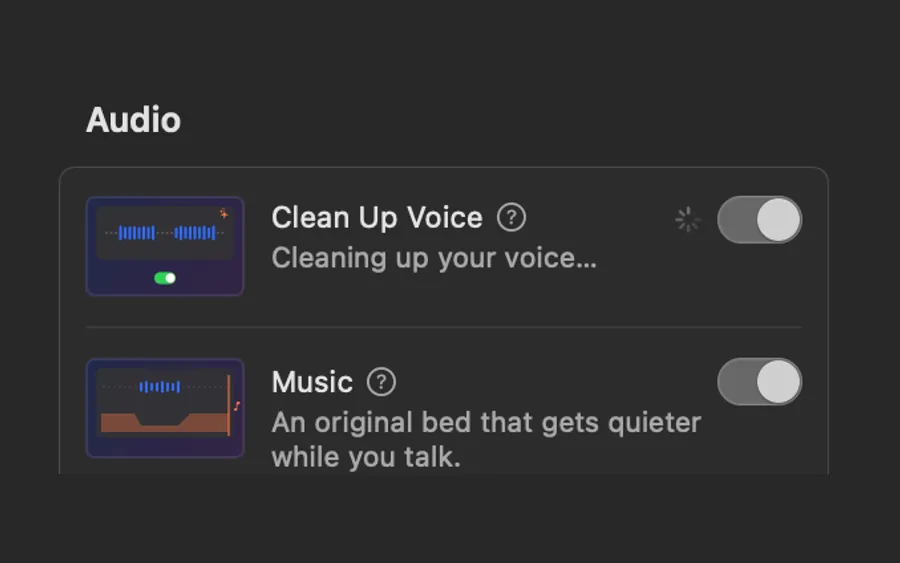
Clacky Studio has Clean Up Voice, one switch that takes out hum, hiss and room noise and evens out your voice, processed on your Mac. Either way, a quieter room beats any filter.
Reduce noise in iMovie
- Create a project in iMovie and drag your recording into the timeline.
- Select the clip.
- Click the Noise Reduction and Equalizer button above the viewer.
- Tick Reduce background noise and drag its slider.
- Play a few seconds with your voice and a few with silence. Too much and the voice sounds watery, so back off a little.
- Try an Equalizer preset from the same panel if the voice sounds dull.
Get less noise in the first place
- Get closer to the mic. Your voice gets louder and the room stays the same.
- Pick the right mic under Options → Microphone in Shift-Command-5. A wired headset or USB mic often beats a laptop mic next to a fan.
- Turn off the noise. Close windows, move away from the fridge, and stop heavy apps that spin up the fans.
- Soft things help. Curtains, a rug and a sofa soak up echo.
- Record a test and listen with headphones before the real take.
With Clacky Studio
Open the recording with Edit in Studio (or any video with Edit a Video), go to Audio and switch on Clean Up Voice. It takes out hum, hiss and room noise and brings your voice to an even level, all on your Mac, with nothing uploaded. Clicks stay crisp.
If you recorded with Clacky’s own recorder (macOS 15 or later), Mac Audio was on, so the click sounds came straight from the Mac, not through the room. Background music can hide what is left: see how to add music.
Where these facts come from
Checked on 5 November 2026.
- Apple: Reduce background noise in iMovie on Mac (Noise Reduction and Equalizer, Reduce background noise)
- Apple: How to record the screen on Mac (choosing a microphone)
Questions
Can QuickTime Player remove background noise?
Does noise removal also remove my click sounds?
Is my voice uploaded to clean it up?
Facts checked on 5 November 2026.
Related
- Clean Up VoiceHum, hiss and room noise gone, your voice at an even level, processed on your Mac. Clicks stay crisp.
- Add music to a screen recordingIn iMovie, drag a song or soundtrack to the background music well under the timeline. Clacky Studio adds a free music bed that dips while you talk.
- Mac screen recording has no soundBefore macOS 27, Apple’s recorder only records a microphone, never the Mac’s own sound, and Microphone is often set to None. Here is how to fix both.
- Remove filler words from videoFind every um, uh and “you know” in your recording’s transcript, uncheck the ones to keep, and remove the rest in one go. On your Mac.
- Auto captions on MacAdd word-by-word captions to screen recordings on your Mac. Written on your Mac, nothing uploaded. Seven looks, five fonts, optional .srt file.
Make something on your Mac today.
3 days free, every feature. Then $4.99 once.