 MacPip
Answer
How do I add music to a screen recording on a Mac?
Use iMovie, which is free on the Mac: put your recording in a project, click Audio & Video above the browser, pick a song or one of iMovie’s soundtracks, and drag it to the background music well under the timeline.
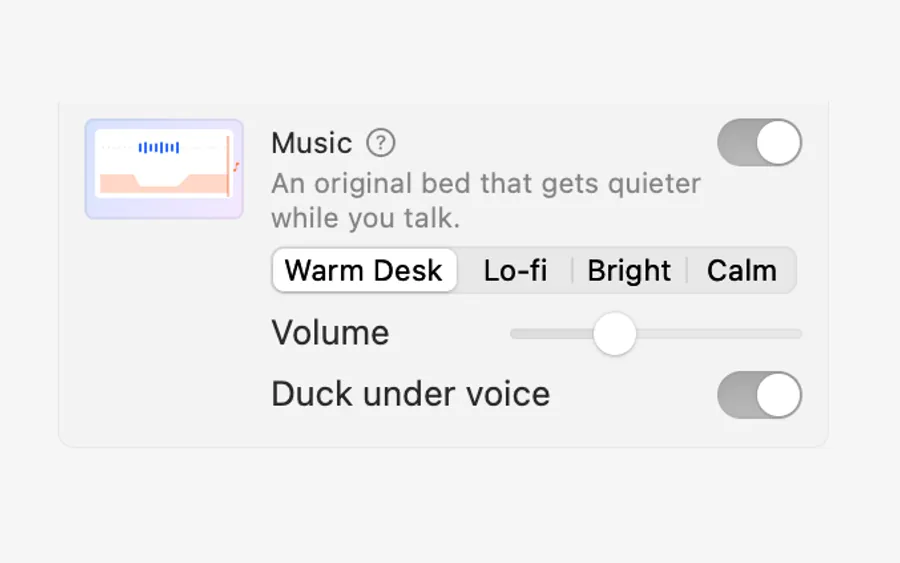
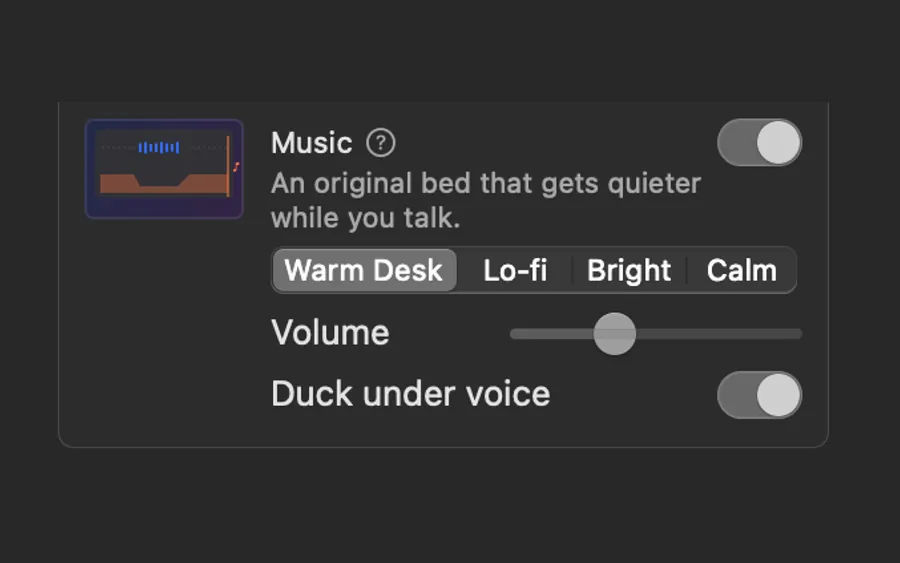
Then lower the music so your voice stays clear. Clacky Studio does that part for you: its music beds get quieter while you talk.
Add background music in iMovie
- Create a project in iMovie and drag your screen recording into the timeline.
- Click Audio & Video above the browser, then Music or Soundtracks in the sidebar.
- Drag a track to the background music well, the area below your clip in the timeline.
- Drag the volume line on the music down so your voice is easy to hear.
- Choose File → Share → File to export the video.
Which music you can use
Platforms like YouTube can mute or flag a video with music you don’t have the rights to.
- iMovie’s soundtracks are made for iMovie projects.
- Songs from Apple Music are copy-protected, so iMovie can’t use them, and owning a song doesn’t mean you may put it in a video you share.
- Royalty-free music from a library, under its own licence. Read the licence for where you can post it.
- Your own music, if you made it.
Mix music under a voice
- Keep the music far under the voice. If you notice it, it is too loud.
- Fade it in at the start and out at the end.
- Pick something calm and steady for tutorials. Busy music fights the clicks and the words.
With Clacky Studio
Open the recording with Edit in Studio (or any video with Edit a Video) and switch on Music. Pick one of four beds made by Clacky, Warm Desk, Lo-fi, Bright or Calm, free to use anywhere. Set the Volume, and leave Duck under voice on: the music dips while you talk and comes back when you stop.
You can also add your own mp3, m4a or wav file. The music sits on its own lane, where you drag its ends and fades. Export keeps it all on your Mac. For a full demo workflow, see making a product demo video.
Where these facts come from
Checked on 5 November 2026.
- Apple: Add music and sound clips in iMovie on Mac (Audio & Video, background music well)
- Apple: Add a soundtrack and sound effects to your iMovie project
Questions
Can I add music in QuickTime Player?
Are Clacky’s music beds free to use on YouTube?
How loud should background music be?
Facts checked on 5 November 2026.
Related
- MusicFour music beds made by Clacky, free to use anywhere. The music dips while you talk and comes back when you stop.
- Remove background noise from a screen recordingIn iMovie, click Noise Reduction and Equalizer, tick Reduce background noise and set the slider. Clacky Studio has Clean Up Voice, done on your Mac.
- Product demo video on MacRecord a product demo with clicks heard and seen, let Studio cut the pauses and zoom on clicks, add captions, and export for X, YouTube or a launch.
- Trim a screen recording on a MacOpen it in QuickTime Player, choose Edit → Trim, drag the yellow handles and click Trim. To cut a part from the middle, split the clip first.
- Sound effectsA soft whoosh as the camera zooms, a low thump where a pause was cut, one real Clacky click on the end card.
Make something on your Mac today.
3 days free, every feature. Then $4.99 once.