Use case
Turn a screen recording into a vertical video
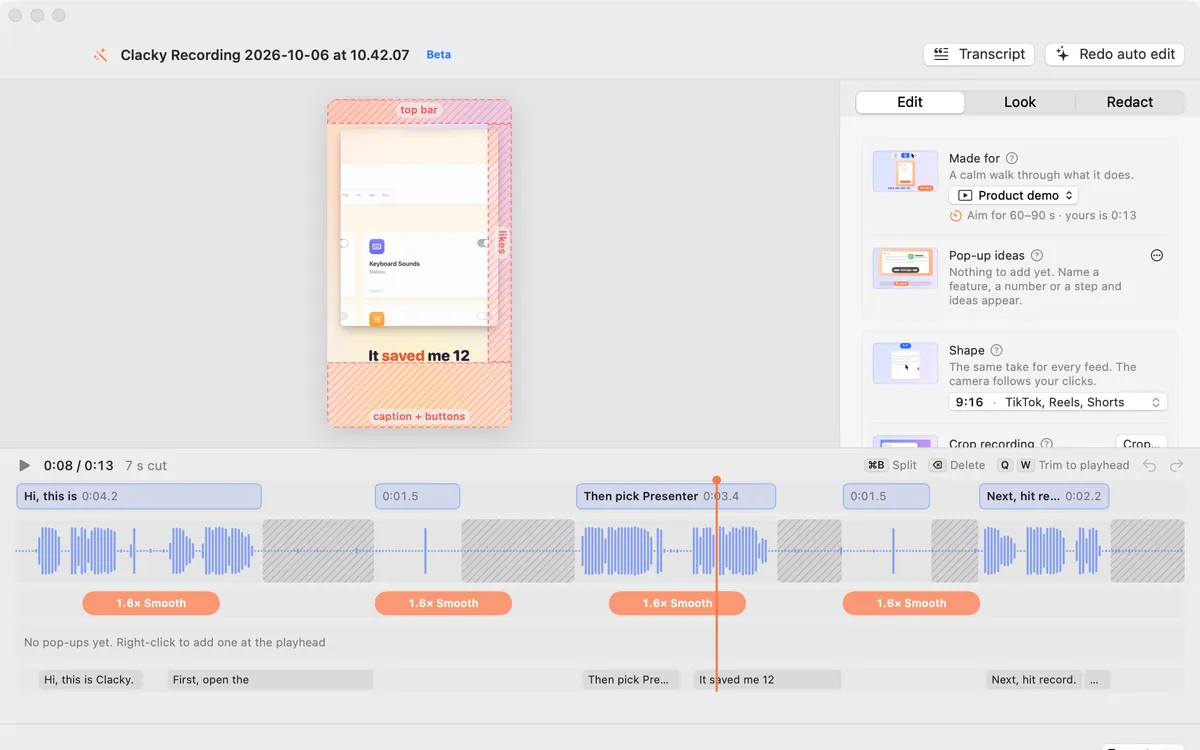
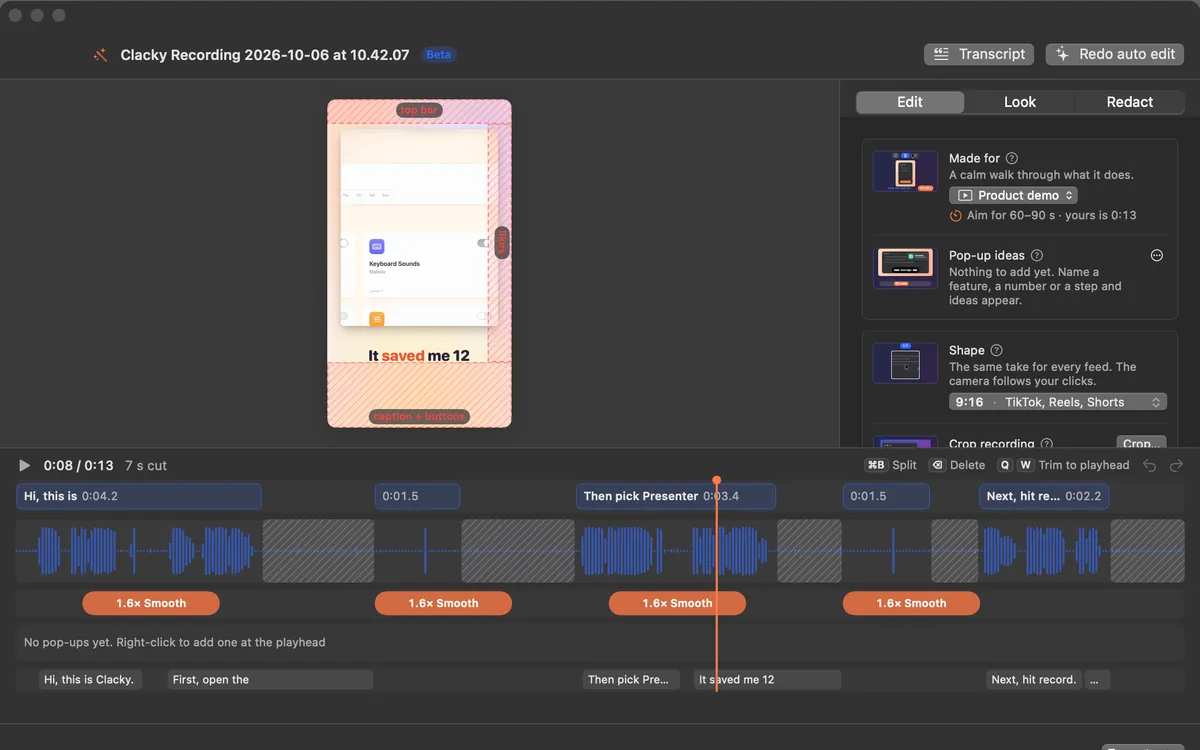
Screens are wide, Shorts and Reels are tall. Clacky turns a recording into a tall 9:16 video with the camera following your pointer and clicks, so the action stays in frame.
Two ways
- Make a Clip: one click in the recording preview makes a 1080 × 1920 clip for TikTok, Reels and Shorts, and copies a caption.
- Studio: pick 9:16, 4:5 (for the Instagram and Threads feed), 16:9 or 1:1. Safe zones show where each app’s buttons will sit.
Then export
Export presets for TikTok, Reels and Shorts set the size; pick a file size and Studio makes it fit. Captions can go on top, written on your Mac.
Questions
- Do I need to re-record in portrait?
- No. Record as usual; Studio follows your pointer inside the tall frame.
- Can I post it from Clacky?
- TikTok and Instagram are in the Calendar as coming soon, waiting for approval. Today you export the file and post it yourself.
Facts checked on 17 October 2026.
Make something on your Mac today.
Seven days free, every feature, cancel anytime.