 MacPip
Answer
Does Clacky work on macOS 14 Sonoma?
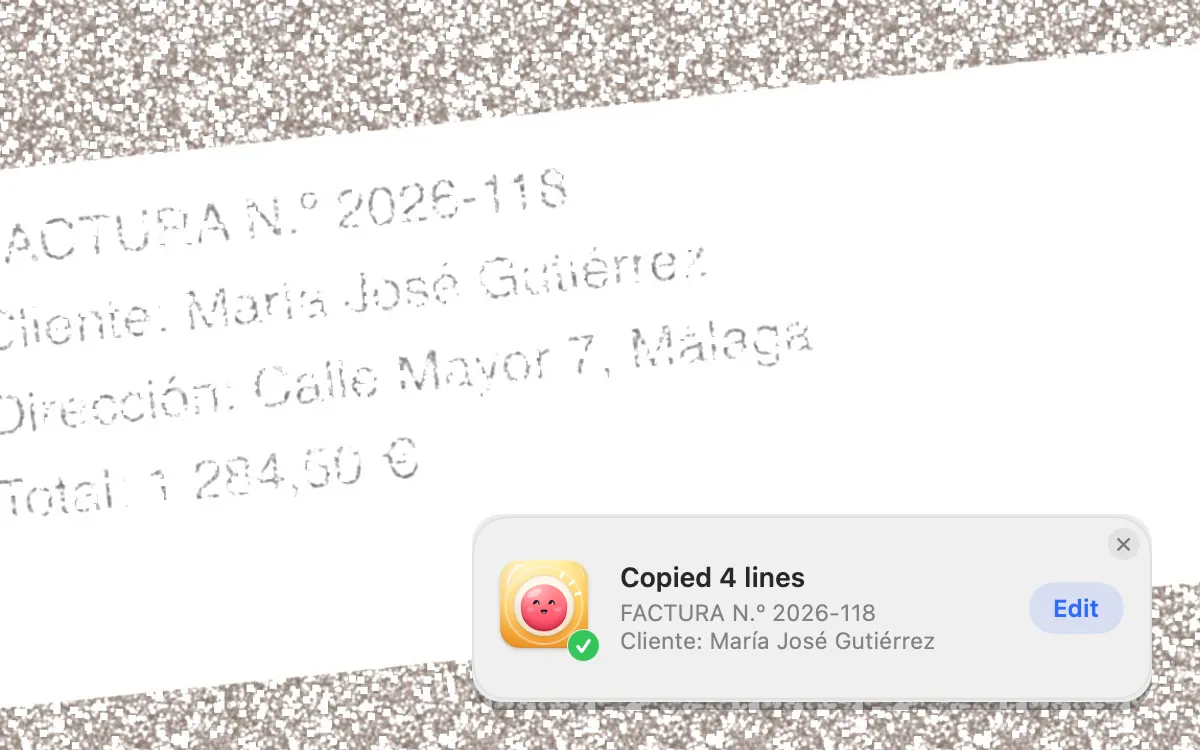
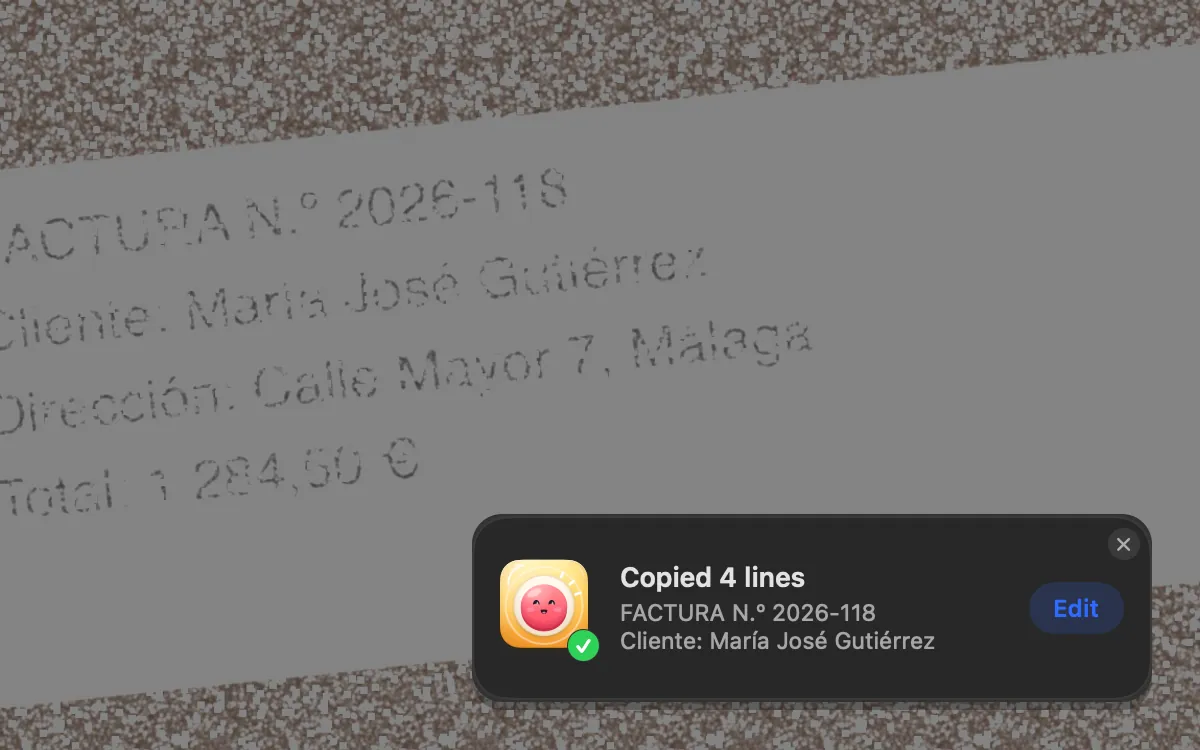
Yes. Clacky runs on macOS 14 Sonoma with every sound, the click ripple, Clackyland and the full screenshot studio.
Only the screen recorder and its Studio editor need macOS 15 Sequoia. On Sonoma you can record with macOS’s own ⇧⌘5 toolbar or QuickTime Player, and Clacky’s ripple still shows in the video.
What works on macOS 14
The screenshot studio asks for Screen Recording permission the first time you take a shot. Sounds only ever need Input Monitoring.
| Part of Clacky | On macOS 14 |
|---|---|
| Click, keyboard and scroll sounds | Yes |
| Click ripple, notch, Clackyland | Yes |
| Screenshots: area ⌥⇧⌘4, window ⌥⇧⌘5, full screen ⌥⇧⌘3 | Yes |
| Polished shot copied ⌥⇧⌘6, Grab Text ⌥⇧⌘T | Yes |
| Markup, Polish, Showcase, Shelf, Collage, Copy only | Yes |
| Scrolling Capture (Beta), up to 20,000 px | Yes |
| Screen recorder, Auto edit, captions, Make a Clip | No, needs macOS 15 |
Recording your screen on Sonoma without Clacky’s recorder
macOS 14 has a good built-in recorder. It just can’t record your Mac’s own sound, only a microphone, so Clacky’s click sounds won’t be in the file. The ripple will be.
- Press ⇧⌘5 to open the Screenshot toolbar.
- Pick Record Entire Screen or Record Selected Portion.
- Open Options to choose a microphone and where to save. If you use Clacky’s ripple, leave Show Mouse Clicks off so you don’t get two circles.
- Click Record. To stop, click the stop button in the menu bar or press ⌃⌘Esc.
- Open the file in QuickTime Player and use Edit → Trim to cut the start and end.
Notes that only apply to Sonoma
- Update to 14.4 or later for smarter call detection. From macOS 14.4, macOS tells Clacky which apps are using the microphone. Quiet during calls then goes quiet for call apps and browsers (Zoom, Meet, FaceTime, Teams, Discord and others) and not for dictation tools. On 14.0 to 14.3 it can’t tell, so any app using the mic counts as a call.
- Clacky’s shortcuts sit next to Apple’s. macOS uses ⇧⌘3, ⇧⌘4 and ⇧⌘5. Clacky adds ⌥ to each, so both work side by side. Change any of them in Settings → Shortcuts.
- Smoother ripples on ProMotion screens. From macOS 14, Clacky asks a ProMotion display to draw the ripple at up to 120 Hz.
When to move to macOS 15
If you record tutorials or demos, the recorder is the main reason. On macOS 15 it records the Mac’s sound, so your clicks are heard in the video, with a camera bubble, pause and resume in one file, and an editor that cuts quiet parts and writes captions on your Mac. See screen recording with click sounds.
Check System Settings → General → Software Update to see whether your Mac can run macOS 15. Your Clacky settings and licence carry over.
Questions
Do Clacky’s screenshot shortcuts replace the macOS ones?
Does Grab Text work on macOS 14?
Will people on a Zoom call hear Clacky on Sonoma?
Facts checked on 5 November 2026.
Related
- Does Clacky work on macOS 13 Ventura?Yes. Clacky runs on macOS 13 Ventura with every sound, the click ripple and Clackyland. Screenshots need macOS 14 and the recorder macOS 15.
- Does Clacky work on macOS 15 Sequoia, 26 Tahoe and 27 Golden Gate?Yes. On macOS 15 Sequoia, 26 Tahoe and 27 Golden Gate every part of Clacky works: sounds, the ripple, screenshots and the recorder.
- Grab TextPress ⌥⇧⌘T and drag over any text: a video, a PDF, a photo. Your Mac reads it right there and it’s on your clipboard.
- Screenshot editorGrab an area, a window or the whole screen. Mark it up with arrows, steps, text and blur, then copy or save.
- How do I show mouse clicks in a screen recording on Mac?Show mouse clicks in a Mac screen recording: Apple’s Show Mouse Clicks option, editors that add click effects later, and a live click ripple with a sound.
- Will people on my Zoom call hear Clacky's sounds?No, not by default. Quiet during calls keeps Clacky silent while Zoom, Meet, FaceTime, Teams or Discord uses your mic. The ripple shows on screen share.
Make something on your Mac today.
3 days free, every feature. Then $4.99 once.