 MacPip
Answer
OBS or Clacky for recording tutorials on a Mac?
Pick OBS if you want free, open-source software with scenes, many sources, a full audio mixer, plugins and live streaming, and you’re happy to set it up. Pick Clacky if you want to press Record and get a tutorial with your clicks heard and seen and your camera in a bubble, then cut the quiet, add captions and export a vertical clip on your Mac.
You can also use both. Clacky’s ripple is drawn on the real screen and its click sounds play through your Mac, so OBS records them like anything else.
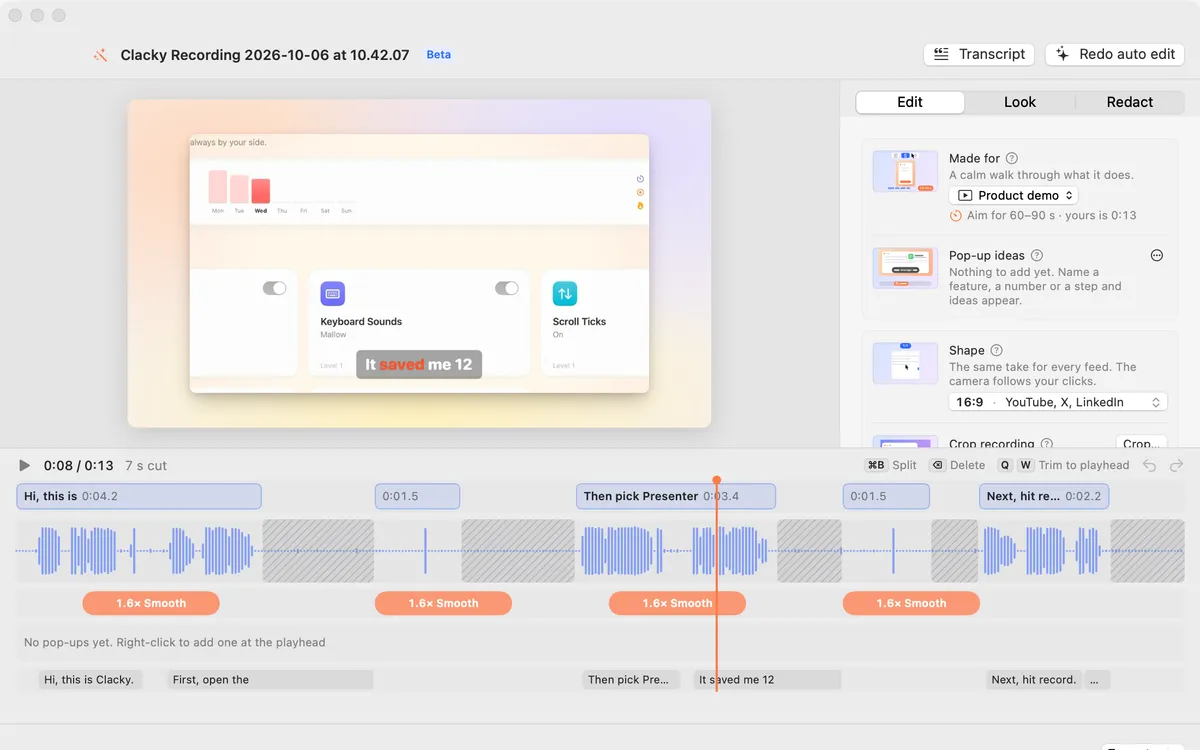
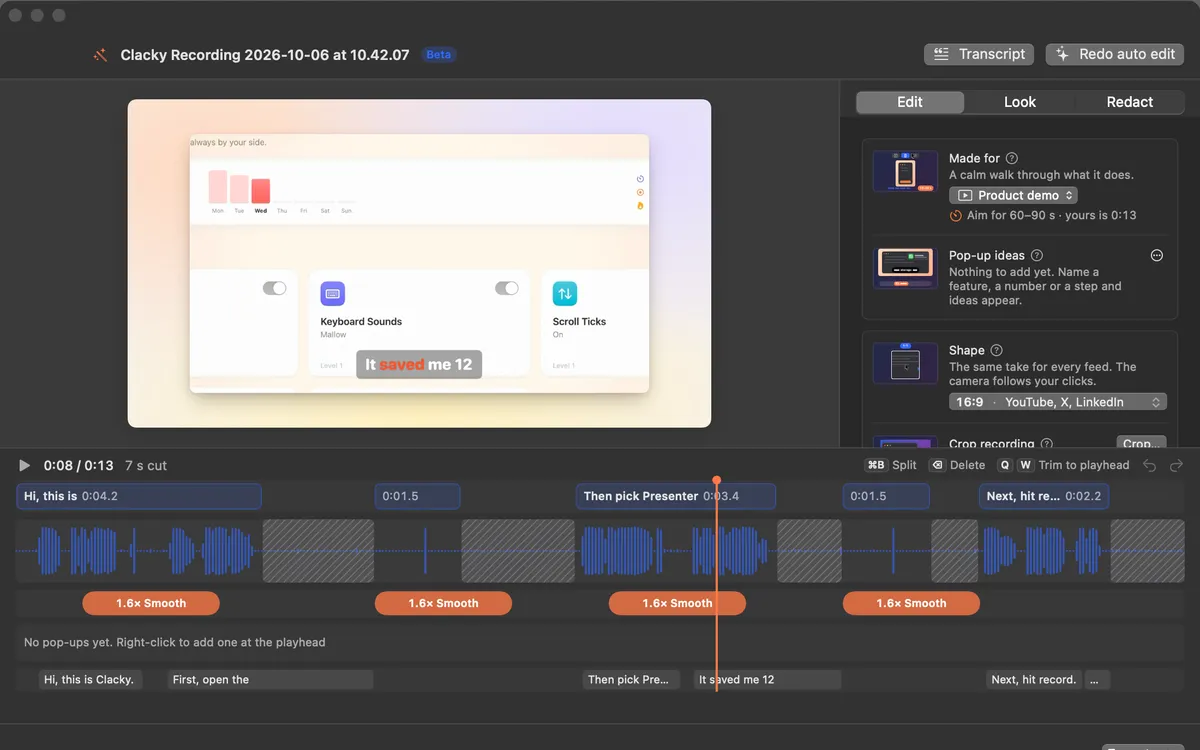
OBS and Clacky side by side
From obsproject.com and Clacky’s own pages, read on 5 November 2026.
| OBS Studio | Clacky | |
|---|---|---|
| Price | Free, open source | $4.99 once, 1 Mac, 3-day trial |
| macOS | 13 or later, Apple silicon and Intel builds | Recorder needs macOS 15 or later |
| Also on | Windows and Linux | Mac only |
| Live streaming | Yes | No |
| Scenes and sources | Unlimited scenes, many sources, transitions | Full screen, one window or an area |
| Audio | Mixer with filters like noise suppression | Mac audio and mic, Clean Up Voice after |
| Clicks in the video | Records whatever is on screen | Click sounds and a ripple, live |
| Editing | None built in (record, then use an editor) | Auto edit, transcript edits, captions, 9:16 |
Set up OBS for a Mac tutorial
From OBS’s own guide to Mac audio. Source names are as OBS shows them.
- Download OBS Studio for macOS from obsproject.com and open it. Allow the permissions macOS asks for, such as Screen Recording and Microphone.
- In Sources, add a macOS Screen Capture source for your display or one app.
- For your Mac’s sound, add a macOS Audio Capture source (OBS 30 and later). In OBS 28 and 29, the Screen Capture source carries the audio.
- Add your microphone, and give it a Noise Suppression filter in the Audio Mixer.
- Add your camera as a Video Capture Device if you want your face on screen, then click Start Recording.
Why pick OBS
OBS can do far more than a tutorial: switch between scenes with transitions, mix several mics and apps, stream to the big platforms, and add plugins and Lua or Python scripts. It is free on Mac, Windows and Linux, and its site lists version 33.0.1, released on 29 October. If you stream, or want every layer under your control, OBS is the stronger tool.
Why pick Clacky
Clacky’s recorder is built for the tutorial itself. Pick Mic, Camera and Mac Audio on its bar and press Record: a 3-2-1 countdown starts it, Pause and Stop sit in the notch, and Clacky’s own bar and pill stay out of the video. Every click gets a sound and a ripple, Spotlight dims the screen around the pointer, and the cursor can be bigger in the video.
Then Studio does the editing OBS leaves to another app: Auto edit (Beta) cuts the quiet between sentences, zooms in on bursts of clicks and speeds up the waiting. You can delete words from the transcript, remove filler words, add captions made on your Mac, crop out the menu bar and Dock, blur private info and export 9:16 for Shorts. Nothing is uploaded. More in screen recording with click sounds.
Where these facts come from
Checked on 5 November 2026.
- OBS: obsproject.com and macOS desktop audio capture guide
- Clacky: screen recorder, auto edit and captions
Questions
Can OBS record Mac system audio?
Does OBS show mouse clicks?
Is OBS free on Mac?
Which is easier for a first tutorial?
Facts checked on 5 November 2026.
Related
- Is QuickTime enough for screen recording?For quick silent recordings, yes. Before macOS 27 it can’t record Mac sound, and it has no pause, camera bubble or captions. Here is when you need more.
- Free screen recorder for Mac that shows clicksYes. The Mac’s own recorder is free and can circle every click. OBS, Cap and Loom’s free plan are free too, but each shows clicks differently.
- Zoom in on clicks in a screen recordingmacOS can’t zoom on clicks by itself. Zoom by hand in iMovie with Ken Burns, or use a recorder that knows where you clicked, like Clacky.
- Auto editStudio cuts the quiet between your sentences, zooms in on every burst of clicks and speeds up the waiting. Click a cut to bring it back.
- Product demo video on MacRecord a product demo with clicks heard and seen, let Studio cut the pauses and zoom on clicks, add captions, and export for X, YouTube or a launch.
- Clacky vs Screen StudioClacky vs Screen Studio for Mac: price (once or monthly), click sounds, a click ripple, auto zoom, captions and editing. A fair, sourced comparison.
Make something on your Mac today.
3 days free, every feature. Then $4.99 once.